

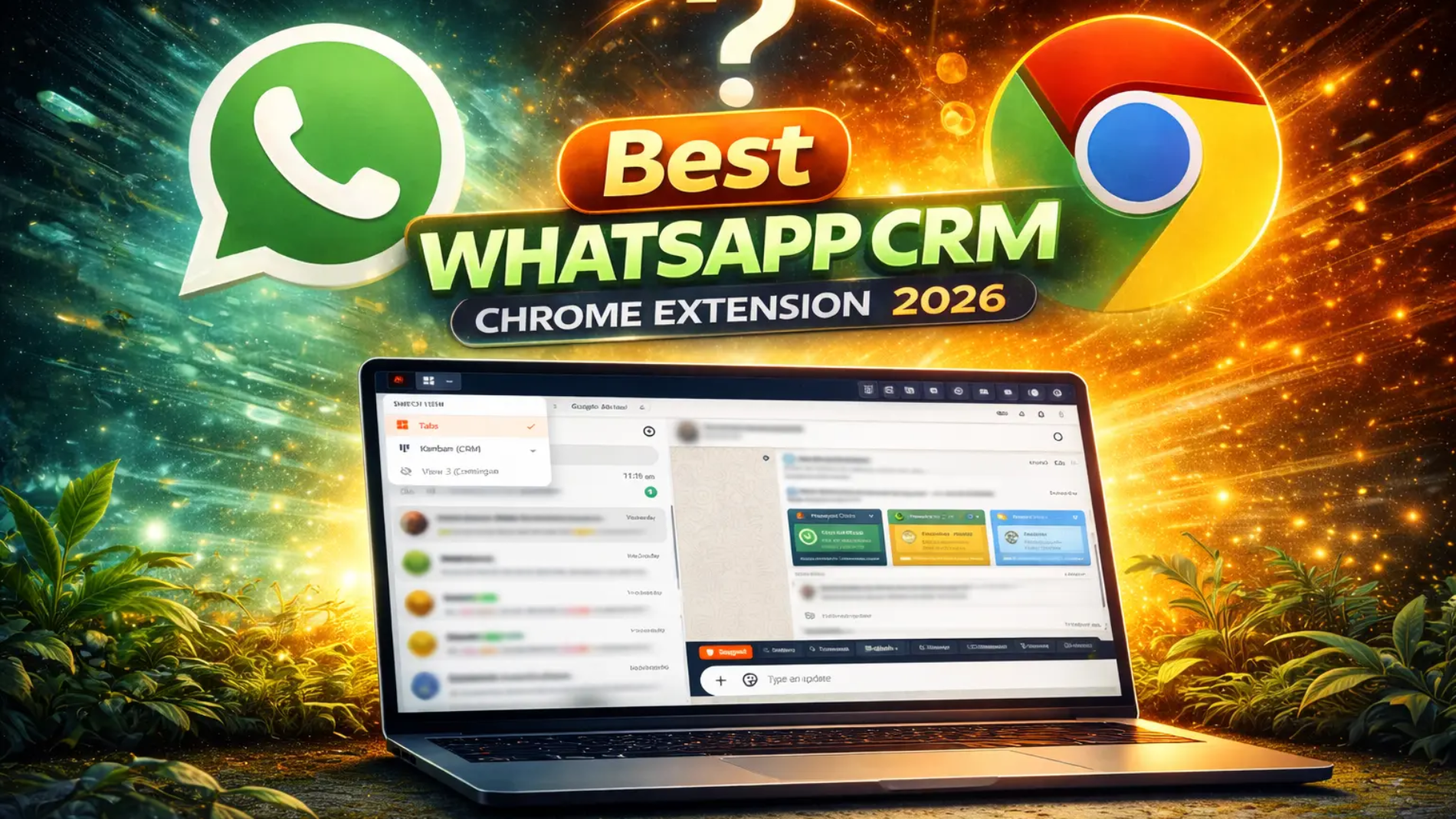
Transform your WhatsApp Web into a powerful CRM with AI chatbot, bulk messaging, Kanban boards, webhooks, and 20+ productivity features.
7-Day Free Trial AvailableAre you looking for the best WhatsApp CRM Chrome Extension for 2026? You've landed in the right place. In today's fast-paced business environment, managing customer conversations on WhatsApp Web isn't just about sending messages—it's about building relationships, tracking leads, and automating repetitive tasks.
A WhatsApp Web CRM tool transforms your basic messaging interface into a full-featured customer relationship management system. Whether you're a freelancer managing multiple clients, a sales team tracking leads, or a business owner automating customer support—the right WhatsApp CRM Chrome Extension can save you hours every week while boosting your conversion rates.
In this comprehensive guide, we'll explore everything you need to know about WhatsApp CRM extensions, their essential features, and why Lion CRM stands out as the top choice for businesses worldwide in 2026.
What is a WhatsApp CRM Chrome Extension?
A WhatsApp CRM Chrome Extension is a browser-based tool that adds powerful customer relationship management features directly to WhatsApp Web. Instead of switching between multiple apps, you can manage contacts, automate messages, track leads, and analyze conversations—all within your WhatsApp interface.
Think of it as upgrading your basic WhatsApp Web to a professional-grade communication hub. These extensions work seamlessly in the background, enhancing your existing workflow without requiring any complex setup or WhatsApp API costs.
Key capabilities of a WhatsApp CRM extension typically include:
- Contact Management — Organize contacts with labels, notes, and custom tabs
- AI Chatbot — Automated intelligent responses using ChatGPT, Gemini, or DeepSeek
- Bulk Messaging — Send personalized messages to thousands of contacts
- Message Scheduling — Plan and automate future messages
- Lead Tracking — Kanban boards for visual pipeline management
- Integrations — Connect with Zapier, Google Sheets, and other tools via webhooks
Why Your Business Needs a WhatsApp Web CRM
WhatsApp has over 2 billion active users worldwide, making it the most popular messaging platform for business communication. But here's the challenge—the standard WhatsApp Web interface isn't designed for business workflows.
Without a proper WhatsApp Web CRM, you're likely facing these problems:
- Losing track of important customer conversations
- Manually copying contact information between apps
- Missing follow-ups because there's no reminder system
- Spending hours sending repetitive messages one by one
- No visibility into your sales pipeline or customer journey
The Solution
A WhatsApp CRM Chrome Extension solves all these problems by bringing CRM functionality directly into WhatsApp Web. You get automated workflows, organized contacts, intelligent chatbots, and detailed analytics—without ever leaving your browser.
Key Features to Look For in a WhatsApp CRM Extension (2026)
Not all WhatsApp CRM extensions are created equal. When choosing the best WhatsApp CRM Chrome Extension for your business, here are all the features you should look for:
AI & Automation Features
AI WhatsApp Chatbot
Intelligent auto-replies powered by ChatGPT, Gemini, or DeepSeek for customer support.
ChatGPT Integration
Connect OpenAI's ChatGPT for natural, context-aware conversations.
Gemini Integration
Google's advanced AI for smart, multilingual responses.
DeepSeek Integration
Cost-effective AI option with excellent performance.
Auto-Schedule Meetings
AI reads conversations and creates appointments automatically.
Auto-Update Profiles
Extract email, DOB, preferences from chat and update contacts.
Messaging Features
WhatsApp Bulk Message Sender
Send personalized broadcast messages to thousands of contacts.
WhatsApp Schedule Message
Plan and automate messages for specific dates and times.
Quick Replies Templates
One-click professional responses with media attachments.
WhatsApp Message Templates
Create reusable templates for consistent communication.
WhatsApp Broadcast
Send campaigns to labels, tabs, groups, or CSV contacts.
WhatsApp Status Automation
Post text, image, video statuses with scheduling and auto-repost.
Organization & CRM Features
Custom Tabs
Organize WhatsApp chats into unlimited custom categories.
WhatsApp Business Labels
Label chats for easy categorization and filtering.
WhatsApp Kanban CRM
Visual drag-and-drop pipeline for lead management.
Contact Profile Management
Add notes, track income/expense, view history per contact.
WhatsApp Appointment Booking
Schedule and track appointments with calendar integration.
Reminder in WhatsApp
Set follow-up reminders and never miss important callbacks.
Integration Features
WhatsApp Webhooks
Real-time data sync with external applications.
Zapier WhatsApp Integration
Connect with thousands of apps through Zapier.
WhatsApp Google Sheets
Sync contact data automatically to spreadsheets.
WhatsApp API Integration
Developer API with queue polling for custom integrations.
WhatsApp Postman
API testing and development documentation.
CRM Integrations
Connect with Bitrix24, HubSpot, Pipedrive, and more.
Productivity & Privacy Features
Chat Translator for WhatsApp
One-click translation in 8+ languages.
Transcribe WhatsApp Audio
Convert voice notes to text with translation.
Blur Chat WhatsApp Desktop
Privacy protection for messages, names, and photos.
WhatsApp Contact Export
Export contacts from groups and chats to CSV.
Bulk Number Validator
Check which numbers have WhatsApp before campaigns.
Digital Signature WhatsApp
Add professional signature to all messages.
Team & Multi-Agent Features
WhatsApp Multi Agent
Multiple team members on one WhatsApp number.
WhatsApp Chat Transfer
Transfer conversations to other agents with priority levels.
Backup & Restore
Protect your CRM data with one-click backup.
9+ Languages Support
Use the CRM interface in your preferred language.
Lion CRM — The Best WhatsApp CRM Chrome Extension for 2026
Lion CRM is a feature-rich WhatsApp CRM Chrome Extension designed to transform how businesses communicate on WhatsApp. Built by Lotsofcode, Lion CRM combines powerful automation, intelligent AI chatbots, and intuitive organization tools—all accessible directly within WhatsApp Web.
What makes Lion CRM stand out from other WhatsApp Web CRM tools?
- 3 AI Providers — ChatGPT, Gemini, and DeepSeek integration
- Smart AI Bot — Auto-schedule appointments, auto-update profiles, intelligent context-aware responses
- Complete CRM Suite — Kanban boards, income/expense tracking, contact profiles
- Powerful Integrations — Webhooks with Zapier, Pabbly, n8n, Google Sheets, and more
- Developer-Friendly — Configure API and queue polling for custom integrations
- 9+ Languages — English, Chinese, Spanish, Portuguese, French, Arabic, Russian, Japanese, German
- Whitelabel Option — Resell Lion CRM under your own brand
Ready to Transform Your WhatsApp?
Experience all features with a 7-day free trial. License key required for activation.
Install Lion CRM Free Visit WebsiteAI Chatbot Integration — The Best WhatsApp Chatbot
The AI WhatsApp chatbot is where Lion CRM truly shines. Unlike basic auto-reply features in other extensions, Lion CRM offers an intelligent chat bot in WhatsApp that understands context and responds like a human.
Supported AI Providers
Lion CRM supports three leading AI providers for your chatbot needs:
- ChatGPT Integration — OpenAI's powerful language model for natural conversations
- Gemini Integration — Google's advanced AI for smart, contextual responses
- DeepSeek Integration — Cost-effective AI option with excellent performance
Smart AI Bot Features
What makes Lion CRM's AI bot the best WhatsApp chatbot for business?
Intelligent Automation
- Auto-Schedule Meetings — AI reads conversations and creates WhatsApp appointments automatically
- Auto-Update Profile — Extracts email, DOB, preferences from chat and updates contact profiles
- Auto-Update Tabs — Categorizes contacts based on conversation interest
- Context Messages — Reviews previous messages for better, relevant responses
Bot Configuration Options
- Business Prompt — Define your business context, tone, and response guidelines
- Bot Hours — Schedule when AI responds (perfect for after-hours support)
- Random Delays — Human-like timing so responses don't feel robotic
- Group Control — Option to disable AI replies in group chats
- Enabled Actions — Choose what AI can do: send replies, update tabs, create appointments, update profiles
WhatsApp Bulk Message Sender
Need to send messages to thousands of contacts? Lion CRM's WhatsApp bulk message sender makes WhatsApp broadcast campaigns effortless and safe.
Bulk Messaging Features
- Multiple Import Options — CSV upload, groups, labels, tabs, or Kanban boards
- Personalized Messages — Dynamic variables for customized communication
- Smart Pause Intervals — Configurable delays between messages to protect your account
- Rich Media Support — Send images, videos, documents, audio, contacts, polls, and product catalogs
- Campaign Reports — Track delivery status, failed messages, and complete history
- WhatsApp Contact Export — Export contacts from groups and chats easily
WhatsApp may block or ban accounts that violate their guidelines. To stay safe:
- Set proper delays (30-60 seconds between messages)
- Start small (50-100 messages/day) and increase gradually
- Only message contacts who know you or have opted in
- Use aged WhatsApp numbers for better results
- Focus on quality over quantity—personalized messages get fewer reports
Bulk Number Validator
Before sending bulk campaigns, use Lion CRM's bulk number validator to check which numbers have WhatsApp. This reduces failed messages and protects your account from being flagged for automated behavior.
Organize WhatsApp Chats with Custom Tabs
Tired of scrolling through hundreds of unorganized chats? Lion CRM lets you organize WhatsApp chats with powerful categorization tools.
Custom Tabs Feature
Create unlimited custom tabs to categorize your conversations:
- Hot Leads
- Pending Payments
- VIP Clients
- Support Queries
- Follow-ups
- Any category you need!
Add individual chats, entire groups, or WhatsApp business labels to any tab. With label chat WhatsApp business functionality, you can sync your existing labels and organize contacts seamlessly.
Profile-Chat CRM Button
Lion CRM adds a CRM button at the top of each chat for instant access to:
- Profile Details — View and edit contact information
- Notes for WhatsApp Chat — Add important notes to any conversation
- Reminders in WhatsApp — Set follow-up reminders
- Appointments — Track scheduled meetings
- Income/Expense — Record customer transactions
WhatsApp Kanban CRM & Lead Management
Visual pipeline management is essential for sales teams. Lion CRM's WhatsApp Kanban CRM brings drag-and-drop lead tracking directly to WhatsApp Web.
Kanban Board Features
- Custom Stages — Create stages that match your sales process (Lead, Contacted, Negotiation, Closed)
- Drag & Drop — Move contacts between stages effortlessly
- Multiple CRM Boards — Create separate boards for different projects or teams
- Dark/Light Mode — Comfortable viewing in any environment
- Direct Integration — Manage WhatsApp labels and tabs from the Kanban menu
With effective WhatsApp lead management, you'll never lose track of a potential customer again. See exactly where each lead stands in your pipeline and what action is needed next.
Schedule Messages & Reminders
Planning ahead is crucial for business communication. Lion CRM's WhatsApp schedule message feature lets you plan messages in advance and never miss a follow-up.
Message Scheduling
- Schedule one-time messages for specific dates and times
- Plan bulk campaigns in advance
- Set recurring messages for regular communication
- View all scheduled messages in the calendar
Smart Reminders
Need to send a gentle reminder message on WhatsApp? Lion CRM's reminder in WhatsApp feature helps you:
- Set follow-up reminders for any contact
- Get notifications when it's time to reach out
- Never forget important callbacks or meetings
- Track all reminders in your appointment list
WhatsApp Appointment Booking & Meeting Scheduler
Lion CRM includes a WhatsApp meeting scheduler with calendar integration:
- Create appointments directly from chats
- WhatsApp schedule meeting with Google Calendar sync
- Generate Google Meet links within the CRM
- View daily, weekly, and monthly schedules
- AI can auto-schedule meetings from conversation context
WhatsApp Webhooks & API Integration
Connect Lion CRM with your existing tools using powerful WhatsApp webhooks and WhatsApp API integration.
Webhook Integrations
Lion CRM supports real-time data sync with:
- Zapier WhatsApp Integration — Connect with thousands of apps
- Pabbly — Automated workflows
- n8n — Open-source automation
- WhatsApp Google Sheets — Sync contact data automatically
- Bitrix24 — CRM integration
- HubSpot — Sales and marketing automation
- Pipedrive — Sales pipeline management
- Make (Integromat) — Visual automation builder
Available Webhook Events
Trigger automations based on:
- Quick Responses sent
- Appointments created
- Reminders set
- Notes added
- Income/Expense recorded
Configure API for Developers
Need custom integrations? Lion CRM's WhatsApp developer API features include:
- Configure API WhatsApp — Generate unique API tokens
- Enable/Disable API — Control access with a toggle
- Queue Polling — Process incoming API messages efficiently
- Full Documentation — Complete API docs with examples
- Postman Collection — Ready-to-use API testing setup
Additional Productivity Features
Lion CRM packs even more features to boost your WhatsApp productivity:
Quick Replies for WhatsApp Business
Create quick replies WhatsApp business template messages for one-click responses:
- Message only or with images, videos, documents, audio
- Polls, product catalogs, and contact cards
- Accessible directly from the chat toolbar
- Works with WhatsApp business message template standards
WhatsApp Translate Feature
Break language barriers with Lion CRM's translation capabilities:
- Chat translator for WhatsApp — One-click message translation
- Translate WhatsApp messages in 8+ languages
- Transcribe WhatsApp audio — Convert voice notes to text
- Translate WhatsApp voice message — Audio transcription with translation
- Auto spell check in WhatsApp — Professional communication
Chat Toolbar
Smart writing tools at the bottom of every chat:
- Translate — Instant message translation
- Summarize — Condense long messages
- Enlarge — Expand brief texts
- Friendly/Formal — Tone switching
Privacy Protection — Blur Chat WhatsApp
Working in public spaces? Use blur chat WhatsApp desktop features:
- Blur messages for privacy
- Blur profile names and photos
- Blur entire conversation area
- Hover to reveal (automatic re-blur on mouse out)
WhatsApp Status Automation
Post WhatsApp status in web directly from Lion CRM:
- Create text, image, or video statuses
- Custom background colors for branding
- Schedule status on WhatsApp for future posting
- Auto-repost every 24 hours
Multi-Agent Support
For teams using WhatsApp business multiple agents:
- WhatsApp multi agent — Multiple team members on one number
- WhatsApp chat transfer — Transfer chats to other agents
- Priority levels (Low, Medium, High, Urgent)
- Service queue tracking
Custom Signature
Add signature in WhatsApp for professional communication:
- Custom digital signature WhatsApp text
- Enable/disable with one click
- Append to bulk messages automatically
Backup & Restore
Protect your CRM data:
- One-click export of templates, labels, and configurations
- Instant restore when switching devices
- Secure local storage
Who Should Use a WhatsApp CRM Chrome Extension?

Freelancers

E-commerce Stores

Sales Teams

Small Business Owners

Real Estate Agents

Education & Coaching

Customer Support

Marketing Agencies
If you communicate with customers, clients, or leads via WhatsApp, a CRM extension will dramatically improve your efficiency and results.
How to Install Lion CRM Chrome Extension
Getting started with Lion CRM takes less than 5 minutes:
Visit Chrome Web Store
Go to the Lion CRM Chrome Extension page and click "Add to Chrome"
Open WhatsApp Web
Navigate to web.whatsapp.com and scan the QR code with your phone
Request Free License Key
Click the button below to request your free 7-day trial license key via WhatsApp
Activate Your License
Enter the license key in the extension settings to activate all features. The extension requires a valid license key to work.
Start Using Lion CRM
Explore all features and transform your WhatsApp Web experience!
Get Your Free License Key
Request your 7-day free trial license key via WhatsApp. Our team will respond quickly!
Request Free License Key on WhatsApp View Plans & PricingPricing & Plans
Lion CRM offers flexible options for individuals and businesses:
- User License — Perfect for individual users and small teams
- Whitelabel Plans — For agencies and resellers who want to rebrand Lion CRM
For current pricing, visit lioncrm.site
Other WhatsApp CRM Extensions in the Market
There are several other WhatsApp CRM Chrome extensions available in the market. Here are some alternatives you might come across:
- Watidy — A Brazilian-focused WhatsApp CRM with Portuguese interface and Correios package tracking. Popular in Brazil.
- WAWCD — WhatsApp CRM extension focused on contact saving, bulk messaging, and ChatGPT integration.
- WA-CRM — Focuses on inbox productivity with custom tabs, chat notes, and reminders.
Most WhatsApp CRM extensions offer similar core features like bulk messaging, chat organization, quick replies, and basic automation. The main differences usually come down to pricing, number of AI providers supported, and advanced features like webhooks, API access, and whitelabel options.
Frequently Asked Questions
Lion CRM is a powerful Chrome extension that integrates directly with WhatsApp Web to supercharge your business communication. It offers features like AI chatbots, webhooks, Kanban boards, bulk messaging, and follow-up automation. It works entirely within your browser—no separate software needed. You'll need a license key to activate the extension.
Lion CRM offers a 7-day free trial so you can explore all features before purchasing. After the trial, you can choose from User License or Whitelabel plans based on your needs. Visit lioncrm.site for current pricing.
Lion CRM supports three AI providers: ChatGPT (OpenAI), Google Gemini, and DeepSeek. You can configure your preferred AI with your own API key for intelligent automated responses.
The AI Bot responds to messages only when WhatsApp Web is open in your browser and the Lion CRM extension is active on your device. It requires the extension to be running on your computer/device to send automated replies. It's not a server-based solution that works when your device is off.
Yes, Lion CRM includes a powerful bulk message sender with CSV import, smart pause intervals, campaign reports, and personalized messages. However, use bulk messaging responsibly and follow WhatsApp's Terms of Service to avoid account restrictions.
Yes! Lion CRM offers webhooks integration with Zapier, Pabbly, n8n, Google Sheets, Bitrix24, HubSpot, Pipedrive, and more. It also provides a Configure API feature for developers to build custom integrations.
User License is for individual users and businesses who want to use Lion CRM directly. Whitelabel is for agencies and resellers who want to rebrand Lion CRM with their own logo and sell to their clients. Visit the website for detailed plan information.
Yes, Lion CRM stores all data locally on your device. Your messages, contacts, and CRM data never leave your browser. The extension also includes backup and restore features for data protection.
Lion CRM supports 9+ languages: English, Chinese, Spanish, Portuguese, French, Arabic, Russian, Japanese, and German. You can switch the entire interface to your preferred language.
No! Lion CRM is designed to be user-friendly. All features are accessible through an intuitive interface. For advanced users, developer tools like API and webhooks are available but not required for basic usage.
Lion CRM follows a No Refund Policy as it is a digital software product. All sales are final once the license key is delivered. We strongly encourage you to use the 7-day free trial and explore all features thoroughly before making a purchase decision.
Start Your WhatsApp CRM Journey Today
Join thousands of businesses using Lion CRM to transform their WhatsApp communication. Request your free 7-day trial license key now!
Request Free License Key Install Extension Join WhatsApp ChannelConclusion
In 2026, a WhatsApp CRM Chrome Extension isn't just a nice-to-have—it's essential for any business serious about customer communication. With features like AI chatbots, bulk messaging, Kanban boards, webhooks, and smart scheduling, you can transform WhatsApp Web from a basic messaging app into a powerful business tool.
Lion CRM stands out as the best choice for businesses worldwide, offering the most comprehensive feature set, three AI provider options, 9+ language support, and flexible pricing with User License and Whitelabel options.
Whether you're a freelancer managing clients, a sales team tracking leads, or an agency looking to offer WhatsApp CRM services—Lion CRM has you covered. Request your free 7-day trial license key today and experience the difference a proper WhatsApp Web CRM can make.