

WhatsApp CRM Extension with ChatGPT, Kanban & Webhook
Let ChatGPT reply to your customers, track every lead on a Kanban board and send new contacts to your other tools, all without leaving WhatsApp Web.
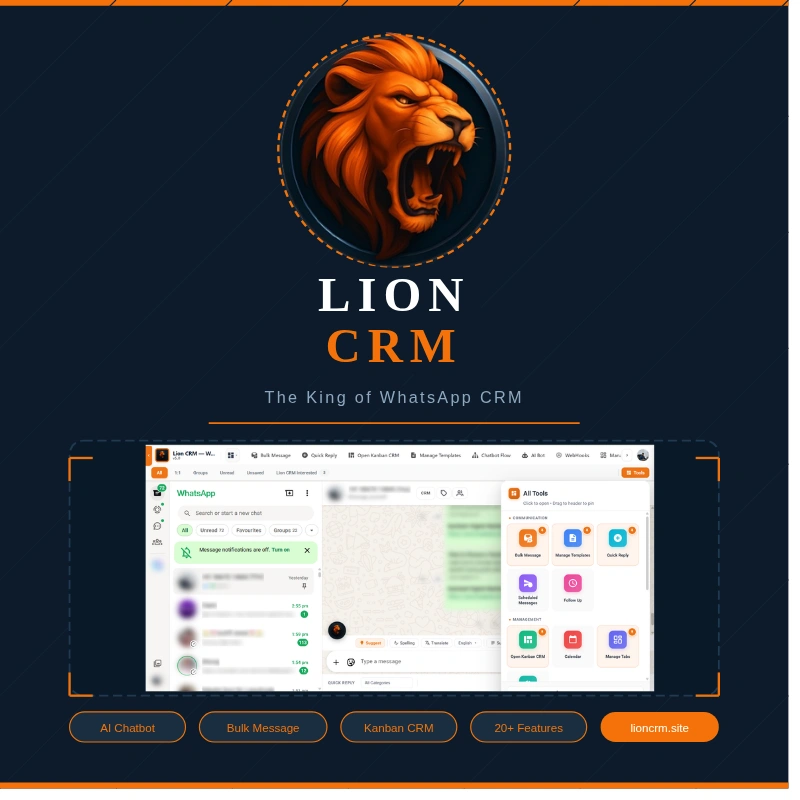
Why Your Business Needs a WhatsApp CRM Extension with ChatGPT
Customers message you on WhatsApp all day. Without a proper system, three things keep going wrong.
Replies come late
By the time you answer, the customer has already asked someone else.
the AI Bot answers in seconds using ChatGPT.Leads get lost
Hot leads get buried under hundreds of chats and nobody knows who is at which stage.
every chat sits on a Kanban board.Follow-ups get missed
People who said “call me next week” never hear back, and the sale is gone.
automated follow-ups and reminders.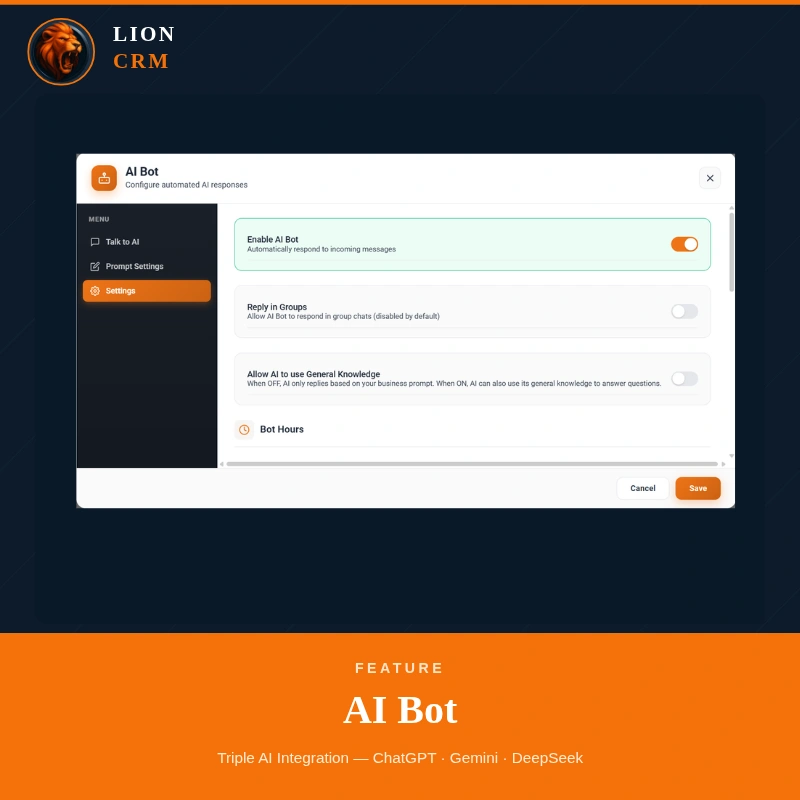
ChatGPT Auto Reply on WhatsApp Web
Add your own API key and the AI Bot starts answering customer questions for you, in your business’s own words.
- Works with ChatGPT, Google Gemini or DeepSeek, switch anytime
- Train it with your business details and Q&A pairs
- Hands the chat to a team member when a human is needed
- Test every answer in a test chat before you go live
Step-by-step guide: set up a WhatsApp AI chatbot with ChatGPT, Gemini and DeepSeek →
Kanban Lead Board for WhatsApp
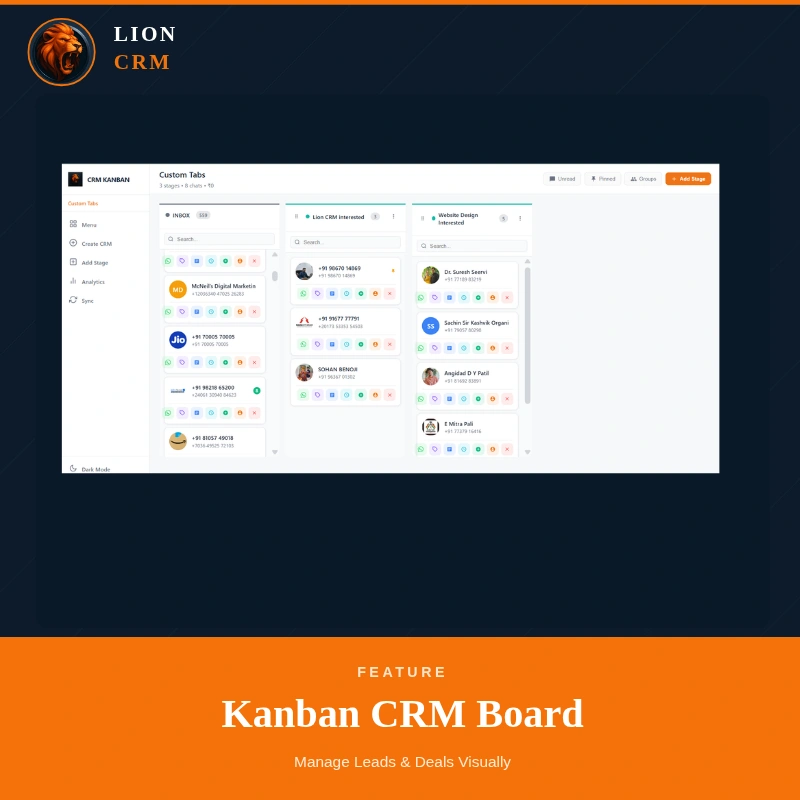
See your whole sales pipeline in one view. Every WhatsApp contact becomes a card you can drag from one stage to the next.
- Custom tabs and labels to sort chats your way
- CRM sidebar on every chat with notes and reminders
- Smart Calendar for meetings and appointments
- Share leads with your team
Bulk Messaging with Anti-Ban Protection
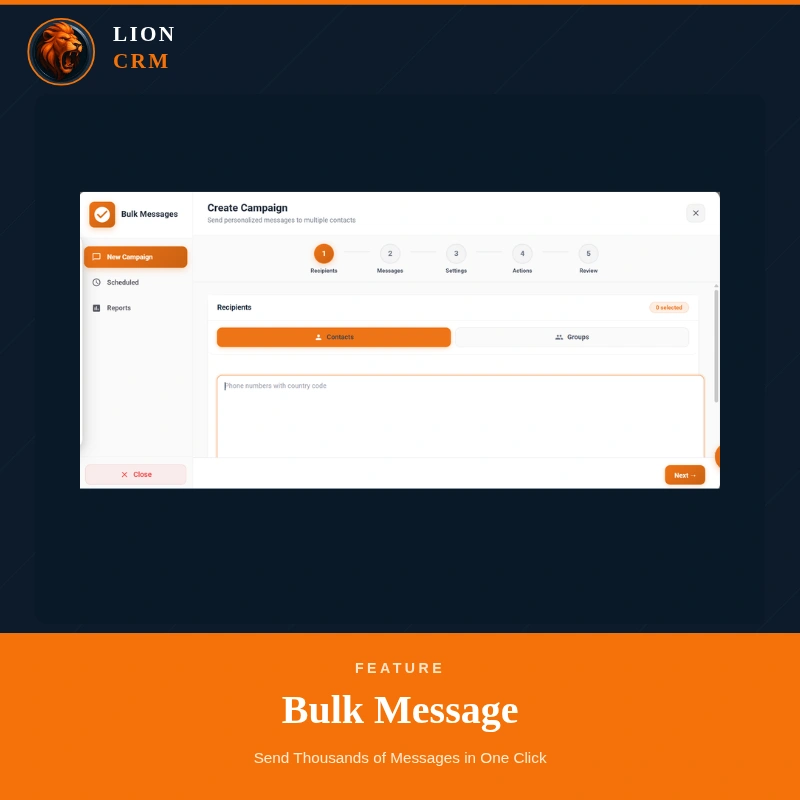
Send personalised messages to thousands of contacts in minutes, straight from WhatsApp Web.
- Import contacts from CSV, groups, labels or Kanban boards
- Templates with variables, images and videos
- Schedule messages for the right time
- Campaign reports and a bulk number validator
Outgoing Webhook to Zapier, Pabbly and n8n
Stop copying numbers into sheets by hand. The moment something happens in a chat, Lion CRM sends the contact’s data to the tool you use.
- Works with Zapier, Pabbly, n8n, Google Sheets and Bitrix24
- API config for your own systems
- WooCommerce order updates on WhatsApp
Why Choose Lion CRM as Your ChatGPT WhatsApp CRM Extension?
Stop typing the same reply fifty times a day. Here is everything else you get inside WhatsApp Web. Still comparing tools? Read our guide to the best WhatsApp CRM Chrome extension.
Start in 3 Simple Steps
No setup call, no waiting. You can be using it in a few minutes.
Add to Chrome
Install Lion CRM free from the Chrome Web Store.
Open WhatsApp Web
The Lion CRM toolbar appears right inside your WhatsApp Web.
Add your AI key
Paste your ChatGPT, Gemini or DeepSeek key and switch on the AI Bot.
See How ChatGPT and Webhooks Work Inside WhatsApp Web
Watch the complete Lion CRM walkthrough.
WhatsApp CRM with ChatGPT for Every Kind of Business
Shops, agencies, coaches, clinics, institutes, real estate teams: if your customers talk to you on WhatsApp, Lion CRM fits right in.
Sales & Marketing
Run bulk campaigns, track every lead on the Kanban board, and let automated follow-ups bring back people who went quiet.
Customer Service
The AI Bot answers common questions while WhatsApp Web is open and hands the chat to a team member when needed.
Professional Services
Book meetings with the Smart Calendar, keep notes on every contact, and send quick replies in one click.
Want to sell this WhatsApp CRM under your own brand?
Lion CRM is also available as a whitelabel. Put your own name, logo and colours on the extension, get your own admin panel, create licences for your clients and set your own price. We take care of the servers and updates. Learn how a WhatsApp CRM whitelabel business works →
WhatsApp CRM Extension with ChatGPT: FAQs
Quick answers to what people ask us most.
Is there a free version of this WhatsApp CRM extension with ChatGPT?
Yes. Every new user can try Lion CRM free for 7 days. Install it from the Chrome Web Store, open WhatsApp Web and start using it. After the trial you can pick a plan that suits you.
How do I download and install Lion CRM?
Open the Lion CRM page on the Chrome Web Store, click Add to Chrome, then open WhatsApp Web. The Lion CRM toolbar appears inside WhatsApp Web, ready to use.
Do I need a ChatGPT subscription for AI auto reply?
You need your own API key from OpenAI (ChatGPT), Google Gemini or DeepSeek. Paste it in Settings, then AI Integration, and the AI Bot is ready. A ChatGPT Plus subscription is not the same as an API key.
Will the AI reply when my computer is off?
No. Lion CRM runs inside your browser, so the AI Bot replies while WhatsApp Web is open. Keep the browser running during the hours you want automatic replies.
How does the outgoing webhook work?
When something happens in a chat, Lion CRM sends that contact’s data to a webhook URL you choose. It works with Zapier, Pabbly, n8n, Google Sheets, Bitrix24 and many other tools. Watch the webhooks tutorial to set it up.
Is bulk messaging safe for my WhatsApp number?
Lion CRM has built-in anti-ban protection for bulk campaigns. Even so, message people who know your business and follow WhatsApp’s rules, because no tool can fully protect a number that sends spam.
Can I sell Lion CRM under my own brand?
Yes. Whitelabel plans start at $150 one-time setup, then a small monthly fee for each WhatsApp number. See the whitelabel pricing or message us on WhatsApp at +91 81070 38448.
Which languages does Lion CRM support?
Lion CRM works in 9 languages, and its real-time translation lets you read and reply to customers in their own language.
Turn Your WhatsApp Web into a Full CRM Today
Install Lion CRM and try it free for 7 days. Ready to buy? A 1-user licence is ₹2,360 per year + 18% GST.