
In today’s competitive digital economy, building software from scratch is no longer the smartest or fastest way to enter the SaaS market. High development costs, long timelines, and ongoing technical maintenance make custom software a risky and expensive path—especially for agencies, consultants, and entrepreneurs who want to start quickly.
This is exactly why white label software has emerged as a powerful alternative. With a small one-time investment—sometimes as low as $100—you can launch a fully functional software product under your own brand. There is no need to hire developers, manage servers, or worry about updates. Instead, you focus on what actually grows a business: finding customers, selling solutions, and building long-term revenue.
One of the most attractive opportunities within this model is WhatsApp CRM whitelabel. Businesses across the world already use WhatsApp daily for sales and support, but most struggle with organization, automation, and scaling conversations. By offering a branded WhatsApp CRM solution, you are not selling a tool—you are solving a real, ongoing business problem.
What Is White Label Software?
White label software is a ready-made application developed by one company and rebranded by another company as its own product. From the end customer’s point of view, the software appears to be fully owned and operated by the brand selling it.
This model offers three major advantages:
Extremely low entry cost compared to custom development
Faster go-to-market strategy
Scalable recurring revenue model
White label software gives businesses complete ownership of branding and customers, making it possible to scale a reliable, recurring revenue model while avoiding the high cost and risk of software development.
Understanding WhatsApp CRM Whitelabel
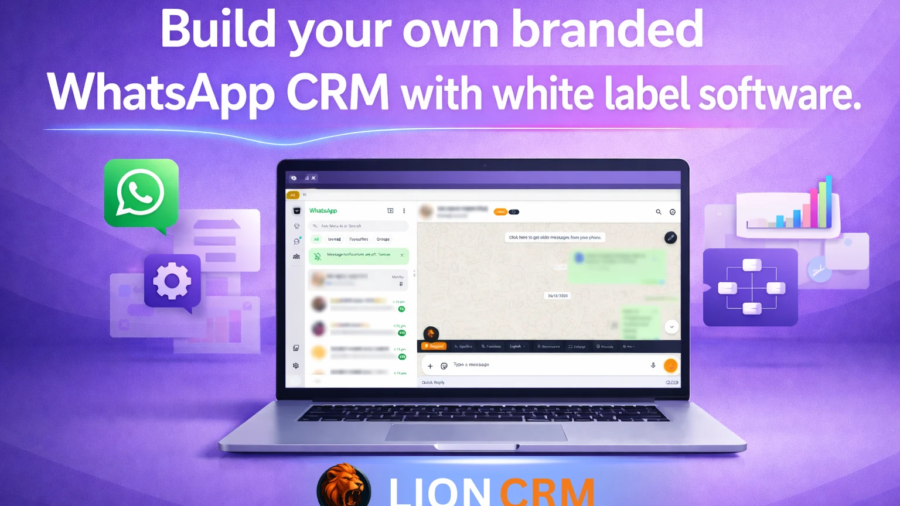
A whatsapp crm whitelabel is a WhatsApp-based customer relationship management system that can be fully branded and resold under your company name. Your clients use the software to manage WhatsApp conversations, leads, sales pipelines, automation, and team workflows.
Since WhatsApp is already the most widely used communication platform for businesses, the demand for WhatsApp CRM tools continues to grow every year. Companies want faster responses, better organization, automation, and analytics — all inside WhatsApp.
Why Lion CRM Is a Strong White Label Software Choice
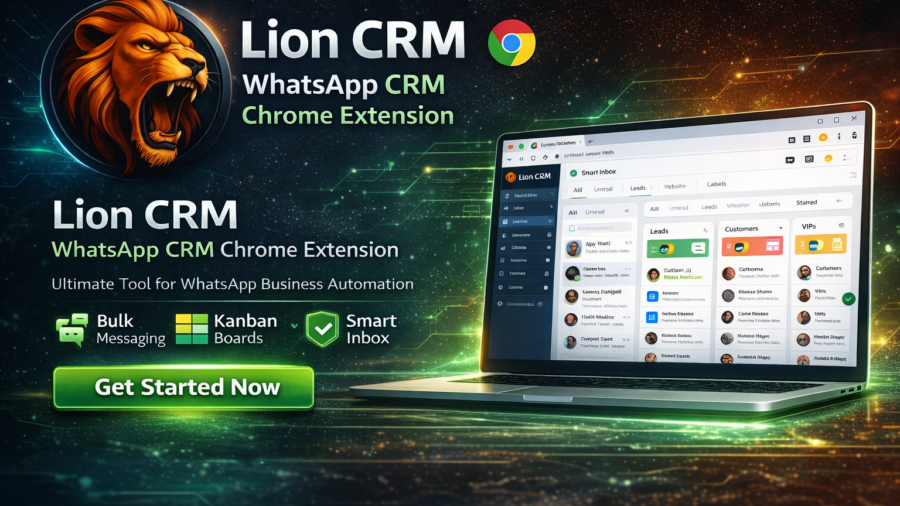
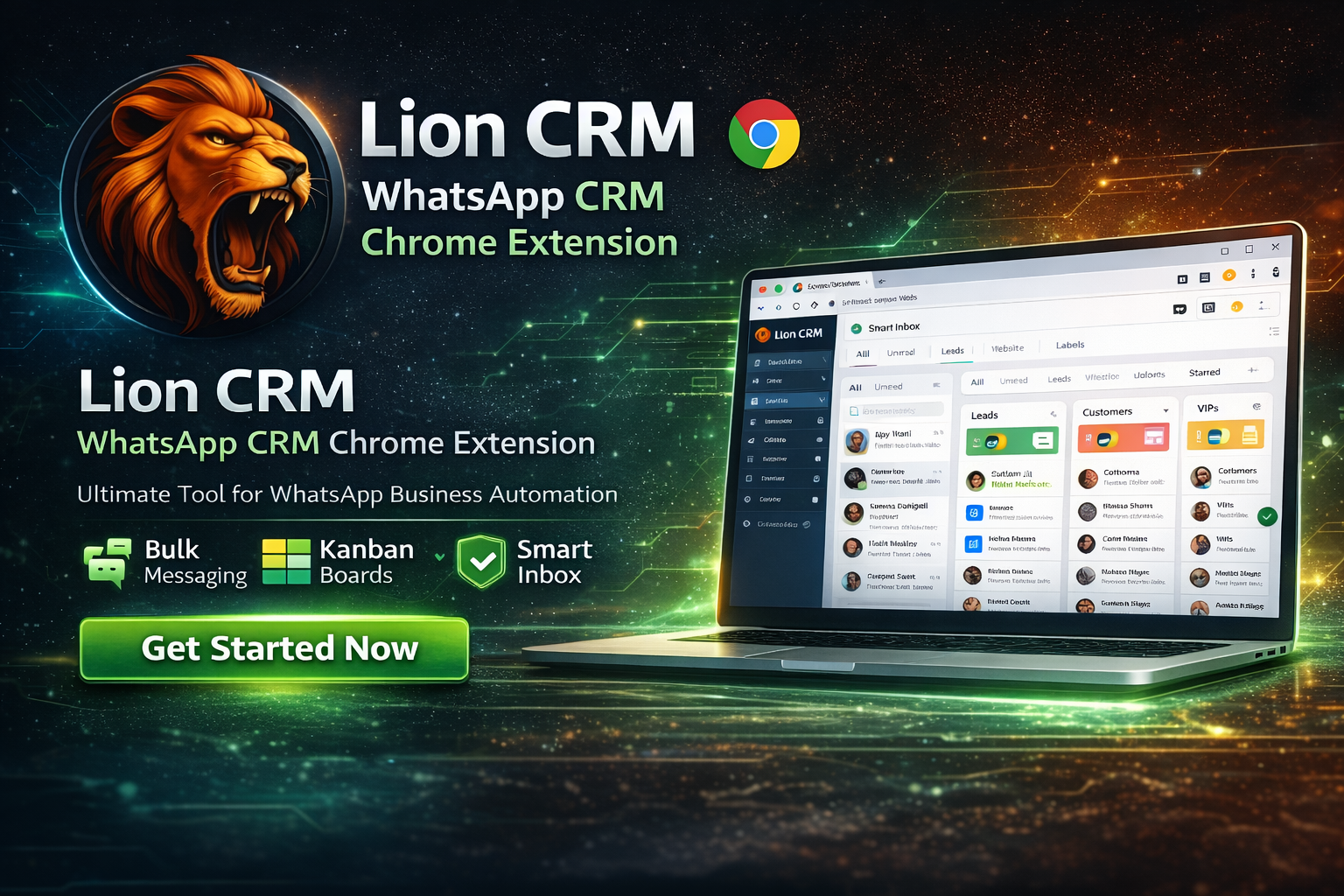
Lion CRM is a powerful WhatsApp CRM Chrome extension designed for businesses that want automation, scalability, and control. It is built specifically to support white label and reseller models, making it ideal for entrepreneurs who want to launch their own SaaS brand.
Unlike many tools that only offer limited reseller access, Lion CRM provides true white label ownership, allowing you to control branding, pricing, users, and distribution completely.
Lion CRM White Label Pricing
Lion CRM follows a transparent and reseller-friendly pricing structure that focuses on long-term ownership instead of recurring license pressure.
Starter Plan
The Starter plan is suitable for individuals and small agencies testing the market.
One-time white label fee: $100
Active user cost: $2.50 per user per month
Growth Plan
Designed for growing agencies and SaaS-focused businesses.
One-time white label fee: $150
Active user cost: $2.00 per user per month
Enterprise Plan
Built for large-scale resellers and enterprise-level operations.
One-time white label fee: $200
Active user cost: $1.00 per user per month
The most important aspect of this pricing model is lifetime ownership. You pay once for white labeling and only pay a very small fee for active users each month.
Lifetime Ownership: A Major Competitive Advantage
Most WhatsApp CRM tools operate on yearly or monthly licenses, which increase operational risk for resellers. Lion CRM takes a different approach by offering lifetime ownership after a one-time investment.
This means:
No yearly renewal pressure
No sudden price hikes
No dependency on expensive plans
This lifetime ownership model creates long-term trust and business stability, which is essential for scaling a SaaS brand without dependency on recurring licenses or unpredictable pricing.
Equal Support for All Customers
Lion CRM does not prioritize support based on plan size. Whether you are using the Starter, Growth, or Enterprise plan, the quality and priority of support remain the same.
This approach is especially helpful for new resellers who need guidance during their early stages without feeling disadvantaged.
Feature Suggestions That Turn into Real Updates
Lion CRM actively listens to user feedback. If resellers or users suggest features or workflow improvements, the team evaluates and implements them based on real business use cases.
This ensures that the product evolves according to market demand rather than theoretical assumptions.
Reselling Lion CRM: Real Business Potential
Yes, Lion CRM can be resold under your own brand with full control over pricing and customers.
In the market, WhatsApp CRM tools usually sell between $15 and $30 per user per month. With Lion CRM, your cost is significantly lower, creating strong profit margins.
Even after including the one-time setup fee, the investment is recovered quickly, and the business turns profitable.
Upgrade Anytime and Reduce Per-User Cost
As your customer base grows, you can upgrade from Starter to Growth or Enterprise by paying only the price difference. This reduces your per-user cost and increases profitability without disrupting your existing customers.
Whitelabel, Reseller, and User Structure
Lion CRM follows a clear three-tier hierarchy:
Whitelabel: Own branding, creates resellers and users, pays directly to Lion CRM
Reseller: Own branding, creates resellers and users, pays directly to Lion CRM
User: End customer using the CRM
This structure allows scalable distribution and partnership-based growth.
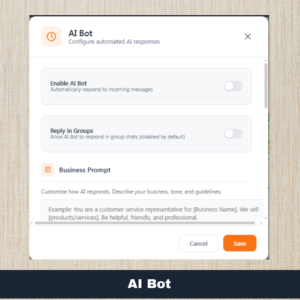
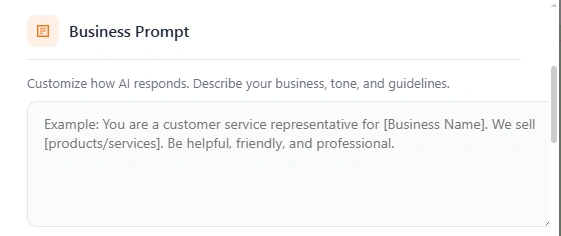
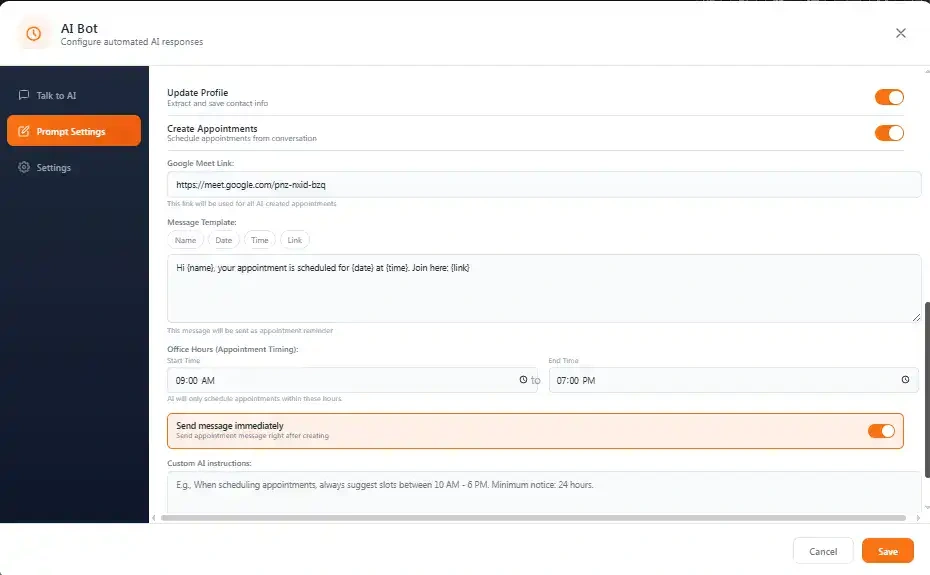
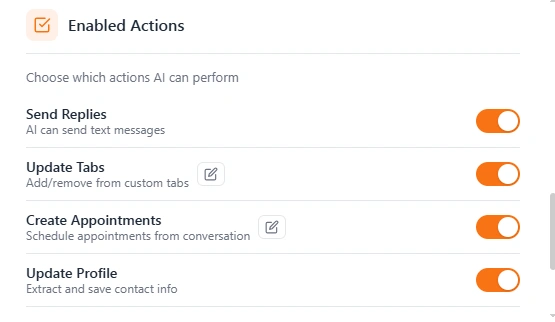
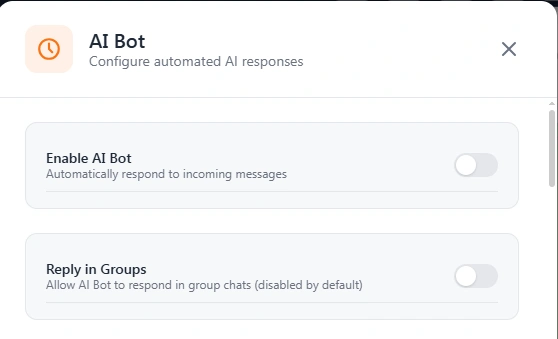
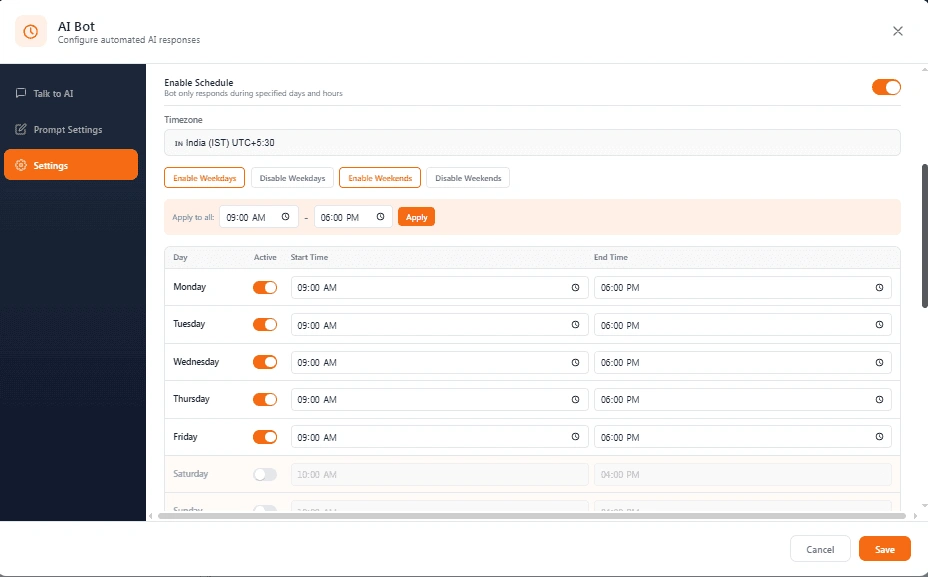
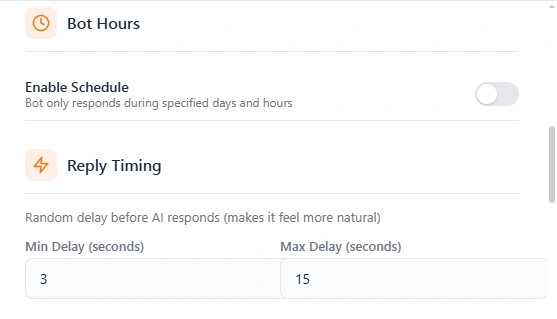
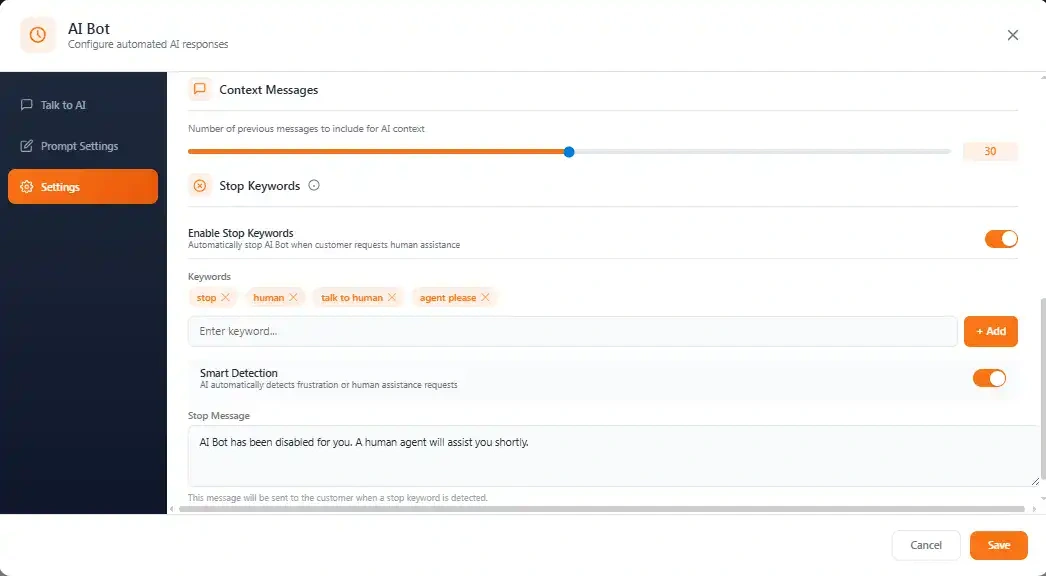
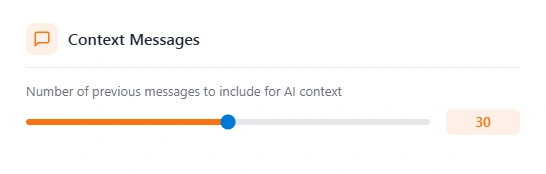
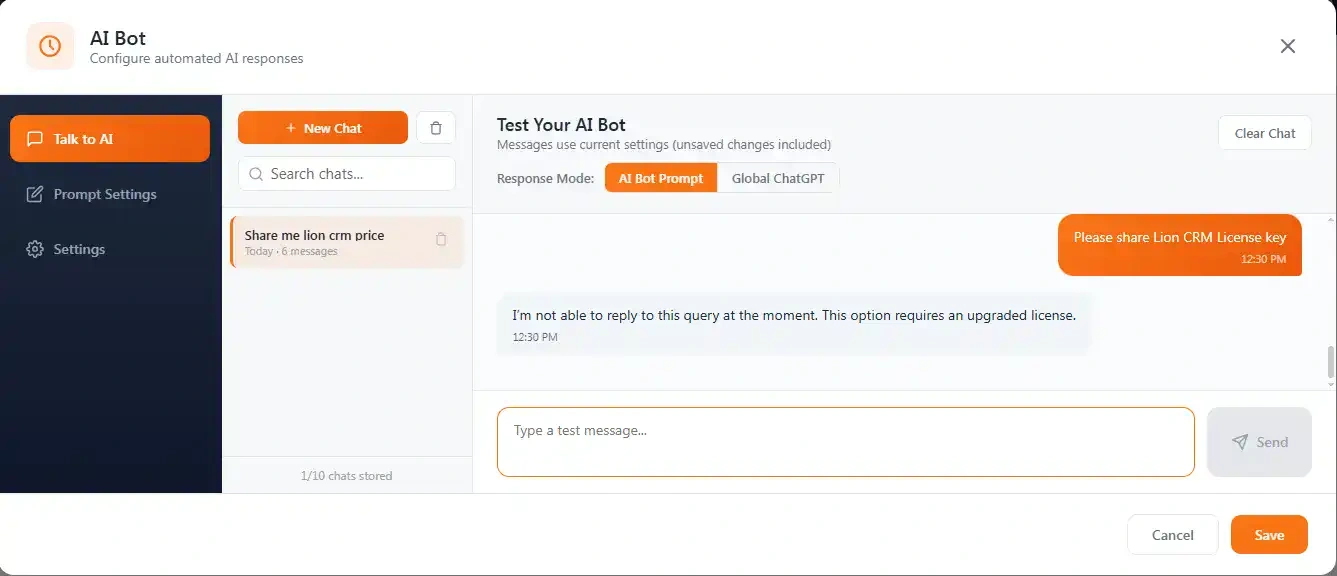
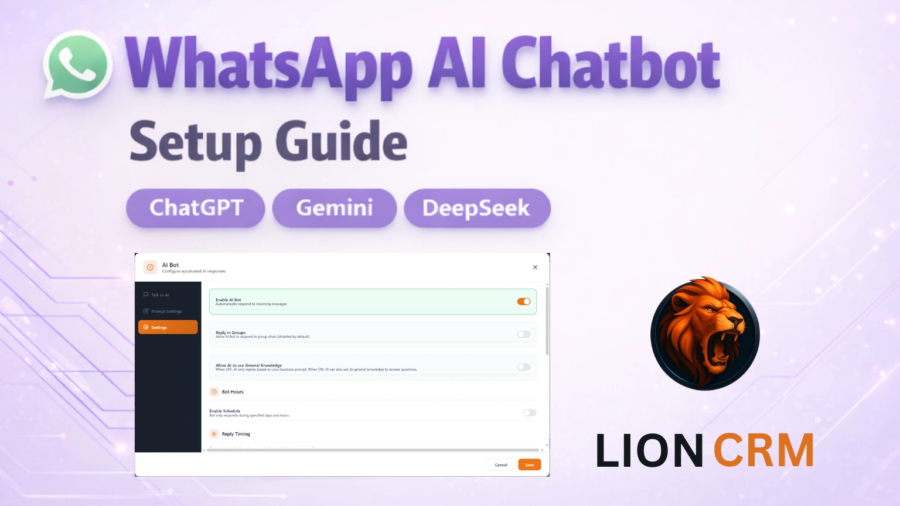
Lion CRM includes an advanced AI bot that automatically handles customer conversations. Businesses can set context, schedule replies, book appointments, and manage repetitive queries efficiently, reducing manual workload and response time.
2. Chatbot Flow Builder
The no-code chatbot flow builder allows businesses to create automated reply sequences using triggers, conditions, and actions. This is ideal for lead qualification, FAQs, and automated follow-ups on WhatsApp.
3. Bulk Messaging
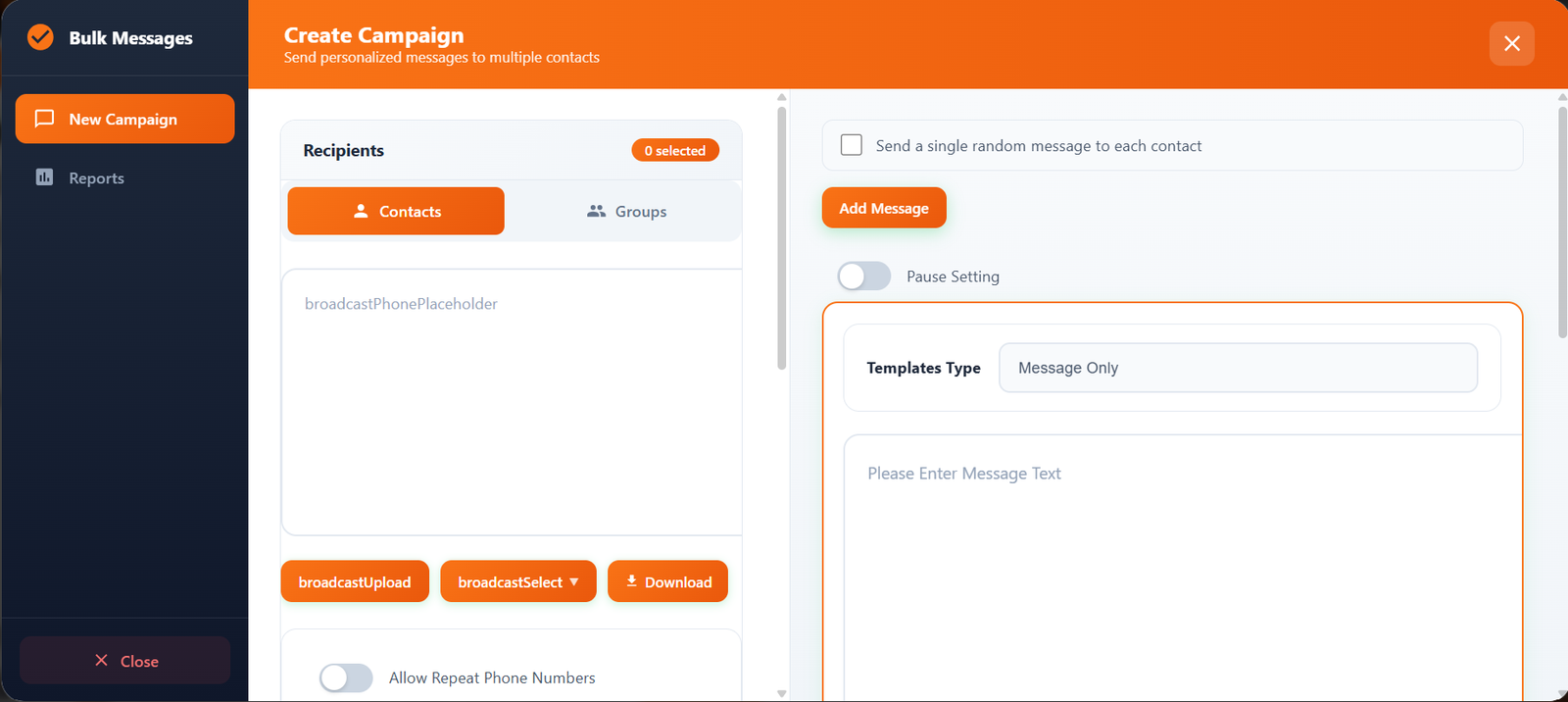
Bulk messaging enables businesses to send personalized WhatsApp campaigns to thousands of contacts. Contacts can be imported via CSV, labels, groups, or Kanban boards, with detailed reports for delivery and failures.
4. Custom Tabs
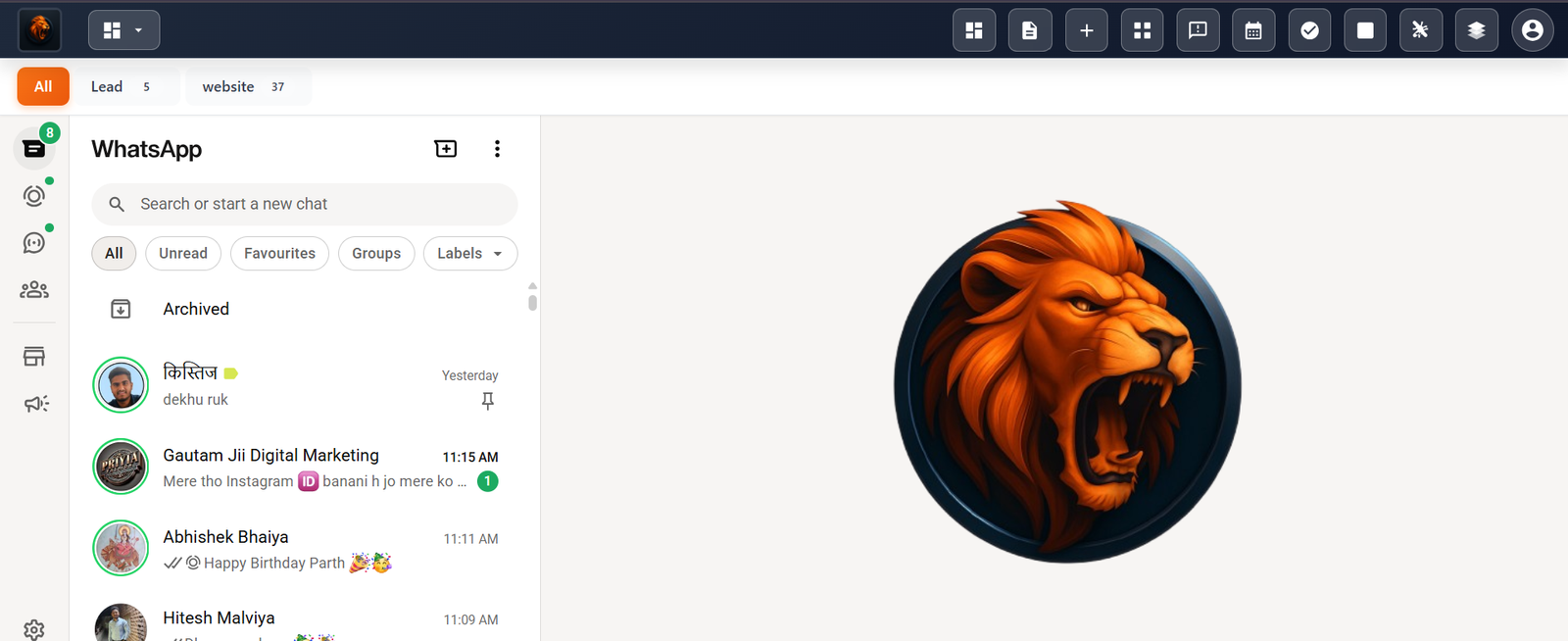
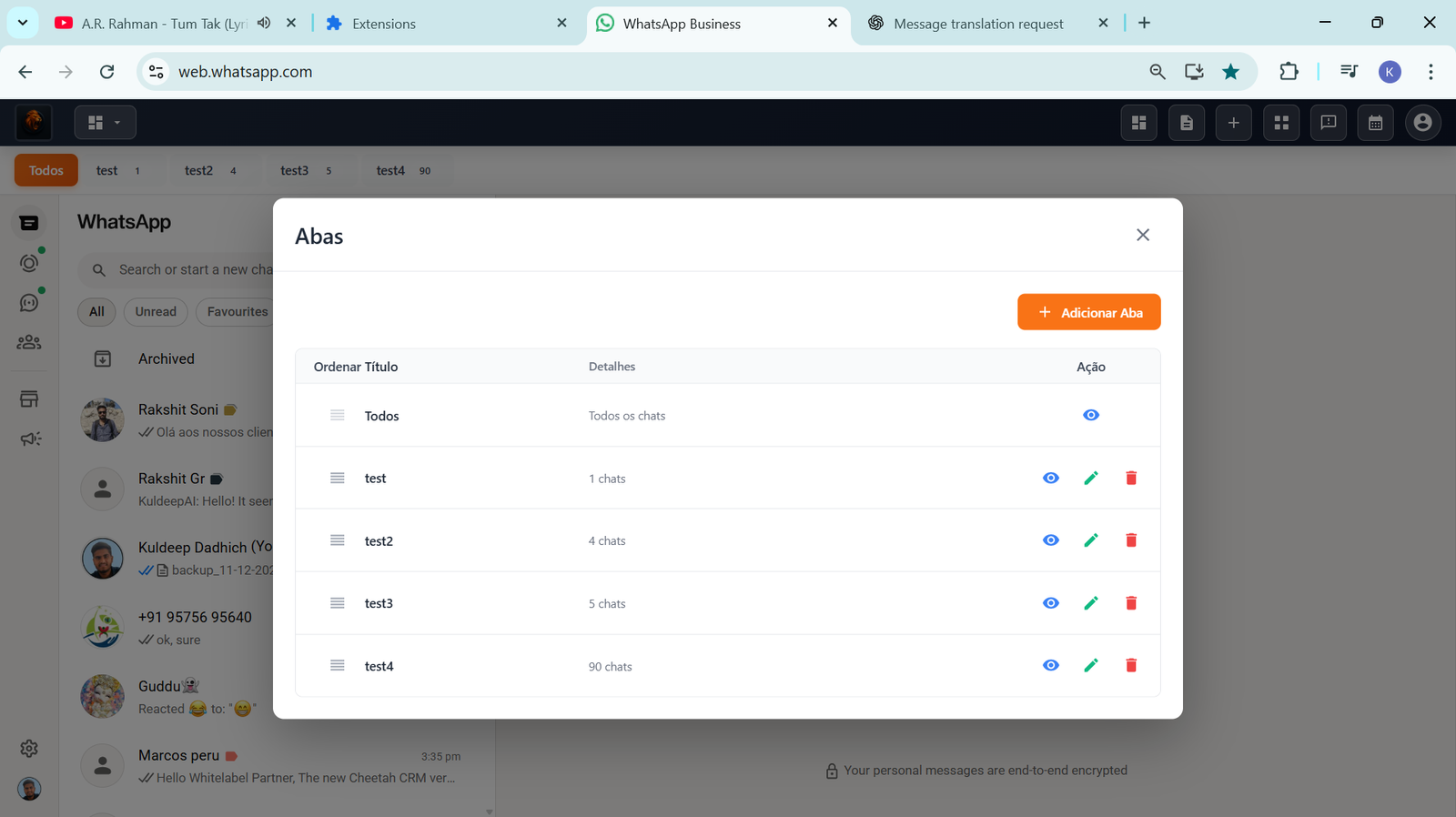
Custom tabs help organize WhatsApp chats into structured categories such as leads, support, or VIP customers. This improves workflow clarity and helps teams manage conversations efficiently.
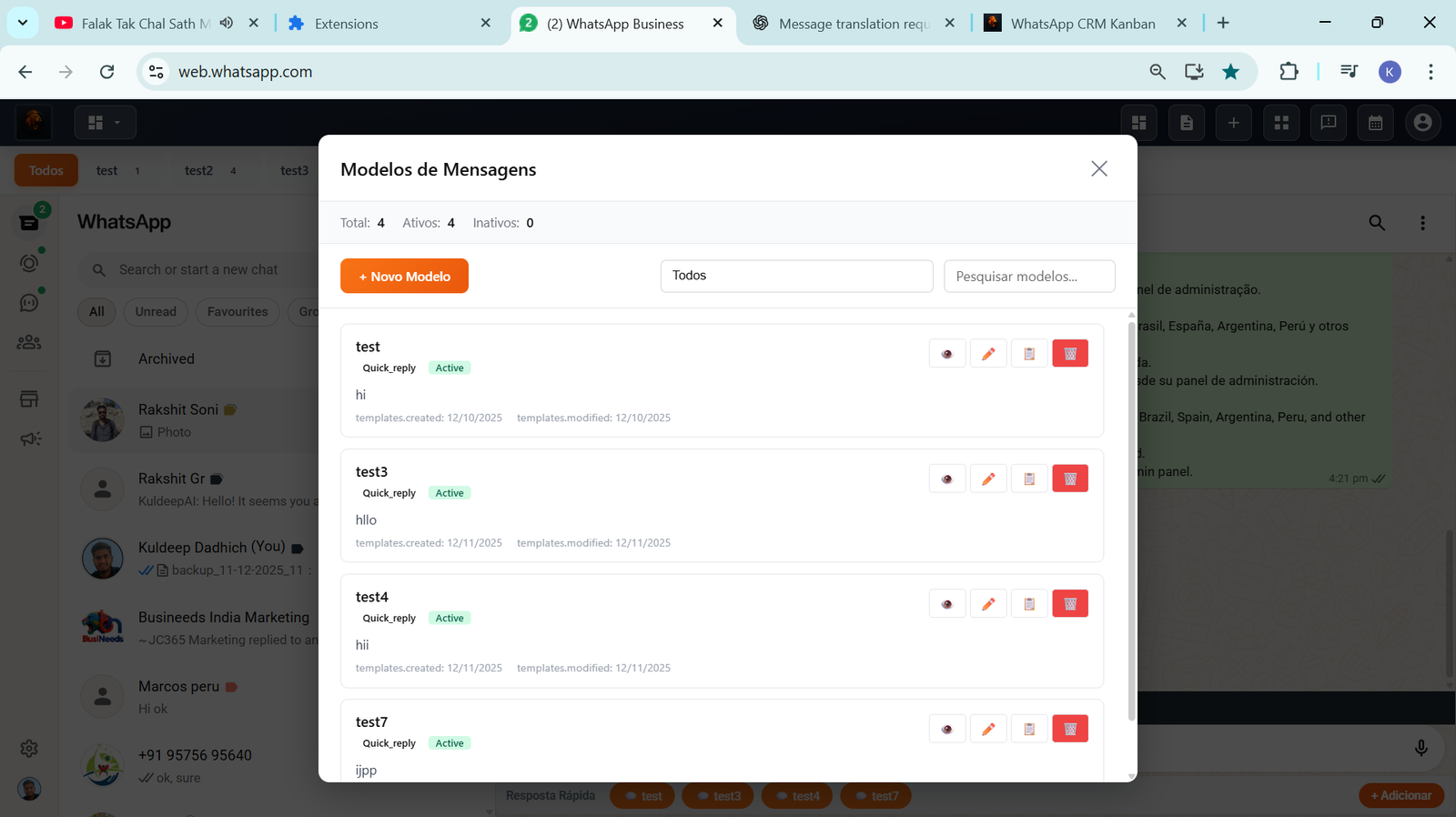
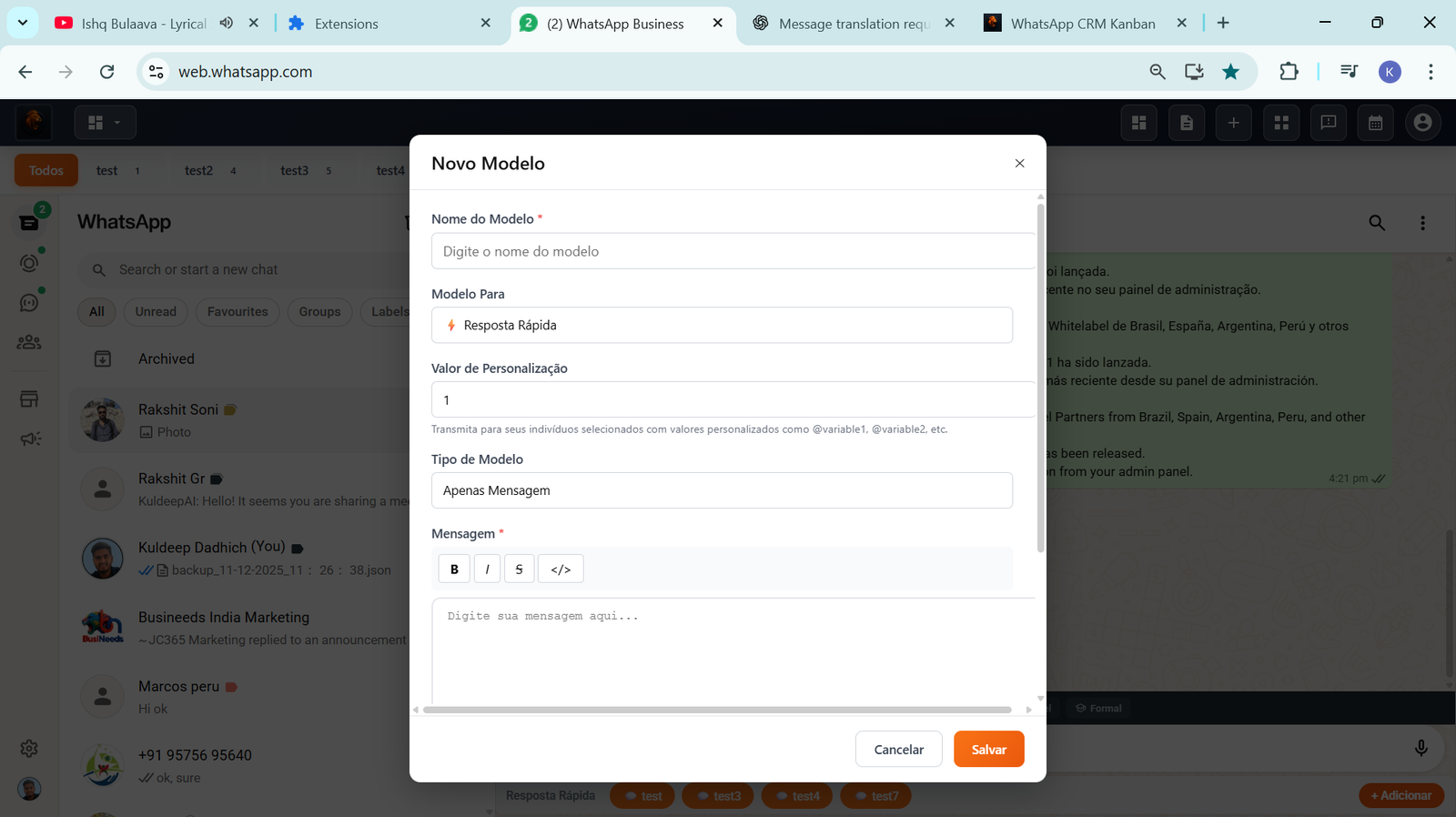
5. Message Templates
Reusable message templates support text, images, videos, documents, audio, lists, polls, and products. Templates ensure consistent and professional communication across all chats and campaigns.
6. Quick Reply
Quick replies allow agents to respond instantly using pre-defined templates directly from the chat screen, improving speed and accuracy in customer communication.
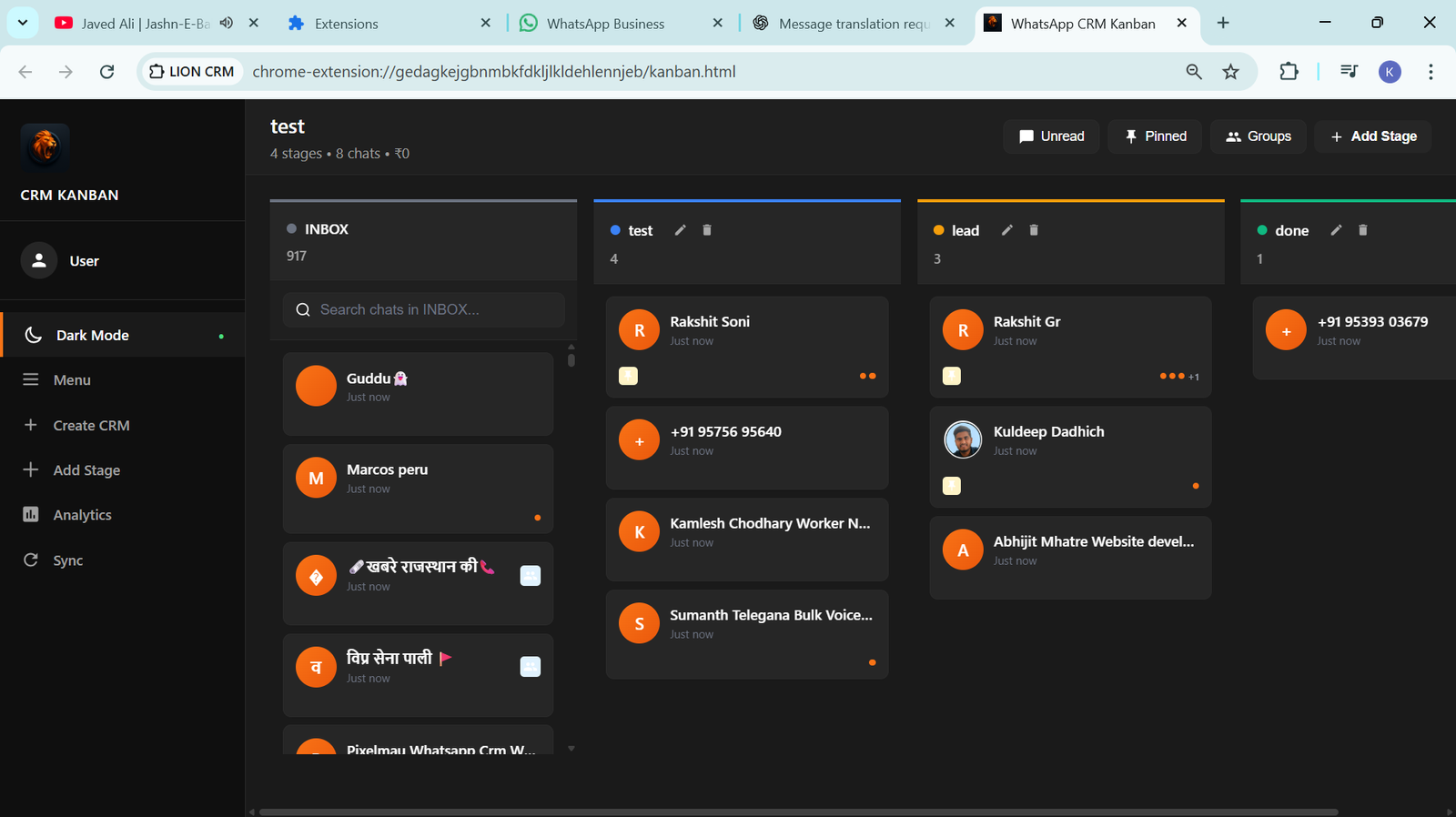
7. Kanban Board
The Kanban board provides a visual sales pipeline where leads can be moved across custom stages. This helps sales teams track progress from first interaction to deal closure.
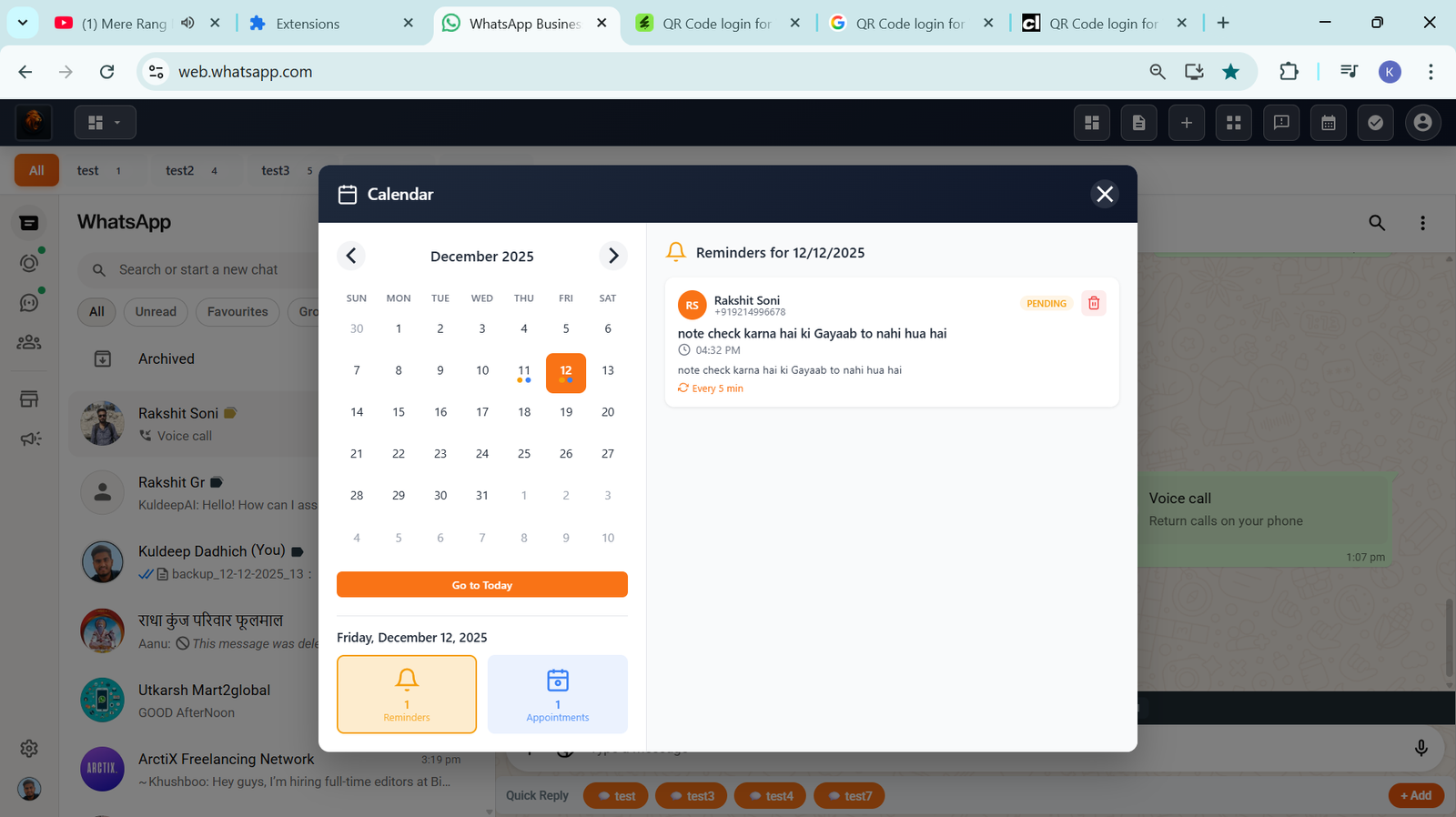
8. Smart Calendar & Appointments
The smart calendar enables WhatsApp-based appointment booking, reminders, and scheduling. Users can view tasks and meetings in day, week, or month format.
9. To-Do Task Manager
Built-in task management allows users to create tasks with priorities, due dates, recurring schedules, and contact linking, ensuring nothing is missed.
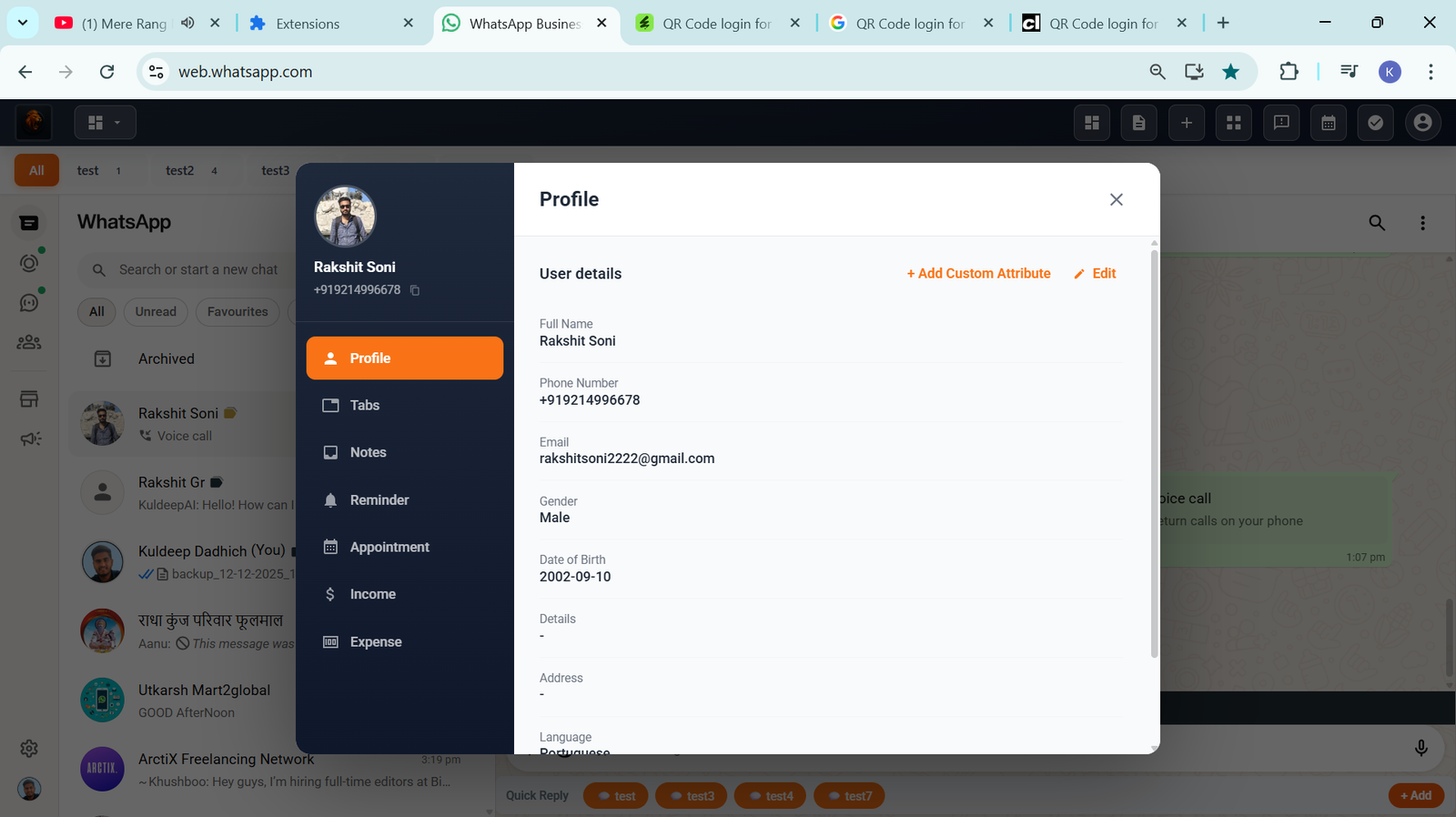
10. Profile Chat Management
Each chat includes a CRM profile view where users can manage notes, reminders, appointments, income, expenses, and tab assignments in one place.
11. Chat Toolbar
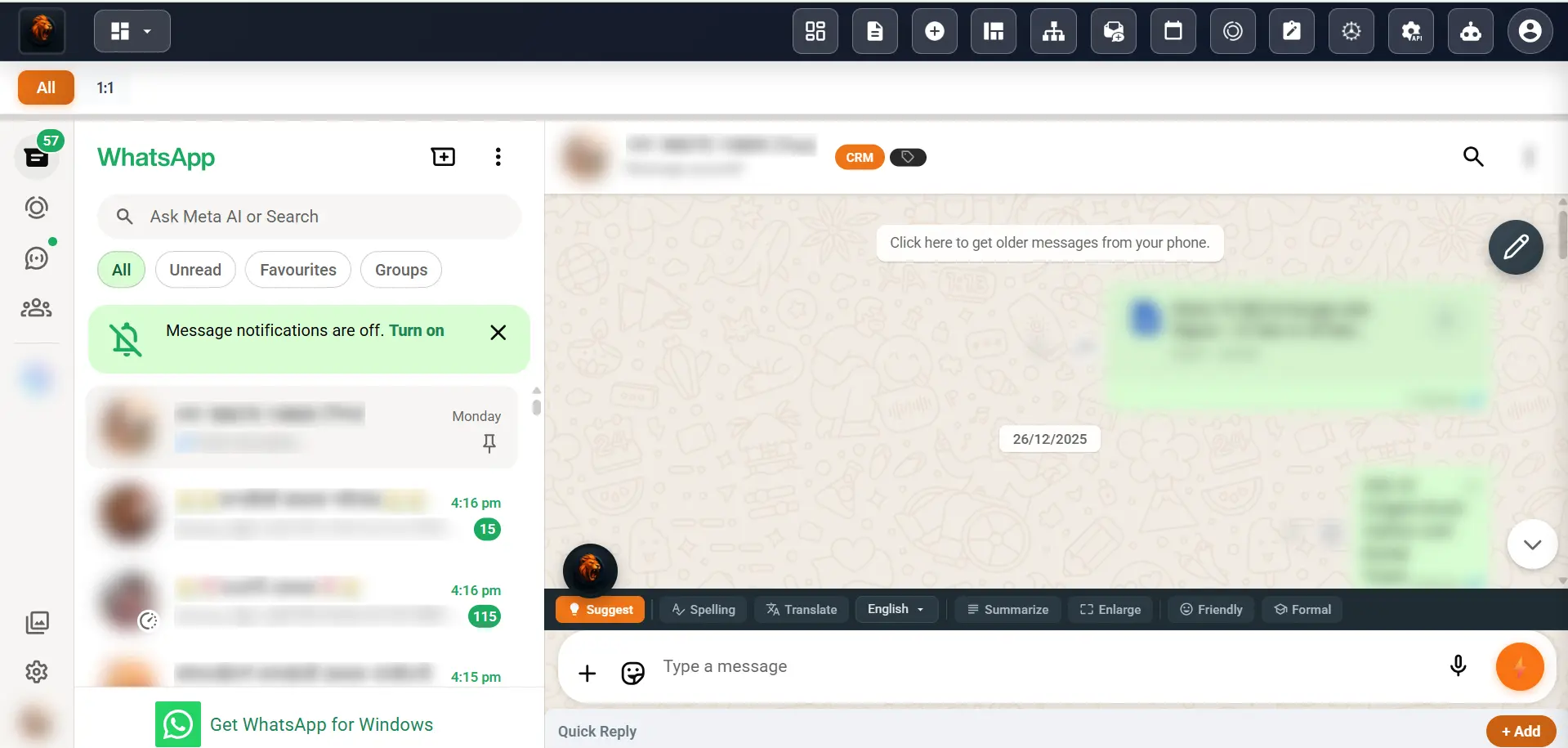
The chat toolbar enables message translation, summarization, tone adjustment, and rewriting directly inside WhatsApp, improving communication efficiency.
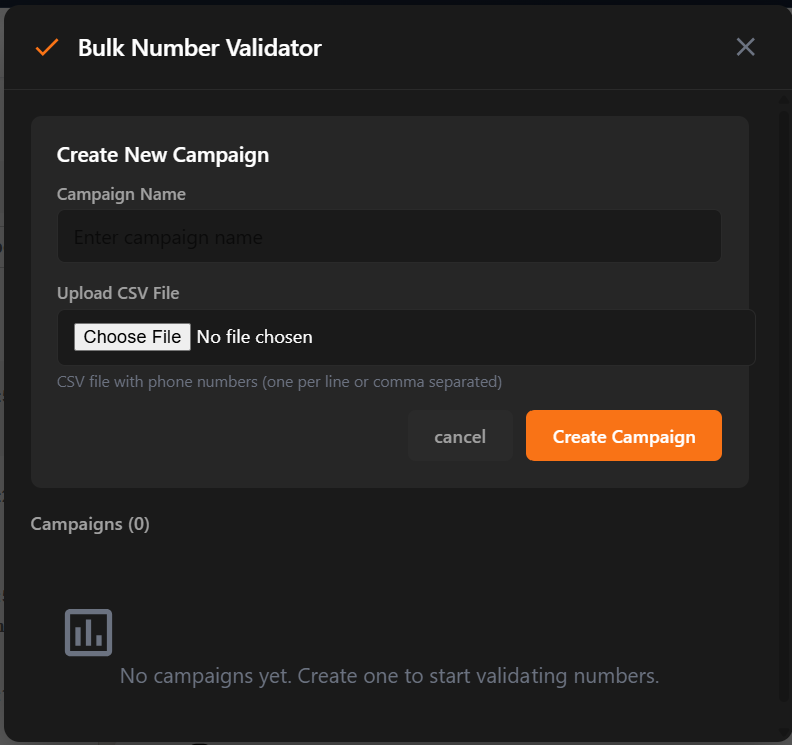
12. Bulk Number Validator
This feature checks large contact lists to identify valid WhatsApp numbers, helping businesses avoid wasted messages and reduce account risk.
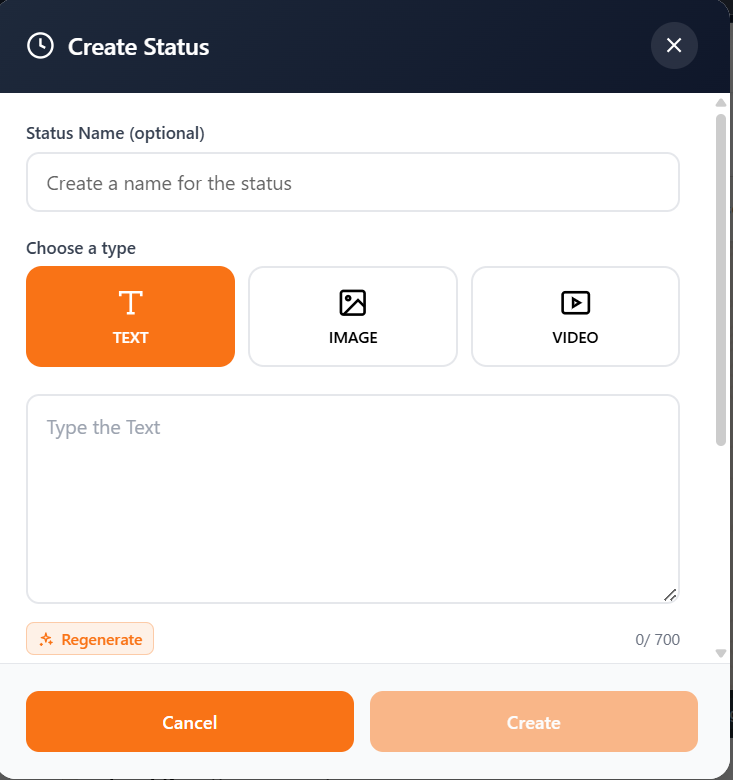
13. WhatsApp Status Automation
Businesses can create, schedule, and auto-repost WhatsApp statuses with text, images, or videos to maintain brand visibility.
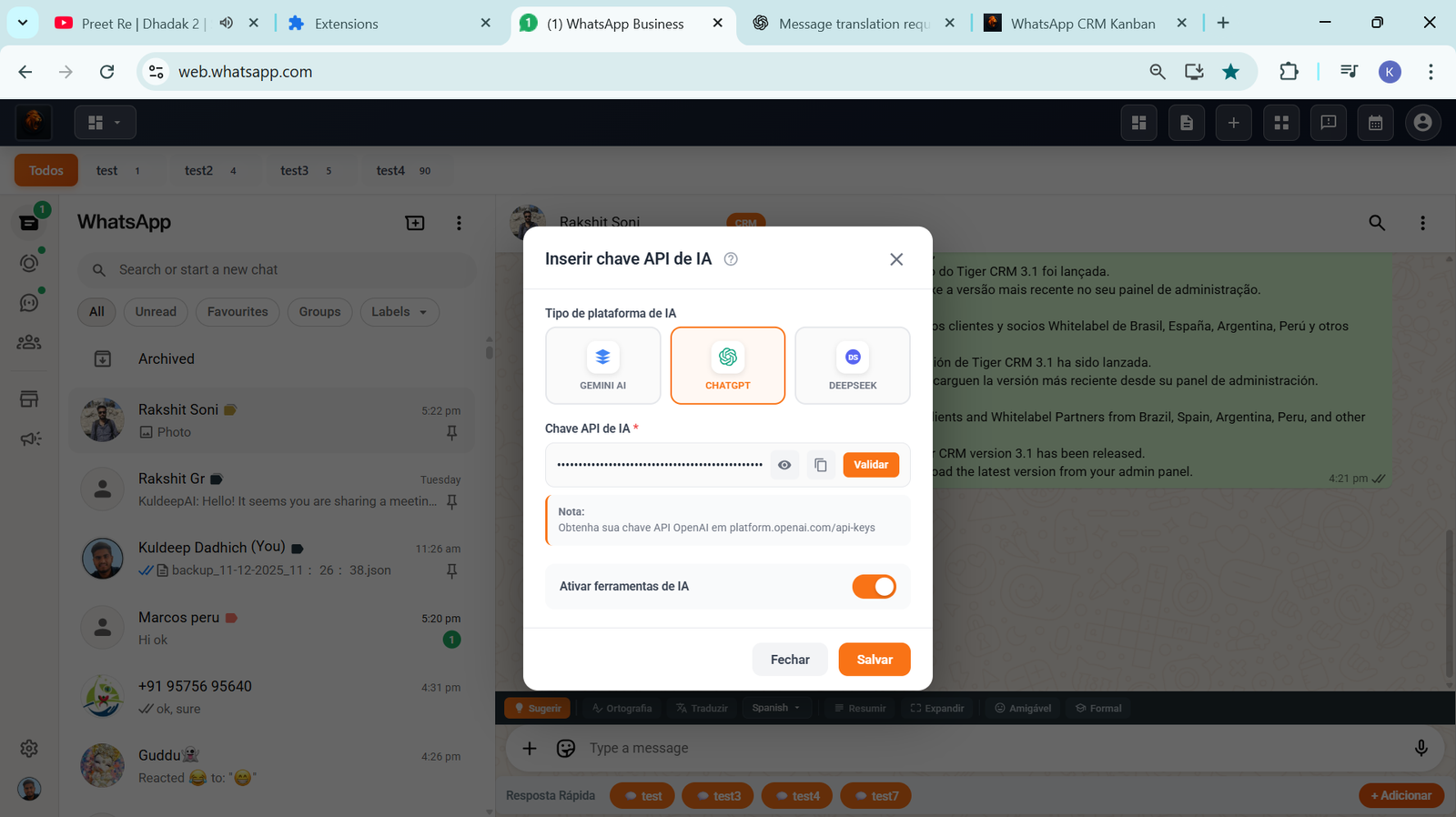
14. AI Integration
Users can connect their own AI API key to enable smart replies, content generation, and message suggestions inside the CRM.
15. Multi-Language Support
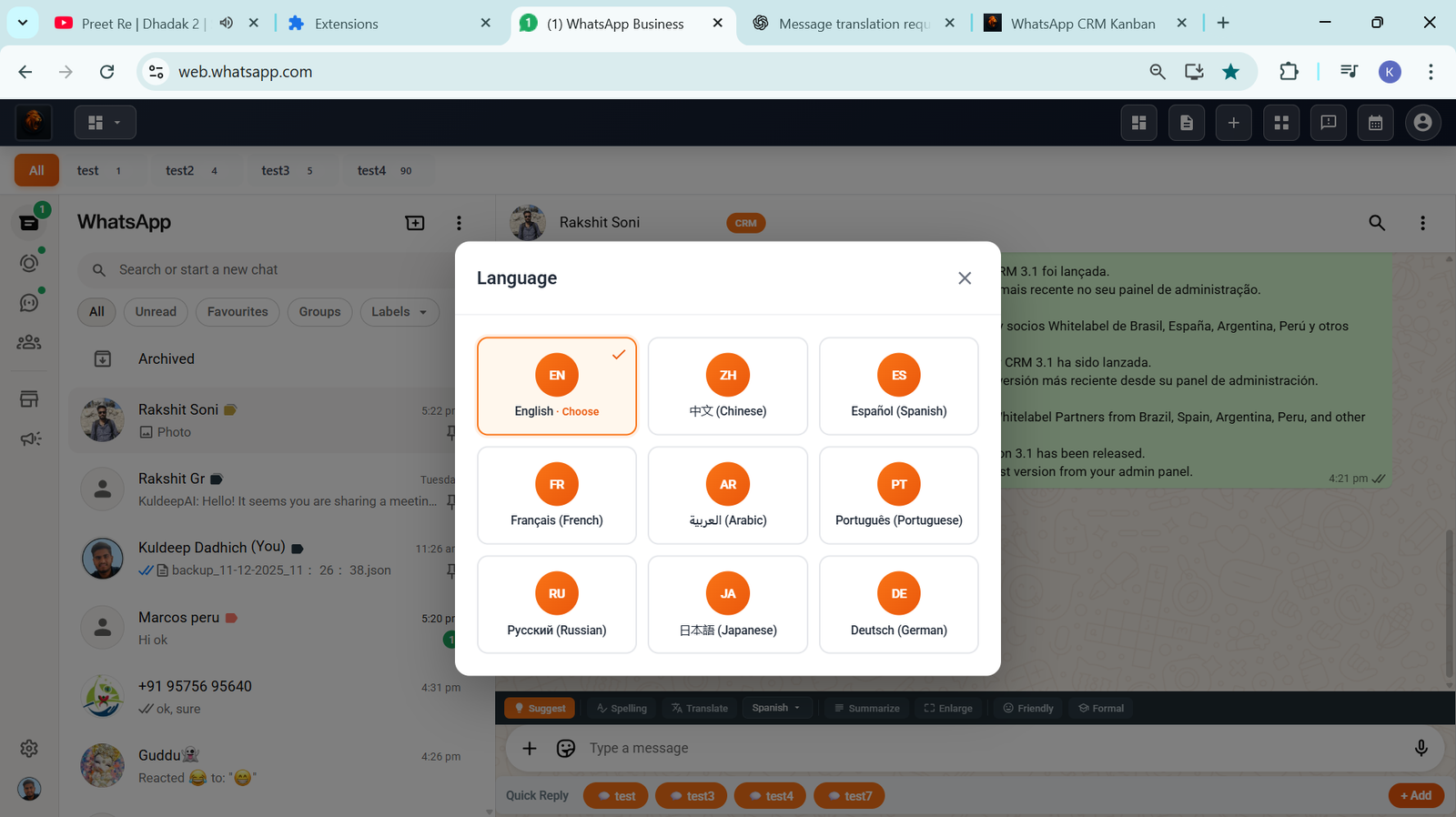
Lion CRM supports 9 global languages, allowing businesses to operate across international markets with ease.
16. Backup & Restore
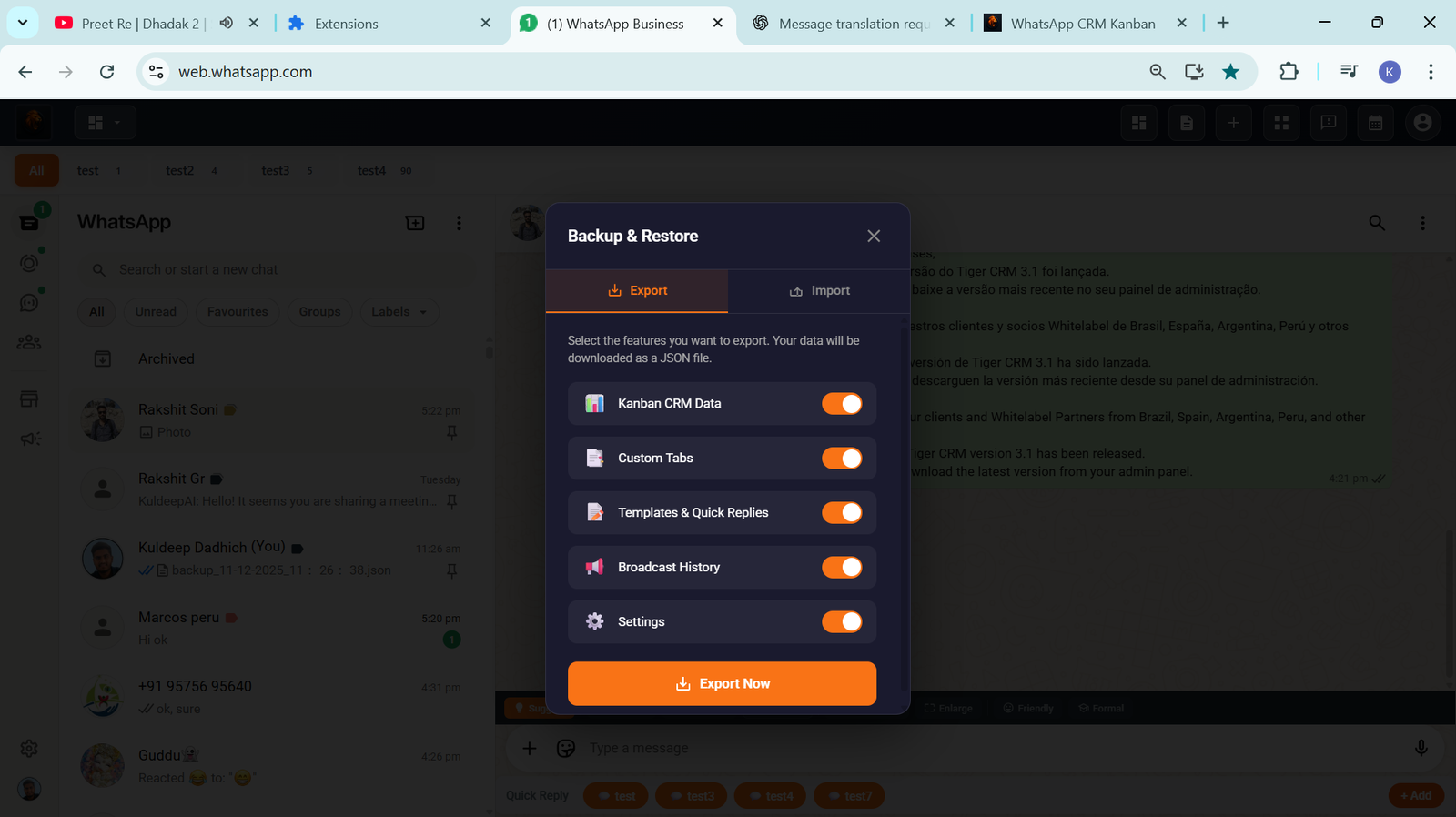
Users can export and restore CRM data, templates, and settings, ensuring data security and portability.
17. WebHooks & API Integration
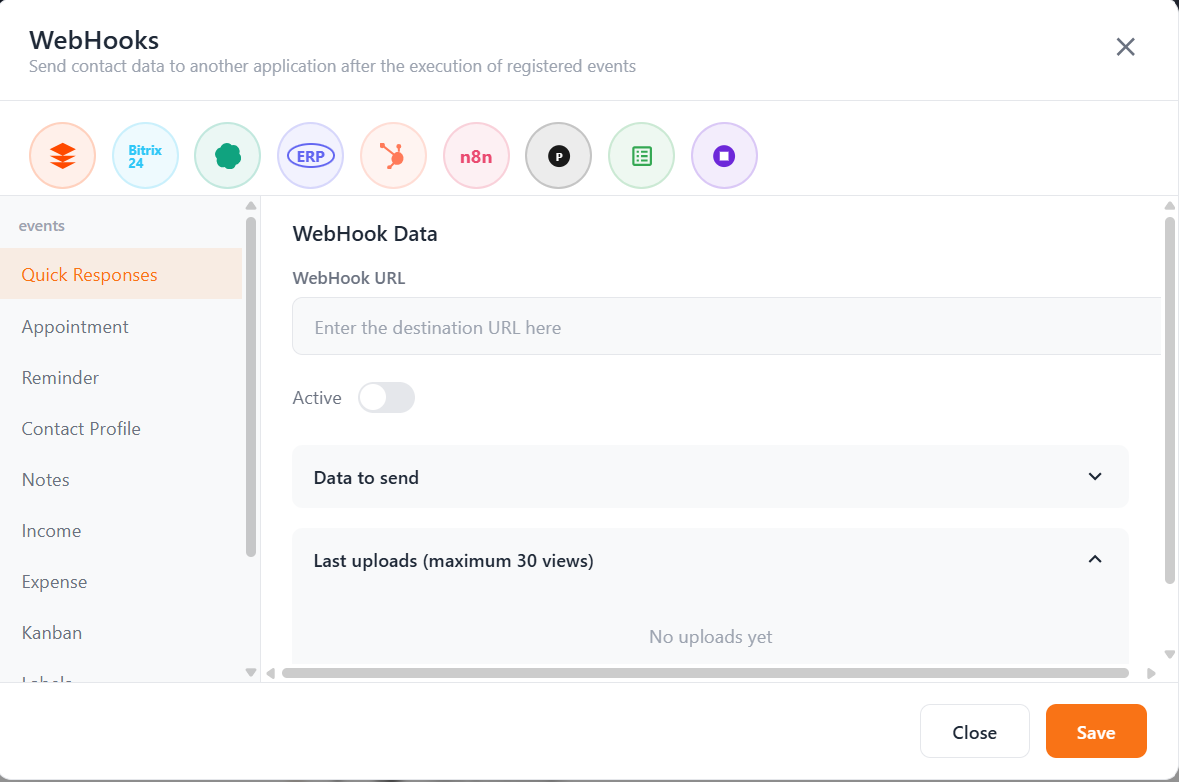
Lion CRM integrates with tools like Zapier, n8n, Google Sheets, and Bitrix24 through WebHooks and API access, enabling advanced automation.
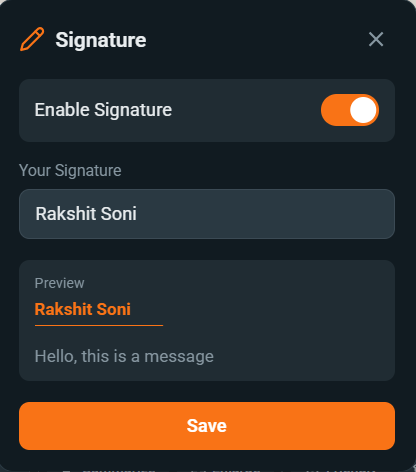
18. Custom Signature
A custom signature can be added to all outgoing messages, enhancing branding and professional communication.
19. Instant Translation
Text and audio messages can be transcribed and translated directly inside WhatsApp without external tools.
20. Privacy Blur Mode
Sensitive information can be blurred instantly, making it safe to use WhatsApp CRM in public environments.
21. Transfer to Agent
Chats can be transferred to team members with priority levels and notes, ensuring smooth collaboration and faster resolution.
Refund Policy
Lion CRM follows a no-refund policy because it is a digital software product. Users are advised to review documentation and clarify doubts before purchasing.
Conclusion: Is White Label Software Worth It?
From a business perspective, white label software combined with WhatsApp CRM whitelabel offers one of the most scalable and low-risk SaaS models available today.
Lion CRM stands out because of its lifetime ownership model, transparent pricing, equal support across all plans, and a feature-rich WhatsApp CRM platform. For entrepreneurs, agencies, and resellers looking to build a long-term SaaS brand, this model provides strong profitability, predictable costs, and sustainable growth.
Frequently Asked Questions
Does Lion CRM support bulk WhatsApp messaging?
Yes, Lion CRM allows you to send bulk WhatsApp messages using CSV files, labels, groups, tabs, and Kanban boards. Messages can be personalized and tracked with delivery reports.
Can I automate WhatsApp replies and chat flows?
Yes. Lion CRM includes AI bots and a no-code chatbot flow builder to automate replies, FAQs, lead qualification, and follow-ups directly on WhatsApp.
Is my WhatsApp data secure?
Your data remains fully secure. Lion CRM works locally inside your browser and does not store WhatsApp chat data on external servers.
Can I resell Lion CRM with my own branding?
Yes. Lion CRM offers a complete whitelabel program that allows you to sell the CRM under your own brand, logo, and pricing structure.
What is included in the Lion CRM whitelabel package?
The whitelabel package includes your own branded CRM extension, custom logo and name, user management, and reseller creation access.
Do you offer a free trial of Lion CRM?
Yes, Lion CRM provides a 7-day free trial. You can request your trial directly on WhatsApp using this link:
Lion CRM follows a no-refund policy due to the nature of digital software. We recommend using the free trial before purchasing. You can review our privacy and policy details here:
Lion CRM – The Ultimate WhatsApp CRM Chrome Extension
Transform your WhatsApp into a powerful business machine with 16 game-changing features. Bulk messaging, AI integration, Kanban boards, and 100% local data storage.
16
Features
9
Languages
100%
Local Storage
Let me paint a picture for you.
It's Monday morning. You open WhatsApp and there are 147 unread messages. Some are hot leads asking about pricing. Some are existing customers with queries. A few are follow-ups you forgot to send last week. And somewhere in that chaos, there's a ₹2 lakh deal waiting to slip away.
Sound familiar? You're not alone.
Over 2 billion people use WhatsApp daily. For businesses in India, Brazil, and across the globe, WhatsApp isn't just a messaging app – it's the primary channel for customer communication. But here's the problem: WhatsApp was built for personal conversations, not for managing hundreds of business relationships.
That's exactly why we built Lion CRM.
"Many have come, many have gone... but the Lion was, is, and will always be king." 🦁
What is Lion CRM?
Lion CRM is a powerful WhatsApp CRM Chrome Extension that transforms your regular WhatsApp Web into a complete Customer Relationship Management system with 16 powerful features.
Think of it like this: You know how a regular car gets you from point A to B? Now imagine giving that car a turbo engine, GPS navigation, autopilot, and a coffee maker. That's what Lion CRM does to your WhatsApp.
🔑 Key Point: Unlike other tools, Lion CRM stores all your data locally on YOUR device. No servers, no breaches, no worries. Your business data stays with you – always.
Why You Need a WhatsApp CRM
Let's be honest. You've probably tried managing your WhatsApp business manually. Maybe you use sticky notes, spreadsheets, or that "star message" feature. But here's what happens:
😰 The Problem
💸 What It Costs You
Missing important messages
Lost leads worth ₹10,000 - ₹1,00,000+
Forgetting follow-ups
Deals that never close
No message templates
2-3 hours daily typing same responses
No contact organization
Chaos, confusion, and stress
Sending messages one-by-one
Entire day wasted on repetitive tasks
A WhatsApp CRM Chrome Extension like Lion CRM eliminates ALL these problems.
16 Powerful Features
Everything you need to turn WhatsApp into a complete business tool
01
Bulk Messaging
Send personalized messages to hundreds of contacts with smart delays. Include dynamic variables like names for a personal touch.
02
Custom Tabs
Organize your chats into custom tabs. Create categories like Leads, Customers, VIP, Support and filter instantly.
03
Message Templates
Create unlimited templates for common responses. Use keyboard shortcuts to send them in seconds.
04
Quick Reply
Respond instantly with pre-saved quick replies. Access them with shortcuts for lightning-fast customer support.
05
Kanban Board
Visualize your customer journey. Drag-and-drop contacts through stages: Lead → Prospect → Customer → VIP.
06
Smart Calendar
Never miss a follow-up. Schedule messages, set reminders, and automate your communication workflow.
07
Profile Chat
View complete contact profiles with notes, tags, and history. Know everything about your customer at a glance.
08
Chat Toolbar
Access all tools from a sleek toolbar right inside WhatsApp. Templates, notes, tags – everything one click away.
09
Bulk Number Validator
Verify WhatsApp numbers before sending. Remove invalid contacts and improve delivery rates by up to 40%.
10
WhatsApp Status Automation
Auto-post WhatsApp status updates. Create content queues and stay visible without daily manual effort.
11
AI Integration
Connect with OpenAI, Gemini, or DeepSeek. Auto-generate responses, translate messages, and analyze sentiment.
12
9 Languages
Use Lion CRM in your preferred language. Support for English, Portuguese, Spanish, Hindi, and 5 more languages.
13
Backup & Restore
Never lose your data. Create backups with one click and restore anytime. Your settings, templates, contacts – all safe.
14
Powerful WebHooks
Connect to any external system. Trigger actions in Google Sheets, Zapier, HubSpot, or your custom applications.
15
Configure API
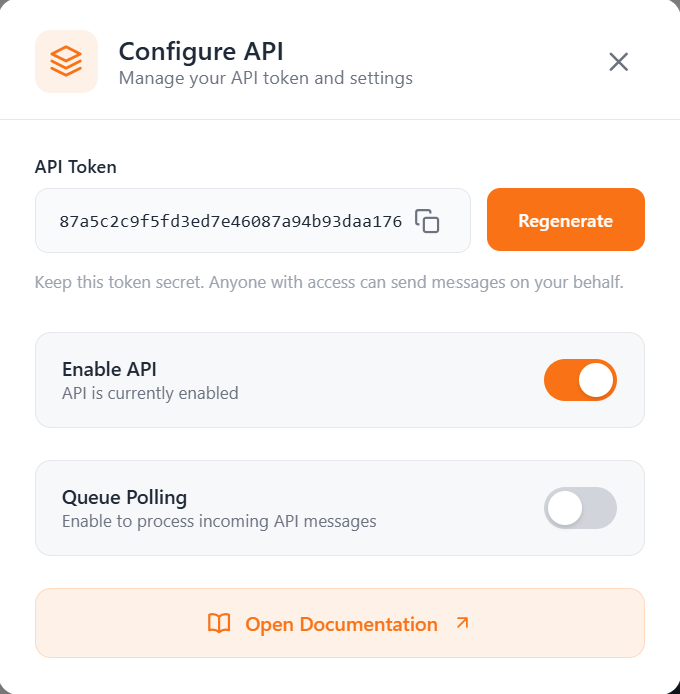
For developers: Build your own integrations with our powerful API. Extend Lion CRM's functionality to match your needs.
16
Custom Signature
Add professional signatures to every message. Include contact details, social links, and branding automatically.
How Lion CRM Compares to Others
Let's see how Lion CRM stacks up against typical WhatsApp CRM tools. No names – just facts.
Feature
Lion CRM
Other Tools
Total Features
16
5-8
Kanban Board
✓
✗
AI Integration (3 Providers)
✓
✗
Multi-Language (9)
✓
✗
WebHooks
✓
✗
Custom API
✓
✗
Status Automation
✓
✗
Backup & Restore
✓
✗
100% Local Storage
✓
✗
No API Setup Required
✓
✗
Why WhatsApp CRM Matters
2B+
WhatsApp Users
98%
Open Rate
16
Features
9
Languages
Who Should Use Lion CRM?
Lion CRM is perfect for anyone using WhatsApp for business. But here's who benefits the most:
🏪
Small Business
💼
Sales Teams
🎧
Support Teams
📣
Marketers
💻
Freelancers
🏠
Real Estate
🛒
E-commerce
🏥
Healthcare
📚
Educators
✈️
Travel Agents
💡
Pro Tip
A real estate agent in Mumbai reduced daily messaging time from 4 hours to 30 minutes with Lion CRM's bulk messaging and templates – and closed 3 extra deals that month!
How Lion CRM Works
Getting started is easier than ordering food online:
1
Download & Unzip
Download the Lion CRM ZIP file and extract it to a folder on your computer.
2
Load in Chrome
Open Chrome → Extensions → Enable Developer Mode → Click "Load Unpacked" → Select the extracted folder.
3
Activate with License Key
Open WhatsApp Web, click on Lion CRM icon, and enter your activation key to unlock all features.
4
Start Using Lion CRM
You're all set! Start sending bulk messages, organize contacts, automate follow-ups, and grow your business!
Frequently Asked Questions
Is Lion CRM safe to use?
▼
Absolutely! Lion CRM stores all data locally on your device. No third-party servers, no data breaches, complete privacy. Your customer data stays with YOU.
Will it get my WhatsApp banned?
▼
Lion CRM includes smart features like pause settings and human-like delays to keep you safe. Always use responsibly – quality over quantity!
Do I need technical knowledge?
▼
Not at all! If you can use WhatsApp, you can use Lion CRM. No coding, no API setup. Install and start using in minutes.
Which languages are supported?
▼
Lion CRM supports 9 languages: English, Portuguese, Spanish, Hindi, German, French, Italian, Dutch, and more being added!
What is the refund policy?
▼
Lion CRM follows a No Refund Policy. Since it's digital software, refunds aren't available once purchased. We encourage exploring all features before buying.
Does it work with WhatsApp Business?
▼
Yes! Lion CRM works seamlessly with both regular WhatsApp and WhatsApp Business on WhatsApp Web.
Which AI services are supported?
▼
Lion CRM integrates with OpenAI (ChatGPT), Google Gemini, and DeepSeek. Use your own API keys for AI-powered responses and translations.
Ready to Transform Your WhatsApp?
Join thousands of businesses using Lion CRM to manage WhatsApp like pros.
In the jungle of WhatsApp CRM tools, Lion CRM stands as the undisputed king.
With 16 powerful features, 9 language support, AI integration, and 100% local storage – Lion CRM isn't just another tool. It's a complete transformation for your WhatsApp business.
Whether you're a solopreneur managing 50 clients or a sales team handling thousands of leads, Lion CRM adapts to your needs.
"Many WhatsApp tools have come, many have gone... but the Lion was, is, and will always be king." 🦁
Lotsofcode Private Limited
The team behind Lion CRM. We're on a mission to make business communication simple, powerful, and private. Based in India, serving businesses worldwide.
If you’ve ever felt overwhelmed while managing customers on WhatsApp, you’re not alone.
We’ve been there — replying late, forgetting who asked what, promising “I’ll get back to you” and then completely missing it. It’s not because we’re lazy. It’s because WhatsApp is not built for business. At least, not the kind of business we’re doing today.
That’s exactly why we made Cheetah CRM — a clean, powerful, and easy-to-use CRM that runs on WhatsApp Web and actually makes sense for real people like you and me.
Now, some of you might know our earlier tool — Puppy CRM. It was good. But Cheetah CRM is a giant leap ahead. Honestly, it’s not even close.
This new tool doesn’t just organize your chats. It helps you talk better, sell better, and work smarter — all inside the WhatsApp you already use.
Let me explain exactly what Cheetah CRM is, and how it can help your business.
What Exactly Is Cheetah CRM?
Cheetah CRM (also called WhatsApp CRM Pro) is a tool that adds professional features to your normal WhatsApp Web. It’s a browser extension — so you don’t need to install any software or learn anything fancy.
Once you Install this WhatsApp CRM Pro, it gives you new powers:
Send messages to hundreds of contacts in one go
Create your own chat folders (called tabs)
Set follow-up reminders for each chat
Auto-reply to common messages
Translate messages from Spanish, Portuguese, or any other language
Work with your team members on the same inbox
And even post WhatsApp status updates without opening your phone
"Everything happens on WhatsApp, but managing it is a real challenge."
This tool is built to make your daily WhatsApp work easy and stress-free.
Why Cheetah CRM Is a Better Option Than Other WhatsApp CRMs (Like WaBa CRM)
Both Cheetah CRM and WaBa CRM offer the same core features—bulk messaging, chat automation, white-label options, and reseller/admin panels. The only real difference is in their pricing models and extra perks: Cheetah CRM uses flexible pricing model with daily 10 free demo licenses and scratch-card rewards, while WaBa CRM relies on one-time license fees without bonus giveaways.
Pricing & Offerings Comparison: Cheetah CRM vs. WaBa CRM
Factor
Cheetah CRM (formerly Puppy CRM)
WaBa CRM
Pricing Structure
• Monthly Plan: $ 50 / month (≈ ₹ 5,000 / month)
• Affordable Plan (Yearly): $ 50 / year (≈ ₹ 5,000 / year) for 5 licenses
• Premium Plan (Yearly): $ 700 / year (≈ ₹ 70,000 / year) for unlimited licenses
• No upfront ZIP file—just pay as long as you use the CRM.
• Monthly Plan: $ 2.50 / license per month (≈ ₹ 250 / license), or $ 2 / license (≈ ₹ 200) if you buy 10+ at once
• Affordable Plan: $ 7 / license (≈ ₹ 700), drops to $ 5 / license (≈ ₹ 500) in bulk
• Premium Plan: No extra fee (unlimited)
• Starter & Growth: ₹ 1,000 / license (≈ $ 15) per additional user
• Enterprise: ₹ 750 / license (≈ $ 11.25) per additional user
Admin & Reseller (White-Label)
• Separate Panels: Admin and Reseller dashboards built-in:
– Admin: Can create Resellers and Users.
– Reseller: Can only create Users (no sub-resellers).
• After payment, Admin/Reseller get scratch-cards with a chance to win extra free licenses.
• Can set own prices and sell under own brand.
• Separate Panels: Master Admin (Super Admin) and Reseller are distinct:
– Master Admin: Creates Resellers & end-user licenses; runs white-label version; sets own pricing.
– Reseller: Creates only end-users; runs a white-label copy; sets own pricing.
• No scratch-card reward feature.
Rewards / Scratch Cards
• Yes: Every time you buy a licenses, you get scratch-cards.
• Scratch-cards may award bonus free licenses instantly.
• No: WaBa CRM does not provide any scratch-cards or rewards after purchase.
Full Feature Breakdown
1. Bulk Messaging
You want to tell 100 people about your new offer? No problem.
Just write the message once, select the contacts, and send. You can even add the person’s name in the message automatically. So instead of:
“Hi! Check out our sale.”
They’ll see:
“Hi Rahul! Our sale is live. 20% off just for you.”
You can also attach images, videos, or files. And if you don’t want to send it now, schedule it. That’s it.
2. Tabs to Keep Your Chats Sorted
Imagine having folders inside WhatsApp.
You can make a tab called “Hot Leads”, “Pending Payments”, “Old Customers”, or anything else. Then just drag chats into those tabs.
No more endless scrolling to find someone.
Just go to the right tab, and you’re sorted.
3. Set Follow-Up Reminders
You promised to follow up next week? No need to remember.
Just open that chat, click “Set Reminder”, choose the date — and you’re done. You’ll get a notification when it’s time.
This alone has saved people from losing thousands in missed sales.
4. Automated Replies (Chatbot Style)
Let’s say you get the same 3 questions every day:
“What is the price?”
“How to order?”
“Do you offer return?”
Still, when you’re working during the day or leaving your system on during peak hours, this tool saves a lot of time and helps you stay responsive — even if you’re away from the keyboard.
Important note: This feature works only when your Chrome is open and WhatsApp Web is active. It’s not cloud-based. So, if your PC is off or you’ve closed your browser, the auto-reply won’t work.
It’s not magic. It’s just smart use of your active time.
5. A Visual Lead Board (Kanban Dashboard)
Think of this like a board with cards.
Each customer is a card. You move them from one column to another as they progress:
New → Interested → Paid → Delivered
This gives you a big-picture view. You’ll know exactly how many people are in which stage, and what to do next.
6. Voice Notes Turned Into Text (English Only)
Tired of listening to 1-minute voice messages?
Now you can convert them to text with one click. This works great if you’re in a meeting, or you just prefer reading instead of listening.
7. Multi-Agent Access (Work as a Team)
If you have a team, they can all work inside the same CRM.
Assign chats to specific agents
Let your support team handle queries
Your sales team can follow up separately
You still see everything from your admin panel
So even if 3 people are using WhatsApp, they won’t overlap or confuse each other.
8. ChatGPT + Gemini AI Integration
This one’s powerful.
Let’s say you get a message in Spanish. You don’t speak Spanish — but Cheetah CRM does.
It will:
Translate the message to English (just for you)
You type your reply in English
It translates it back to Spanish before sending
Your customer thinks you’re fluent. You’re just smart.
You can also use AI to:
Improve your replies
Fix grammar
Write long messages in seconds
Translate, summarize, or rephrase
9. Webhook & API Integration
If you’re using tools like Google Sheets, HubSpot, or your own CRM — you can connect them.
Every time something happens (like a new lead), that data is sent to your tool automatically. No more copy-paste.
10. Google Integration
If you’re using tools like Google Sheets, HubSpot, or your own CRM — you can connect them.
It makes life easy when everything talks to each other.
11. Desktop WhatsApp Status Posting
Want to post a new status on desktop?
No worries. Just open your Cheetah CRM, add a photo or text, and post it directly to WhatsApp status — from your computer.
12. Data Backup and Restore
Your settings, tabs, templates, and messages are backed up — so even if your system crashes, nothing is lost.
Explore Cheetah CRM – Take Your WhatsApp Management to Next Level
Manage leads, automate follow-ups, track chats, and let your team handle WhatsApp like a pro. Cheetah CRM is built for businesses who want to boost sales and support without confusion. Easy to use. Fast to deploy. 100% secure.
Create your own branded CRM with custom name, logo, and panel
Generate reseller and user licenses under your brand
Buy license and receive scratch cards (sometimes get free licenses)
Log in to any reseller panel and manage everything centrally
Activate or deactivate users, update license validity, and set usage limits
Admins get 10 free demo licenses daily to give users a 3-day trial
View full dashboard reports: user activity, license usage, upgrades, and more
Use the admin panel in English, Spanish, or Portuguese
Download your own CRM extension (Chrome ZIP) from your dashboard
Check This Video: How to Generate Demo License Setup in WhatsApp CRM Pro
Reseller
Create and sell their own whitelabel CRM under your brand
Generate and manage user licenses
Resellers get 10 free demo licenses daily to offer 3-day trials
View real-time stats on users, renewals, activity, and more
Use the dashboard in English, Spanish, or Portuguese
User License
Access to the CRM features as allowed by the Admin or Reseller
3-day free trial (if granted) before upgrading to a paid license
Admin Panel & Reseller Panel Overview
Frequently Asked Questions
What is Cheetah CRM (WhatsApp CRM Pro) and how does it work?
Cheetah CRM is a Chrome extension that integrates with WhatsApp Web. It enhances business communication by offering automation, chatbots, bulk messaging, sales funnels, and more. All data is processed locally on your system for full privacy.
Can I use it without technical knowledge?
Yes, absolutely. The CRM is built for all users — tech-savvy or not. It has a simple layout and step-by-step instructions, so anyone can use it without coding or complex setup.
Can I schedule WhatsApp messages?
Yes, you can schedule messages and reminders inside the CRM. Whether it's a sales follow-up or a product update, the system ensures your messages go out on time.
Is bulk messaging supported?
Yes! You can send bulk WhatsApp messages to all your leads or customers at once. This is especially useful for promotions, reminders, and important updates with high open rates.
How secure is my data?
Your data is fully secure. Everything runs locally on your browser — we do not collect or store your data on any external server.
Can I resell this tool and offer my own branding?
Yes. You can become a reseller or admin and offer your own whitelabel version of the CRM with your branding, logo, and pricing. Admins can even create reseller panels under their brand.
What’s included in the whitelabel package?
You get a downloadable Chrome extension with your branding, a custom CRM name, and a Demo User License Maker Tool to help onboard new users with 3-day free demos.
Can I add my own payment gateway?
No, payment processing is managed through the default CRM system. You cannot add custom gateways in the admin or reseller panel.
What languages does it support?
The CRM is available in English, Portuguese, and Spanish. All panels and settings are multilingual for global usage.
Are WaBa CRM and Cheetah CRM’s features almost the same?
Yes, most core features (bulk messaging, chat folders, auto-replies, etc.) are very similar. The main difference is pricing—you can visit each website to compare current plans.
Is Puppy CRM the same as Cheetah CRM?
No. Puppy CRM has fewer features than Cheetah CRM, but both are built by LotsOfCode.
Situation: You have limited business experience, a modest budget (~₹100,000 or $1,200), and about 6–8 hours a day to invest. Your goal is to launch an AI-driven, largely automated business that can scale rapidly – potentially reaching $100K+ in monthly revenue – by serving high-net-worth business clients globally. Below we explore several realistic, high-ROI AI business ideas that meet these criteria, along with tools, launch steps, target markets, and examples. Each idea can be launched quickly (in 1–2 weeks) using no-code tools and AI, and all are fully digital with minimal ongoing manual effort.
Idea 1: AI Customer Service & Sales Agents (Chatbots and Voice Bots)
Overview: Offer businesses a 24/7 AI-powered virtual agent that can handle customer inquiries, support, reservations, or even sales calls. These AI agents (text chatbots or voice assistants) can interact with customers as naturally as a human, answering questions and scheduling appointments without human intervention (How to Build a $100K Monthly AI Agency in 2025: A Complete Blueprint | by Money Tent | Medium). By automating front-line customer service and sales calls, companies save on support costs and never miss a lead – a value that high-revenue businesses will pay premium for.
Recommended Tools & AI Platforms: No-code chatbot builders (e.g. Dialogflow CX, Landbot, IBM Watson Assistant) can design conversational flows without coding. For voice agents, services like Twilio (for telephony) combined with AI APIs (OpenAI GPT-4 for dialogue, Google Text-to-Speech for voice) enable phone call bots. Workflow automation platforms like Zapier or Make.com help integrate the chatbot/voicebot with company CRM or calendars (How to Start an AI Agency: A Blueprint to Generate $100K Monthly Revenue in 2025 | by Money Tent | Medium). These tools are affordable and quick to configure.
Step-by-Step Launch Plan:
Identify a Niche Use-Case: Choose a domain with high client pain-point – e.g. customer support chatbot for e-commerce, or an AI appointment-booking caller for medical clinics. Ensure it’s a process where AI can save significant time/money.
Set Up the AI Agent: Use a no-code platform to build the bot. Draft the conversation flow or prompt logic (leveraging GPT-4 for natural responses). For voice, set up a Twilio phone number and connect it to an AI-driven call flow (tutorials show this can be done with minimal coding). Test the bot with sample queries.
Integrate with Systems: Connect the bot to calendars, databases or CRM via Zapier/Make so it can perform actions (booking slots, logging tickets, collecting contact info). Ensure end-to-end automation (for instance, a customer asking for a demo gets scheduled automatically).
Pilot with a Real Client: Offer a free or discounted trial to one local business or contact. This helps refine the agent with real data and serves as a case study. Track metrics (e.g. number of calls handled, response accuracy, customer satisfaction).
Deploy and Scale: Once proven, deploy your AI agent solution for new clients. Emphasize quick deployment (within days) and customize the knowledge base for each client’s FAQs or scripts. Use each success to attract bigger clients in similar industries.
Target Market & Sales Strategy: Focus on service-based businesses that get large volumes of customer inquiries or leads. Industries like real estate, solar energy sales, and insurance are particularly receptive – they heavily rely on scheduling appointments and closing deals, processes an AI caller or chatbot can significantly streamline (How to Build a $100K Monthly AI Agency in 2025: A Complete Blueprint | by Money Tent | Medium). To reach these clients:
Leverage LinkedIn outreach to target executives in these industries, pitching the AI agent as a way to boost efficiency and revenue.
Prepare an impressive demo (or data from your pilot) to demonstrate how many calls or chats your bot can handle and the potential ROI (e.g. “saves 120 hours of support staff per month”).
For high-end credibility, position your service as an “AI Automation Partner” rather than a generic bot vendor – highlight strategic value and reliability (important for multi-million dollar businesses).
Revenue Potential & Examples: This model can command high upfront fees and retainers. It’s realistic to charge clients several thousand dollars for initial setup plus ongoing monthly fees for maintenance (as the AI handles critical business processes). In fact, one AI agency blueprint suggests bundling a package of AI services (including an AI caller system) for $10,000 upfront + $2,000/month in maintenance (How to Build a $100K Monthly AI Agency in 2025: A Complete Blueprint | by Money Tent | Medium). With just 5–10 such clients, you could exceed $100K in first-month revenue (combining setup fees and first retainers). Even one large enterprise contract can be very lucrative. The market is ready: businesses are actively investing in AI solutions that “increase revenue while reducing operational time” (How to Start an AI Agency: A Blueprint to Generate $100K Monthly Revenue in 2025 | by Money Tent | Medium). High-performing examples include AI chatbots for banking customer service and AI appointment schedulers in healthcare – some companies report saving millions by automating these functions. In your case, even a small start can snowball: a 22-year-old entrepreneur scaled an AI automation service from scratch to $40,000 in a single month (How to Start an AI Agency: A Blueprint to Generate $100K Monthly Revenue in 2025 | by Money Tent | Medium), illustrating how quickly an AI agency model can grow when it delivers real value.
Idea 2: AI-Driven Content & Marketing Automation Agency
Overview: Launch an AI-powered marketing service that generates content and insights for businesses at high speed. This could include content writing, SEO optimization, social media management, or ad copy generation – all done with AI tools and minimal human writing. Wealthy clients (e.g. large e-commerce companies or financial firms) will pay well for a stream of fresh content and marketing materials if you can deliver quality at scale. By leveraging AI, you can produce in minutes what a team might take days, giving your agency a competitive edge in both speed and cost.
Specific Services & Use-Cases: You might offer: AI-generated blog posts and articles, tailored to the client’s industry (great for content marketing); automated SEO audits and reports; AI-crafted social media posts and graphics; or personalized email campaigns. For example, providing comprehensive SEO audits (with technical fixes and content recommendations) is highly valuable – even minor SEO improvements can translate to “thousands of dollars in additional revenue for clients” (How I Built a $100K/Month Digital Marketing Agency in 2025 (0 experience needed) | by Money Tent | Medium). By using AI to analyze a site and draft an audit report, you could deliver this service in a day and charge a premium. Another high-demand service is SEO-optimized content creation – writing blog posts, product descriptions or landing pages that rank well. This has consistently high returns, especially for e-commerce clients who need better product visibility (How I Built a $100K/Month Digital Marketing Agency in 2025 (0 experience needed) | by Money Tent | Medium). Essentially, you become a one-person marketing agency supercharged by AI.
Recommended No-Code Tools: There are many no-code or low-code platforms for AI content:
Writing and Copy Generation:OpenAI GPT-4 (via their API or tools like Jasper.ai, Copy.ai) for human-like text. CopySmith or Writesonic for marketing copy.
SEO Audits & Research:Semrush or Ahrefs (not AI, but can be automated via their APIs) combined with GPT to interpret results. Specialized AI SEO tools (e.g. Alli AI, SurferSEO) can streamline optimization.
Graphics & Social Media:Canva with AI image generation (Canva’s Magic Media), or MidJourney/Stable Diffusion for creating unique visuals. Lumen5 or Pictory for turning text into video snippets.
Automation: Use Zapier/Make to connect these tools. For instance, auto-post AI-generated content to a blog or social media once approved. Use Buffer or Hootsuite for scheduling posts at scale.
Step-by-Step Launch Plan:
Pick a High-Value Marketing Niche: Decide on a focus that appeals to big clients. For example, AI SEO and content package for large online retailers, or AI-driven LinkedIn content management for tech CEOs. Specialization helps you appear expert.
Develop a Few Core AI Workflows: Create a repeatable workflow for each service. E.g., for an SEO audit – use a website crawler and GPT-4 to produce a polished report of issues and fixes (you input the site URL, the tools do the rest). For content, prepare prompt templates that consistently yield well-structured articles (you input the topic or product details and let AI generate a draft, then lightly edit for accuracy and tone). Test these workflows on your own website or a dummy project until the output quality is high.
Build a Professional Agency Front: Set up a simple website (Webflow, WordPress with AI-themed templates) showcasing your services and an easy way to contact or order. Include one or two sample reports or content pieces generated by your AI pipeline to prove the quality. This builds credibility even if you’re a solo beginner.
Market to High-Net-Worth Clients: Identify businesses that spend heavily on marketing (e.g. companies running lots of ads or publishing frequent content). Use LinkedIn or industry forums to reach their marketing heads. Offer a free initial audit or a sample content piece to demonstrate your capability – your AI can produce this quickly, so it’s a low cost lead magnet. Follow up with a proposal for ongoing services (e.g. monthly SEO retainer, weekly blog articles package).
Automate Delivery & Scale: As you gain clients, automate as much as possible. Set up form inputs for clients to request content topics or provide info, which then triggers your AI workflows. Deliver output via email or a client portal. Since AI handles production, you can serve multiple clients with minimal hirees. Continuously refine your AI prompts and add new tools (for example, if a client asks for something new like an AI-generated webinar script, integrate that).
Target Market & Sales Strategy: Emphasize return on investment to appeal to wealthy clients – frame your service as “using advanced AI to deliver marketing results faster and cheaper than traditional agencies.” Target mid-to-large companies that can pay $5k-$20k monthly for marketing if value is shown. Sectors like real estate, finance, tech startups, and e-commerce brands are ideal: they always need fresh content and SEO but may not have in-house capacity. Use your network or platforms like Upwork/AngelList to find first customers – highlight that you use cutting-edge AI. Content marketing conferences and LinkedIn groups are also channels: share some AI-generated industry report or insightful content (created by your AI) to attract attention. For sales, present packaged offerings (e.g. “20 SEO articles + site audit for $X per month”) to make it easy for clients to grasp. Since you won’t be writing manually, you can afford volume; however, ensure quality control (review AI output) especially for high-profile clients.
Idea 3: Launch a Niche AI SaaS Product (No-Code AI Toolkits)
Overview: Build a fully AI-powered SaaS (Software-as-a-Service) tool in a specific niche that you can sell globally. Thanks to no-code platforms, you don’t need to be a developer – you can turn a clever prompt or workflow into a web application quickly (How I Built $100K AI SaaS Apps Without Code Using WordPress | by Money Tent | Medium) (How I Built $100K AI SaaS Apps Without Code Using WordPress | by Money Tent | Medium). The goal is to solve a specific, valuable problem for businesses or professionals using AI on the backend. By charging subscription fees or high one-time licenses, a successful niche tool can scale to six-figure revenues fast (especially if it catches a trend). Importantly, once the SaaS is set up, it requires minimal manual effort; users self-serve on your platform and AI does the heavy lifting.
Example Niche Ideas: Think of tasks that are data- or content-heavy where AI can save tons of time:
Automated Report Generation: e.g. a tool that generates full market research reports or competitor analysis from a few inputs. Busy executives could pay a lot for instant reports instead of waiting weeks for consultants.
Real Estate Listing Generator: an app where agents input property details and get a beautifully written listing description, specs sheet, and maybe an AI-staged photo. This solves the pain of writing listings manually.
Legal Document Drafting SaaS: allow users (lawyers or businesses) to input key info and choose a contract type, and your AI outputs a first draft of the contract. Law firms pay premium for speed here. (Indeed, one no-code AI entrepreneur created a legal document generation tool for law firms that became a consistent revenue source (How I Built $100K AI SaaS Apps Without Code Using WordPress | by Money Tent | Medium).)
E-commerce SEO Page Creator: generate SEO-optimized product descriptions or landing pages at scale for online stores. Success example:LandingCat – an AI tool that mass-generated SEO landing pages for e-commerce products – went from idea to $100K ARR in just 4 weeks (How Cody Schneider Built a $100K ARR Business in Just 4 Weeks) by tapping a huge demand for quick SEO content.
Financial Analysis Bot: a chatbot where CFOs upload spreadsheets and the AI analyzes them, pointing out anomalies or insights. Many large businesses would love an automated analyst that is available on-demand.
These are just illustrative – the key is a laser-focused tool that does one thing extremely well with AI. High-net-worth clients prefer specialized solutions that address pressing needs over generic tools.
Recommended No-Code Platforms: You can build AI SaaS apps with surprisingly simple tools:
FormWise (formwise.ai) – A no-code builder specifically for turning GPT prompts into shareable tools/web apps quickly (FormWise – Future Tools). It can create branded “smart forms” or chatbots that you can host as your product.
Bubble.io – A general no-code app builder that allows integration of AI APIs. Good for more complex web app UIs or databases behind your tool.
WordPress – Yes, WordPress can be used for SaaS! With plugins or custom scripts, you can have users input data and get AI output. One entrepreneur used WordPress + AI plugins and generated “over half a million dollars” across his AI tools in six months (How I Built $100K AI SaaS Apps Without Code Using WordPress | by Money Tent | Medium). WordPress plus membership plugins can handle user logins and payments easily.
OpenAI / AI APIs – Use GPT-4 or other models via API as the engine of your app. Other useful APIs: Stable Diffusion or DALL-E for image generation (if your tool needs graphics), DeepL for translation, etc.
Database & Automation – Airtable or Google Sheets (as a lightweight database) and Zapier to connect it all. For a more integrated solution, Xano (no-code backend) can work with Bubble.
Step-by-Step Launch Plan:
Identify a Pain Point + Prompt Solution: Research a niche where professionals are actively seeking solutions (browse forums, IndieHackers, Reddit). If you see many asking “Is there an easier way to do X?”, that’s a clue. Design a clever AI prompt or workflow that accomplishes X. (Tip: Use communities like FlowGPT for prompt ideas and see what’s popular.) Ensure the output quality meets a business-grade need.
MVP with No-Code Builder: Build a minimum viable product using FormWise or Bubble. For example, with FormWise you can create a form that collects user inputs and behind the scenes passes them to GPT-4 with your custom prompt, then displays the result nicely. This can take just a day or two – FormWise claims building a tool can take minutes. Make the UI clean and add your branding. If using Bubble, design the page and use their API connector to call OpenAI; slightly longer but still within days to get a basic app running.
Test with Target Users: Before full launch, test your SaaS with a few users (perhaps post on LinkedIn “looking for 5 beta testers” or ask friends in the industry). Gather feedback on output accuracy and usability. Tweak the prompts or interface as needed. Since it’s no-code, iterating is quick.
Implement Payments & Onboarding: Set up a way for people to sign up and pay. This could be as simple as a Stripe payment page that emails them a login link. On the site, clearly explain the tool’s benefits and include a demo or sample output. Create pricing that fits the value – e.g. a monthly subscription with a cap on usage, or credits. Make sure to have a high-end tier for enterprise clients (with more usage or some custom support) – this is where big revenue can come from.
Go to Market Rapidly: Launch within 2 weeks and start marketing. List your tool on AI directories (Product Hunt, FutureTools.io, etc. – early adopters frequent these). Share use-cases and results on LinkedIn or Twitter where your target audience hangs out. If your target is enterprise, do direct outreach: e.g. if you built the real estate listing generator, message real estate agencies showcasing how your AI writes a listing in 1 minute. Use content marketing as well – publish a case study or a comparison (“AI-generated report vs manual – see the difference”) to attract interest. Because this is a scalable product, you can onboard many users at once. Leverage any positive reviews or testimonials from beta users to build credibility.
Target Market & Sales Strategy: The beauty of SaaS is you can serve global customers online. Still, focus on high-value clients to reach big revenue fast. If your tool is B2B (business-facing), identify companies or professionals that spend money on similar solutions. For example, if you built an AI analysis tool for finance, target CFOs or finance managers via email/LinkedIn, highlighting time saved. If it’s for real estate, join real estate professional forums and present your tool. Webinars or demos can be powerful for selling to enterprise clients – host a 30-minute live demo for potential buyers to see the AI in action. Also consider a freemium or trial to get users in the door, then upsell to paid plans for heavy use or premium features. For instance, allow 1 free report generation, then charge for more. Wealthy business clients are willing to pay if you demonstrate that your AI SaaS saves them significant labor or generates revenue. Be prepared to offer custom enterprise deals (like an annual license) for those who want additional integration – that could be a single $50K+ deal. Partnering with industry influencers or getting press on tech blogs can also rapidly increase exposure (remember, a niche AI tool that addresses a trending need can even go viral in business circles).
Revenue Potential & Success Stories: A well-executed niche AI SaaS can realistically hit impressive numbers. On the lower end, many solo founders report making $10K–$50K per month from small AI tools serving niche markets (How I Built $100K AI SaaS Apps Without Code Using WordPress | by Money Tent | Medium). On the higher end, if your product taps a widespread demand, scaling to six figures monthly is possible. For example, LandingCat’s SEO page generator tool reaching $100K ARR in one month proves the speed and scale achievable by identifying a massive demand (e-commerce SEO) and launching quickly (How Cody Schneider Built a $100K ARR Business in Just 4 Weeks). Other founders have built toolkits (like a YouTube content idea generator, or the legal doc generator) that bring in steady monthly revenue (How I Built $100K AI SaaS Apps Without Code Using WordPress | by Money Tent | Medium) – sometimes quietly earning five figures with almost no overhead. The subscription model means revenue can compound as you add users. If you price, say, $100/user/month, you only need 1,000 users globally to reach $100K MRR (Monthly Recurring Revenue). Alternatively, a handful of enterprise clients at $2-5K each could get you there. The setup cost is low – mostly your time and some platform fees – so most revenue is profit. Keep in mind that hitting $100K in the very first month may require exceptional marketing or an existing network, but even getting to a fraction of that quickly is a success. With consistent growth and iteration, your AI SaaS “empire” can expand to multiple tools over time (one creator built ~20 AI mini-apps on WordPress, cumulatively earning over $500K in six months (How I Built $100K AI SaaS Apps Without Code Using WordPress | by Money Tent | Medium)). The key is to launch fast, address user feedback, and aggressively market to capture the early adopters in your niche.
Idea 4: AI-Powered Lead Generation and Sales Outreach Service
Overview: This idea centers on using AI to bring your clients more customers, which is something businesses will always pay for. You offer a fully-automated lead generation service: finding potential leads and reaching out to them with personalized AI-crafted messages (emails, LinkedIn messages, even AI voice calls). Essentially, you become an AI-enhanced growth agency that can scale a client’s sales pipeline quickly. High-net-worth clients like multi-million-dollar SaaS companies or B2B service providers will eagerly pay if you can deliver qualified leads or meetings with minimal human effort on their part. With AI doing the heavy lifting (researching prospects and writing outreach content), you mostly focus on setting up the system and letting it run.
Service Description: Your service could include:
Prospect Identification: Use AI tools to scrape or research lists of companies/individuals that match your client’s ideal customer profile. (E.g., using an API for LinkedIn Sales Navigator or databases like Apollo.io, then having AI filter by certain criteria.)
Personalized Outreach at Scale: Draft customized emails or messages to each prospect, written by an AI that references key details (their industry, pain points, etc.). GPT-4 can take a prospect’s info and generate a tailored pitch better than a generic template. For voice outreach, an AI caller could even ring leads to deliver a short pitch or set an appointment.
Follow-up and Nurturing: Implement automated follow-up sequences. AI can vary the wording, answer common objections via an email bot, and schedule meetings on a calendar when a lead shows interest.
Reporting and Handoff: Provide your client with regular reports (which AI can help compile) showing new leads, conversations, and booked calls or demos. Once a lead is qualified and interested, the client’s human sales team takes over to close the deal.
This is essentially turning the top-of-funnel sales process into an automated machine. For example, an insurance agency could use this to automatically contact hundreds of potential high-net-worth clients with a personalized pitch for a policy, something that would take a human team a huge amount of time.
Recommended Tools & Platforms:
Lead Data Gathering:Phantombuster or TexAu (no-code scraping tools) can gather contact data from LinkedIn or websites. Hunter.io finds emails from domains. There are also AI platforms like Clay that integrate data sources with AI for lead gen.
Email Outreach & Sequences:Instantly.ai (as mentioned earlier) or Reply.io – these allow sending bulk personalized emails and manage campaigns. They also use AI for improving deliverability and even for email text suggestions. Instantly, for instance, enables you to target by industry and role and send thousands of emails that don’t land in spam (How I Built $100K AI SaaS Apps Without Code Using WordPress | by Money Tent | Medium).
AI Copy Personalization:OpenAI GPT-4 or GPT-3.5 via API to write the outreach messages. You can integrate this into the email tool via Zapier or some have native AI features. For LinkedIn messages, a tool like Lavender uses AI to draft messages that sound genuine.
AI Calling: If you go the phone route, Twilio + an AI speech model (as in Idea 1) can call leads with a prerecorded AI voice script. There are emerging services specifically for AI sales calls as well.
CRM & Workflow: A lightweight CRM like HubSpot (free tier) or even a Google Sheet can track leads contacted and responses. Use automation (Zapier) to update statuses, send follow-ups, and alert clients when a meeting is booked.
Step-by-Step Launch Plan:
Develop an “Irresistible” Offer for Clients: In lead gen, your own offer to clients should be attractive – e.g. “We will deliver 30 qualified sales calls with target customers in 30 days, or your money back.” Craft this promise based on what your automation can realistically do. By emphasizing results (meetings, leads) rather than effort (emails sent), you appeal to what clients really want (I built my Lead Gen agency from 0 to $100,000/mo in 6 months. · 4D …).
Set Up Your Lead Gen System: Choose a niche for yourself initially (say, lead gen for SaaS companies selling B2B). Build out a small pipeline: find a sample list of target prospects in that niche (perhaps CEOs of mid-size companies). Create AI prompts for outreach emails that highlight a pain point and your client’s solution. Test sending a batch of emails to, say, 50 prospects for a hypothetical client (or a friend’s business) to see response rates and tweak messaging. This serves as a proof of concept.
Acquire a Pilot Client: Reach out to a business in your network or local area that badly needs more clients. Offer to run an AI-powered outreach campaign for them at a discounted rate (or commission-based) for the first month. This pilot will give you real data and (hopefully) a success story. For example, if you get them 10 sales appointments in a few weeks, that’s powerful evidence.
Refine Automation & Scale Volume: With lessons from the pilot, refine your targeting and messaging. Set up the infrastructure to handle large volumes: multiple sending email accounts (to distribute load), higher quality lead lists, more variations of AI-generated messages to avoid repetition. Ensure compliance (follow spam laws, provide opt-outs in emails). Essentially, create a blueprint you can reuse for any client in a given industry.
Pitch High-Value Clients: Now aggressively pitch your service to bigger companies. Use your pilot results as proof – e.g. “We helped X Co. book 10 extra sales meetings in 3 weeks using our AI outreach system.” Identify companies that have high customer lifetime values (so each lead is very valuable to them – they’ll invest more in lead gen). Contact their VP of Sales or CEO with a short message about how you can fill their pipeline with AI. For scaling, consider a performance-based pricing option (like $Y per meeting booked) – this can attract clients because it lowers their risk. However, you can also charge a hefty setup or monthly fee given the tech you provide.
Target Market & Sales Strategy: Target clients who already spend heavily on lead generation or have large sales teams. For instance, companies in enterprise software, consulting services, high-end real estate, finance (investment services), etc. Those industries are accustomed to paying for leads or appointments – if you can do it faster/cheaper with AI, it’s compelling. Emphasize that your approach uses cutting-edge AI and thus can reach and personalize at a scale humans can’t, giving them a competitive advantage. In marketing materials, focus on results: more leads, more meetings, increased revenue – not the technical AI details. You can even brand your service in a sleek way, like “AI-Powered Sales Accelerator” to sound appealing. Leverage LinkedIn to connect with decision-makers, and use your own medicine – run an AI outreach campaign to get clients for your service! For example, have GPT-4 write a series of messages to send to a list of CEOs about how you can increase their sales. Show them you’re doing what you preach. Attending networking events or online webinars for your target industry can also yield leads – you might give a short talk or demo on “How AI can generate 1000 personalized cold emails in an hour,” which wows the audience and positions you as an expert.
Revenue Potential & Examples: If executed well, this can be a high-ticket, high-margin business. Clients pay for outcomes – landing even one big client contract from your leads could be worth tens of thousands to them, so charging $5k-$15k per month for your service is justified. Some entrepreneurs have indeed grown lead gen agencies to $100K/month within months using AI and smart offers (Dr. Jay Feldman’s Post – LinkedIn). One blueprint for an AI sales agency shows that packaging an end-to-end solution (ads + AI appointment setting + sales enablement) can command $10K upfront from each client (How to Build a $100K Monthly AI Agency in 2025: A Complete Blueprint | by Money Tent | Medium) (How to Build a $100K Monthly AI Agency in 2025: A Complete Blueprint | by Money Tent | Medium). If you focus on a lucrative niche (like solar panel installers or insurance brokers), you might sign multiple clients quickly because these industries “readily invest in AI solutions” to get more leads and close deals (How to Build a $100K Monthly AI Agency in 2025: A Complete Blueprint | by Money Tent | Medium). The math can be simple: 10 clients paying ~$10K/mo = $100K. Even easier, a few larger enterprise clients at $20–30K each for extensive lead-gen coverage could get you there. Real-world success stories include agencies that use AI to automate cold emailing and have booked dozens of meetings leading to $45K+ in monthly profit (Building an AI Automation Agency: Scaling to $100K per Month) (Building an AI Automation Agency: Scaling to $100K per Month) – and they’re on track to scale much further. Since your costs are mainly software and perhaps contact data, most of that revenue is profit. The key is to achieve performance that meets or exceeds what a traditional (human-driven) sales development team would do. If you can consistently deliver a flow of qualified prospects, clients will happily treat your service as an engine worth fueling – providing you stable and growing income.
Idea 5: AI-Generated Video and Media Production Service
Overview: Visual content is king, and producing high-quality videos or graphics is traditionally expensive and slow. This idea is to offer AI-powered media creation – for example, generating promotional videos, advertisements, or training videos using AI tools. With modern generative AI, you can create video clips, voice-overs, and graphics in a fully automated pipeline. Businesses (especially high-end brands or those with global teams) always need more video content for marketing and internal use. By using AI, you could deliver these assets faster and cheaper than a traditional studio, while still maintaining good quality. It’s a high-ROI pitch: “studio-quality videos at a fraction of the cost, delivered in 24 hours.” Wealthy clients will see the appeal in cutting both cost and production time.
Service Examples:
AI Video Ads – Create short advertisement videos for clients’ products or services. You can have AI generate a script (GPT-4), a voice narration (text-to-speech with human-like voices), and even stock footage or animations synced to the script (tools like Synthesia can generate a talking presenter, or Pictory can assemble stock visuals to match a script).
Personalized Video Messages – For example, an events company might want personalized invite videos for each VIP guest. AI can overlay names or generate custom voice messages, which was impractical manually.
Training/Education Videos – Companies spend big on training content. You can use AI avatars to present e-learning videos from a text script, saving the need for filming.
Graphic Design at Scale – While video is highlight, even offering AI-generated banners, social media graphics, logo variations, etc., could be part of the service (using tools like MidJourney or DALL-E for creative images).
Essentially, position your service as an AI Creative Agency that can output multimedia content on demand.
Recommended AI Tools:
Video Generation:Synthesia (generate videos with AI avatars speaking your script in various languages – great for corporate videos), D-ID (creates talking head videos from a single image + voice input), Pictory or Lumen5 (turn text or blog posts into videos with stock footage and AI-chosen highlights).
Voice & Audio:WellSaid Labs or Murf.ai for ultra-realistic AI voiceovers. These can narrate scripts with emotion. Alternatively, many video generators (like Synthesia) include voice, but standalone TTS (text-to-speech) gives more control.
Script Writing:GPT-4 via OpenAI – to draft video scripts, captions, and even storyboard ideas from a simple prompt (e.g., “Create a 60-second marketing video script for a luxury watch brand emphasizing craftsmanship”).
Image Generation:MidJourney or Stable Diffusion to create custom visuals or backgrounds. Canva’s AI tools can also generate or enhance images and have many templates for assembling final graphics/videos.
Editing & Polishing:Descript (uses AI to easily edit video and audio, remove filler words, etc.), or Runway ML (an AI video editor for effects, background removal, etc.). These can refine the output from generative tools.
No-Code Integration: To manage requests and deliverables, use a form (Typeform or Google Form) where clients submit their requirements, which triggers your creation process. You can manually or via Zapier feed that info into your tools (some steps might remain semi-automated, like you checking the AI-generated video before sending).
Step-by-Step Launch Plan:
Define a Signature Service: Decide on a flagship offering that’s easy to deliver with AI. For instance, “1-minute promo videos with AI spokesperson” or “AI-generated explainer videos for software companies.” By defining a specific product, you make it easy for clients to say yes.
Assemble Your AI Toolchain & Test: Link the tools to create a workflow. For example: use GPT-4 to write a script -> feed script to Synthesia to generate a video with a virtual presenter -> use a MidJourney image as the background -> use Descript to add background music or clean up. Test this process end-to-end with a sample topic (perhaps make a marketing video for a fictitious company) to gauge the output quality and time taken. Optimize your prompts for script writing and any style choices for visuals/voice until you get professional-looking results.
Build a Portfolio of Demos: Create a few example videos or media pieces as if they were for clients. Variety helps – e.g. one product promo, one training snippet, one social media ad. This portfolio will speak louder than words in convincing clients. Host these on your website or a YouTube/Vimeo link.
Launch a Website and Outreach: Put up a simple website or landing page advertising your AI media service. Emphasize how fast and cost-effective it is (“Ready in 24h”, “50% less cost than traditional video production”) and show your demo reel. Now reach out to potential big clients: marketing directors, content managers, HR heads (for training videos) in relevant industries. Use a personalized approach – perhaps even send them a custom AI-generated demo using their brand or name (this will really catch attention: “Wow, they already made a video sample with our logo!”). Cold email and LinkedIn are effective for this outreach.
Pilot and Refine: Once you land a first client project, execute it and gather their feedback. This might expose areas to improve (maybe the AI voice needed more energy, or the on-screen text needed brand font – things you can adjust). Use this feedback to refine your processes, and then ask for a testimonial if they’re happy. From here, systematize the process so you can handle multiple projects: create a checklist for each new video request, templatize prompts by industry, and prepare an asset library (music, graphics) to enhance AI output quickly.
Target Market & Sales Strategy: Visual content is universal, but to get $100K/month, target clients with large content budgets:
Marketing/Advertising agencies might white-label your AI video service to produce ads for their clients faster – you become their secret production weapon.
Large corporations (especially those with global presence) that need training videos in multiple languages, or lots of internal communications. They will value that you can generate videos in, say, 5 languages using the same avatar, which is something they’d normally outsource at great expense.
Real estate developers or luxury product marketers who want high volume of slick videos (e.g., videos showcasing each property or each product in a catalog).
E-learning companies looking to quickly create course videos.
When approaching these clients, highlight case studies of time and cost saved. For instance, mention that AI video creation can cut production costs by 50–80% and reduce turnaround from weeks to hours (Case Studies: See how AI videos can save you time & money) – supported by case studies from companies like Synthesia. Showcasing the technology’s credibility (maybe name-drop some big brands using AI video in their marketing) will help reassure clients that quality is professional. Price your service either per video or as a monthly package (e.g. X videos per month for $Y). Since traditional video production can cost thousands per minute, you have room to charge well while still undercutting old methods. You might use a tire strategy: a basic AI video at a low rate, and a “premium” package where you add more custom elements or strategy, for a higher rate. The latter is what will appeal to high-end clients who want the best.
Revenue Potential & Examples: Video and media budgets can be huge, so if you tap into even a few big clients, $100K/month is attainable. For perspective, a single traditional video project for a large company can be $10K-$50K; if you can handle 5–10 projects like that with your AI-driven approach (which is feasible when much is automated), you hit the target. There are already success stories: companies using AI video generators have scaled to producing thousands of videos, serving many clients simultaneously – one AI startup reported their system created 100,000+ marketing videos in a year for clients, which would have been unimaginable manually. As a solo entrepreneur with these tools, your margins are high because you’re mostly paying for software subscriptions. If you charge, say, $1,000 for a video that takes you 2 hours of AI-assisted work, that’s excellent hourly revenue. Moreover, satisfied clients often come back for more (recurring business) and refer others in their network, creating a snowball effect. Scalability is also straightforward: need to double output? Just run more AI jobs in parallel or bring on an assistant to manage project flow – you don’t have to double a production crew. Overall, offering AI media production is a relatively blue-ocean opportunity right now, and those who have jumped in are seeing it “boost engagement and cut costs” for clients (Case Studies: See how AI videos can save you time & money), which translates to a lucrative, scalable business for the provider. If executed and marketed smartly, this idea could not only reach $100K a month but also position you at the intersection of AI and creative industries, which has strong long-term growth prospects.
Comparison of Top AI Business Ideas
To help evaluate these opportunities, the table below compares the top ideas on key factors:
AI Business Idea
Ease of Execution (Launch Speed)
Potential Revenue (Scaling Capacity)
Automation Level (Ongoing Effort)
Estimated Setup Cost (within $1.2k?)
1. AI Service Agents (Chat/Voice Bots)
Moderate: Quick to prototype with no-code bot platforms; some integration needed for voice. Can launch in ~2 weeks with testing.
Very High: Each client can yield $5K–$10K+ upfront ([How to Start an AI Agency: A Blueprint to Generate $100K Monthly Revenue in 2025
Easy: Can start solo with existing AI tools (writing, SEO) and no-code automations. Launching basic services in <2 weeks is feasible (e.g. start with offering AI SEO audits) ([How I Built a $100K/Month Digital Marketing Agency in 2025 (0 experience needed)
High: Recurring retainers from multiple clients can stack to $100K+ ([How I Built a $100K/Month Digital Marketing Agency in 2025 (0 experience needed)
3. Niche AI SaaS Product
Moderate: Building a no-code app is quick (days), but ensuring it’s robust for many users may take a couple of weeks. FormWise/WordPress approach accelerates development ([How I Built $100K AI SaaS Apps Without Code Using WordPress
Very High: Scales globally – subscription model can accumulate hundreds/thousands of users. Can reach $100K MRR if the product gains traction (e.g. one hit tool hit $100K ARR in 1 month by addressing a massive demand (How Cody Schneider Built a $100K ARR Business in Just 4 Weeks)). Potential for exponential growth if it goes viral or dominates a niche.
4. AI Lead Gen & Outreach Service
Moderate: Setting up the automation stack requires configuring multiple tools (scraping, email, AI writing) but all are no-code. A basic system can be running in 1–2 weeks. Scaling it to reliably handle volume takes iteration.
Very High: Businesses pay generously for lead generation. $100K/mo is achievable with ~10 clients at $10K each (common for successful agencies) ([How to Build a $100K Monthly AI Agency in 2025: A Complete Blueprint
Moderate: Can leverage off-the-shelf AI studios (Synthesia, etc.) immediately – learning to use them is the main step. Creating a polished workflow and sample content might take 1–2 weeks. No traditional video skills needed, but an eye for design helps.
High: Video projects typically command high prices. With AI, you can take on many projects concurrently. A few large contracts (for ads or a series of videos) can sum up to $100K. As demand for video content is huge, an efficient AI-based operation can scale in revenue by increasing output capacity or expanding to more clients.
Semi-Automated: Content creation (script to final video) can be largely automated with AI tools, but creative direction and editing oversight are needed to ensure quality. Still, output per person is vastly higher than traditional methods. Some manual assembly of assets and customization per project will remain, but turnaround is fast. Over time, more steps may be automated as tools improve.
Medium: Tools like Synthesia or high-quality TTS often have monthly fees (e.g. a few hundred dollars for pro plans). Initial cost to produce a few samples and service first clients is within ₹100k. As you scale, you might invest in higher-tier subscriptions or stock media, but these costs scale with revenue. Overall far cheaper than setting up a physical production studio.
Table: Comparison of the top AI business ideas by ease of execution, revenue potential, level of automation, and startup cost. Each of these ideas is feasible with minimal coding, and can appeal strongly to large clients if positioned and executed effectively. The best choice depends on your interests and the specific strengths you want to leverage – for instance, whether you prefer a product business (Idea 3) or a client services business (Ideas 1, 2, 4, 5). All have the capacity to reach high revenues, but they require smart execution and aggressive marketing to hit the $100K/month mark.
Conclusion & Next Steps
Entering the world of AI entrepreneurship as a beginner can be intimidating, but as shown above, it’s entirely possible to build a scalable, high-income business with today’s no-code AI tools. The common threads to success are: focus on high-value problems, leverage existing platforms to move fast, and position your offering for a premium clientele. Wealthy business clients are willing to spend if you can convincingly solve their pain points (make them money, save them time, or enhance their operations) (How Cody Schneider Built a $100K ARR Business in Just 4 Weeks).
Before committing to an idea, do a quick reality check: validate that real customers have the problem and would pay for your solution. Given the 1–2 week launch window, avoid analysis paralysis – pick the idea that resonates most with your skills and hit the ground running. You can always pivot or refine as you gather feedback. Remember, even if you don’t hit $100K in the very first month, these ideas set you up for rapid growth. Many entrepreneurs started with a single client or a simple tool and scaled up to five or six figures monthly within a few months by continuously improving and marketing vigorously (How to Start an AI Agency: A Blueprint to Generate $100K Monthly Revenue in 2025 | by Money Tent | Medium) (How Cody Schneider Built a $100K ARR Business in Just 4 Weeks).
Key takeaway: Marry the power of AI with a savvy business approach. Use your INR 100k budget to get the right tools and put them to work. Stay adaptable – AI tech is evolving quickly, and new opportunities will emerge as you’re running your business. By being an early mover who delivers real value (not just hype) to high-end clients, you position yourself to reap substantial rewards in this AI-driven era. Good luck with launching your AI-powered venture! Persist with it, and you could very well be on your way to that coveted $100K/month and beyond, as others have achieved by “leveraging the right tools effectively” (How I Built a $100K/Month Digital Marketing Agency in 2025 (0 experience needed) | by Money Tent | Medium).
If you are planning to build a new website or redesigning an old site to look and feel more modern, a good web design agency or web development company will give you the perfect online presence to your brand.
But how do you find a good web design agency?
Choosing a web design agency will be complicated process for you based on your criteria, But you can make it easier by following these simple steps.
1. Find Web Design Agency Online
If you want to find one best web design agency for your brand then you have to find alot of different website development companies.
Best option is check websites that rank and make list of different web design agencies and take a look at what they list. These are the best websites for you to choose the perfect web design agency.
They work with team of experts who evaluate the skills, prowess, reliability, and pricing of a web design agency. They are not always right or 100% accurate but they give you idea about the industry. You can start to see which ones you like.
2. Check every Web Design Agency
This is one of the important steps in choosing best web design agency. in this section we will discus what to look for in a web design website.
If a web design agency website was not looking good, old out dated, or otherwise bad that means this web design agency is not right for you. The good web design company should be able to build an excellent website for themselves, at doesn’t mean their site needs to be exactly what you’re looking for in your own site — every company has different needs, and their websites have different functionalities.
But Finding information quickly is essential to creating a good website. Websites that require users to click more than a few times to find what they want will drive users away. And when you’re making a website, that’s the last thing you want to do.
In addition to navigation, you also want to check the agency’s site for load times, high-resolution images, engaging graphics, and even videos. These elements aren’t necessarily essential for an agency’s website, but it shows that they understand how and why they’re important.
These visuals create a more engaging experience for users, which you may have noticed yourself as you browse agency websites. Still, even with all of these elements, an agency’s website shouldn’t look cluttered.
The color scheme should make sense, and it shouldn’t overload your senses. Likewise, every element should have its own “space” with enough room to breathe. Just like a lack of navigation, cluttered websites will turn your users away and wind up losing business for you.
Last, each agency should also have testimonials from previous clients, including the client’s name and URL. That information will let you check on the current state of their clients’ sites, which gives you further insight into their capabilities.
And now that you’ve looked at each agency’s website, it’s time to do some more research to help with choosing a web design agency.
3. Check Reviews about web design agency
It’s important to see what a web design agency can offer in terms of its own site and client history. But an even more important step in how to choose a web design agency is looking at what review websites say about an agency.
Review sites like Yelp, Google, and even Facebook can give you lots of insight into the behavior, professionalism, and overall reliability of a web design agency.
Agencies that receive low ratings should make you skeptical about their abilities to follow through for their customers. Agencies with high ratings indicate a common sense of satisfaction among their clients, meaning you have a safer chance of getting your money’s worth for your investment.
To find reviews, you can start by searching for each agency on Yelp. Most of the time, an agency will at least have a listing on Yelp with a few helpful reviews.
You can also find reviews by going to Google and searching for the agency’s name. A small box should appear to the right of your search results (on desktop) or at the top of your screen (on mobile) with the word “Reviews” inside. Just click the link below to see Google reviews.
Last, you can find reviews on Facebook by searching for the company and finding their business page. Then, click on their page and look to the left of the agency’s news feed. There will be a small, blue, box with a star rating inside, indicating how good the agency is. You can then click it to read their reviews.
With those three review outlets, you should have everything you need to narrow your list down to a handful of excellent web design agencies.
4. Contact to each Web Design Agency
Now that you have a few agencies on your list, you should contact them directly with questions about how your businesses would work together.
The best agencies will talk about creating your website from the ground up. In most cases, they’ll want to build your company a custom-made website. Regardless, an agency should ask you almost as many questions as you ask them.
Those questions should be about what you expect, what you want, what your goals are, and more. A good web design agency aims to fully understand each of its clients so that they can deliver the best results possible.
A good web design agency will also reply to your questions politely, professionally, and intelligently. They’ll give straightforward explanations and explain any unfamiliar terms that come up, so you’re constantly in the loop.
If you talk to a web design agency that talks around you in circles with vague, jargon-heavy terms, consider using another agency. Once you’ve vetted your agencies by talking directly to them, you’re ready to make a choice.
Lotsofcode is an experienced web design agency
Now that you know how to choose a web design agency, we’d like to introduce you to lotsofcode.in
At Lotsofcode, we know what it takes to be a good web design company because we have one of the best web design teams.
We’ve earned trust & Support for our hard work with clients, and that work has paid off by earning more traffic, customers, and revenue for them.
We make sure all of our clients get the web design solution that works for their business and fits their budget.
Do you want a custom website that gets results for your company?
How To Build An eCommerce Website (2024 Detailed Guide)
The e-commerce market is expected to grow over the years as more and more consumers discover the convenience and ease of shopping online. This proves that having an e-commerce site is a lucrative option for businesses.
Business owners know they have to adjust accordingly and adopt an e-commerce business model to give their customers access to products online.
If you’re ready to join other online retailers, you need a website that reflects your company’s goals and caters to your customers’ preferences.
An e-commerce website can boost an organization by offering customers the convenience and flexibility to shop from anywhere, anytime. These online stores can use automatic product recommendations to give customers a personalized shopping experience and improve an organization’s ability to upsell.
Additionally, e-commerce sites can generate a high ROI because they require a small investment compared to physical stores, which demand location rental, utility fees and in-store staff.
This guide is designed for all business owners whether you are taking the first step in online business world or a big business owner seeking to launch a new brand online.
With step-by-step instructions, this guide not only helps you gain e-commerce business knowledge but also guides you on how you can take your business online successfully in 2024.
What is an eCommerce website?
An e-commerce website allows people to buy and sell physical goods, services, and digital products over the Internet rather than physically visiting a store for shopping. Through an e-commerce website, a business can process orders, accept payments, manage shipping and logistics, and provide customer service.
Types of eCommerce Websites
E-commerce websites can be classified into different types based on there nature of transactions and the people involved. Understanding the types of e-commerce websites is necessary before building your e-commerce website.
B2B E-Commerce Website
A B2B (Business-to-Business) eCommerce website is a platform where businesses sell products or services to other businesses. These types of websites are usually made for wholesalers, manufacturers, or distributors. to sell their products to retail business owners or similar other business owner.
These types of E-Commerce Websites provide features like bulk ordering and integration with business systems.
Some Examples of B2B E-Commerce Websites in India:
B2C (Business-to-Consumer) e-commerce websites are the most common type of online store, where businesses sell products directly to individual consumers. These websites are designed for ease of use, offering features like product catalogs, shopping carts, and secure payment options.
Some Examples of B2C E-Commerce Websites in India:
A C2C (Consumer-to-Consumer) eCommerce website facilitates transactions between individuals. These platforms allow consumers to sell products or services to other consumers, often through an auction or marketplace format. Popular C2C websites include eBay and Craigslist, where users can list their items and buyers can purchase them directly.
Some Examples of C2C E-Commerce Websites in India:
An effective eCommerce website must incorporate several key features to ensure a smooth and satisfying user experience. These include:
A user-friendly interface
Secure payment processing
Mobile responsiveness
Robust search and filter options
Detailed product descriptions
High-quality images
Customer reviews
& reliable customer support.
Additionally, integrating features like wishlists, product recommendations, and easy checkout processes can significantly enhance the shopping experience and drive sales.
Choosing the Right Platform for E-Commerce Website
Your website builder is the foundation of your online store. Options explicitly designed for e-commerce give you more options and room to grow than generic website builders with an e-commerce add-on. Here are a few to consider:
WooCommerce
WooCommerce is an open-source WordPress plug-in, so it’s free to install. It’s generally used by those with an existing WordPress site. WooCommerce is flexible, has limitless customization, and industry experts audit its secure code.
Shopify
Shopify is another SaaS solution that’s fully hosted and known for being quick and easy to set up. They have an extensive range of plug-ins, but if you need to use a lot, the price can quickly add up. Shopify can handle a high number of transactions per minute, so it can easily cope with traffic spikes.
BigCommerce
BigCommerce is a SaaS solution that’s known for being scalable. It has 24/7 customer support, with priority support available for large accounts. There are plenty of built-in features. Multi-layered security keeps data safe, and local payment methods bring in customers from around the world. BigCommerce supports headless, so brands can deliver API-driven experiences through a CMS, DXP, application, device, or custom front-end — with BigCommerce powering the commerce engine.
Magento
Magento is a self-hosted solution, so you have total creative freedom; however, you need someone with coding knowledge to take full advantage of the platform. There’s a wide choice of integrations, and it can handle instant purchases and product suggestions.
How To Build An eCommerce Website
Designing an eCommerce website requires careful planning and attention to detail to ensure it meets the needs of your business and your customers. The first step is to focus on creating a user-friendly interface that is easy to navigate.
Your website should have a clean and responsive design that looks great on all devices, including smartphones and tablets. High-quality images, clear product descriptions, and intuitive navigation are essential to keeping customers engaged and helping them find what they need quickly.
Another crucial element is the integration of secure payment gateways to ensure that customer transactions are safe and seamless. Additionally, your website should include features like product search filters, customer reviews, and a streamlined checkout process to enhance the shopping experience.
However, building a successful eCommerce website goes beyond just good design. It involves understanding the technical aspects, such as site speed optimization, and SEO, and ensuring scalability to handle growth and increased traffic.
This is where a professional eCommerce website development company like Lotsofcode.in can make a significant difference. With their expertise in the latest technologies and best practices, they can help you create a robust and effective eCommerce website that not only meets but exceeds your business goals.
Partnering with a specialized eCommerce development company ensures that your website is built to the highest standards, providing a solid foundation for your online business.
Whether you are starting from scratch or looking to upgrade an existing site, Lotsofcode.in offers comprehensive solutions that can help you achieve success in the competitive world of online retail.
How We Build Successful E-Commerce Websites
Building a successful eCommerce website requires a blend of strategic planning, cutting-edge design, and technical expertise. At Lotsofcode.in, we specialize in providing end-to-end solutions that transform your vision into a fully functional online store. From the initial design to the final launch, we ensure that every aspect of your eCommerce website is optimized for success.
Designing Your eCommerce Website
Our team starts by understanding your brand and business objectives to create a custom design that resonates with your target audience. We focus on creating a user-friendly and visually appealing website that enhances the shopping experience and encourages conversions.
Adding Products
We help you seamlessly add products to your website, ensuring that each product is displayed with high-quality images, detailed descriptions, and relevant information. Our approach includes categorizing products effectively to make it easy for customers to find what they’re looking for.
Setting Up Payment and Shipping
Secure and reliable payment gateways are crucial for any eCommerce website. We integrate trusted payment solutions and configure shipping options tailored to your business needs, ensuring that your customers have a smooth and hassle-free checkout experience.
Optimizing for SEO
A successful eCommerce website must be easily discoverable by search engines. We implement SEO best practices to optimize your website, helping you rank higher in search results and attract more organic traffic.
Launching Your eCommerce Website
Before launching your website, we conduct thorough testing to ensure that everything functions perfectly. From site speed to mobile responsiveness, we leave no stone unturned to guarantee a smooth launch. After launch, we continue to support your business with maintenance and updates to keep your website running at its best.
With Lotsofcode.in by your side, you can be confident that your eCommerce website will be built to thrive in the competitive online marketplace.
Calculate Your E-Commerce Website Costs Now
To help you make the most informed decisions about your eCommerce website, we’ve created a detailed PDF guide that outlines the essential features and best practices for building a successful online store. This guide covers what every eCommerce website should include to thrive in the competitive digital landscape.
Download our comprehensive PDF to explore the key components of a successful eCommerce site, from must-have features to design considerations. Simply click the button below to get instant access to the guide and start planning your perfect eCommerce website today.
Planning a new E-commerce website can be a complex task, especially when it comes to budgeting. To simplify this process, we’ve developed an easy-to-use calculator that allows you to estimate the cost of building your new E-Commerce website based on your specific needs.
Our calculator provides detailed insights like:
Basic Design & Development Cost,
Products Migrations,
Number of pages,
Free Addons like Payment Gateway, Shipping Plugins, Popups, Product filters etc.
Paid Addons like DLT registration, Logo Design, Coupons Automation etc.
Additional features and customization options—affect the overall cost. You can quickly see how various elements impact your budget and make decisions about your project. Once you’ve inputted your requirements, you can even download a PDF report with all the details for your reference.
This tool is designed to help you understand your website’s potential costs upfront, giving you a clearer picture of your investment and helping you plan effectively. Try it out today to get a precise estimate tailored to your unique needs.
Sportsgalaxy.in is an exemplary eCommerce website tailored for sports enthusiasts, showcasing our ability to develop a comprehensive and high-performing online platform. The project aimed to create a dynamic, user-friendly store that could handle a diverse range of sports products and provide an engaging shopping experience.
Key Features and Solutions
Modern Design: The website was designed with a interactive elements that reflect the excitement of the sports world. This design approach not only attracts users but also keeps them engaged with visually appealing graphics and dynamic features.
Easy Navigation: To enhance user experience, we implemented a clear and easy-to-navigate structure. This included well-organized product categories, a robust search function, and efficient filtering options, allowing users to quickly find and explore products.
Product Listings: Each product was presented with detailed descriptions, high-resolution images, and relevant information. This thorough approach helps customers make informed purchasing decisions and enhances overall satisfaction.
Seamless Checkout Process: We streamlined the checkout process to reduce friction and cart abandonment. The integration of secure payment gateways ensures that transactions are processed smoothly and securely, providing users with a hassle-free shopping experience.
Enhanced User Engagement: The website features personalized product recommendations, interactive promotions, and engaging content to boost user interaction and retention. These elements are designed to keep users coming back and encourage repeat purchases.
Product Migrations: One of the critical aspects of this project was migrating product data from OpenCart to WordPress WooCommerce. We managed this transition meticulously, ensuring that all existing product information was accurately transferred to the new platform. This process involved detailed data management and quality assurance to maintain consistency and accuracy across the site.
Advanced Functionality: Additional features, such as real-time inventory updates and automated notifications, were integrated to enhance the website’s functionality. These features contribute to a more efficient shopping experience and help keep users informed about product availability.
Sportsgalaxy.in has successfully met and exceeded the client’s expectations, resulting in increased user engagement and sales. The combination of modern design, intuitive navigation, and advanced features has created a robust platform that caters effectively to sports enthusiasts and supports the client’s business growth.
This case study highlights our expertise in developing tailored eCommerce solutions that address both user experience and technical requirements, delivering exceptional results for our clients.
Conclusion
Whether you’re just starting out or looking to enhance an existing site, having a clear understanding of these components will help you make informed decisions and set your business up for success. Remember, partnering with an experienced eCommerce development company, like Lotsofcode.in, can provide valuable expertise and support throughout the process, ensuring that your website meets your specific needs and achieves your business goals.
By following the best practices and leveraging the right tools and strategies, you can build an eCommerce platform that not only attracts and retains customers but also drives growth and profitability. If you’re ready to take the next step, we’re here to help you turn your vision into reality and build a thriving eCommerce website.
Are you relying on marketing strategies from some years ago?
Given how rapidly trends and customer behavior have evolved in the past few years, that data is outdated and irrelevant today.
In fact, you can in no way base your optimization and experimentation efforts on such data.
Imagine you run a D2C brand, and for the past few years, you figured the average website conversion rate in your industry was 1%-2%. Content with this, you suddenly stumble upon some data and realize everyone else has leveled up — the new average is a whopping 3.5%. Now, you have to level up your game if you want to stay competitive.
This is why you need fresh, up-to-date data in your hands to stay ahead. In this blog, we share the latest conversion rate optimization statistics, keeping you in tune with what’s working today. With this data, you can ensure your strategies are relevant and capable of turning your website visitors into paying customers.
What Is Conversion Rate Optimization (CRO)?
Conversion rate optimization is the art of converting more visitors on your website into your goals (e.g. sales or leads). By increasing your conversion rate, you’ll be able to boost your website revenue without actually needing more traffic.
What Are the Benefits of Doing CRO for Your Website?
The biggest benefit of conversion rate optimization is that it helps you generate much more revenue from your website. Here is how:
Generates more sales on your website, with your existing traffic, which means you don’t have to spend more money driving more sales.
Increases your average order value (AOV) so when your users purchase, they buy more products per order, or more expensive products.
Maximizes your return on investment (ROI) from your marketing spend, and reduces the cost per acquisition.
Improves your website so that it engages more visitors, and increases the chances of them returning and converting into paying customers in the future.
What Kind of Results Can I Expect From Doing CRO?
This depends on how much effort you put in and your level of expertise. With modest efforts you can increase your conversion rate by 5-10%.
This may not sound like much, but it often has a big impact on your revenue.
If you maximize your efforts with CRO you can get amazing results like these I got for my clients:
44% increase in conversion rate for UnboundMerino.com, and $216K in annualized revenue.
164% increase in conversion rate for ManlyBands.com, and $988K in annualized revenue.
19% increase in conversion rate for JosephJoseph.com, and £260K in annualized revenue.
66% increase in conversion rate for an online mattress retailer, and $2.6M in annualized revenue
What Are the Main Elements of CRO?
CRO is made up of four overlapping main elements – conversion research, user experience (UX), website persuasion, and A/B testing and personalization. Making strong use of these will increase your chances of gaining more conversions, and therefore boosting your sales.
Image Source – rich-page.com
Conversion Research: Gather insights and improvement ideas from conversion research. This comes from web analytics, heat maps, visitor recordings, surveys, user testing and expert CRO reviews. This is the most essential piece of CRO, and cannot be done effectively without it.
Website Persuasion: Don’t just hope your website converts your visitors. To engage and convert many more of them, use copywriting best practices and influence techniques, including the usage of social proof, scarcity, urgency and reciprocity.
User Experience (UX): Improve your website user experience so visitors can browse and convert more easily, including using best practices for improving your website navigation, forms and user flow. Without it, it doesn’t matter how well your website ranks in the search engine results page (SERP) or how persuasive it is.
A/B Testing and Personalization: A/B tests and personalization techniques are used to discover and show the highest converting experience for your website. This is very useful, but not essential, particularly because so many websites don’t have enough traffic or conversions for this.
All of these elements overlap and feed into each other to gain better results from CRO, particularly conversion research. For example insights from conversion research feed into better ideas for A/B testing and personalization.
Why is Conversion Research So Important?
Don’t just guess at what to improve on your website, or only listen to what your boss wants to improve, as this often fails to get good results on your conversion rate and revenue.
Conversion research is essential for determining what needs improving and why from your users and customers.
There are 5 elements of conversion research that you need to use to gain the best results:
Visitor recordings. Use these to watch exactly what visitors do on your website. They are great for discovering visitor issues, like page elements or form fields they find hard to use. Always gain insights from these recordings for pages you want to improve.
Heat maps. These are a good compliment to visitor recordings. Don’t just presume you know what website visitors click on or how far they scroll – check these for your key pages. Great for revealing CTAs, images and content that should be clicked on more.
Surveys. It is essential to find your visitors and customers issues, doubts, hesitations and needs with visitor surveys and customer surveys. Discovering this will help you create very high-impact website improvement ideas and boost your website optimization efforts.
User testing. Gain feedback from your target audience while they try to complete tasks on your website and ask them questions. This is a great way to discov what your target audience think of your website, their issues with it, and what needs improving.
Expert reviews. This is done by an experienced CRO expert (often called heuristic analysis), and is a fast effective way of getting CRO insights and recommendations. These are offered by CRO experts including myself, CXL and WiderFunnel.
Insights from these elements of conversion research then feeds into better ideas for the other elements of CRO, including A/B testing.
Avoid copying ideas from website competitors – just because they are doing something doesn’t mean it works well or will work on your website. Instead monitor what best converting websites are doing like Amazon.com and AO.com. Ideas from your HiPPO (highest paid person’s opinion) rarely work well either, unless they are an expert in CRO or web usability.
Conversion research is often neglected or not well understood, apart from web analytics, so you have huge potential to take advantage of this element of CRO in particular.
8 conversion rate best practices for 2024
1. Craft a clear value proposition
Developing website copy with a clear value proposition is a fundamental component in website optimization to convert visitors. It communicates the unique benefits of your product or service to potential customers, effectively demonstrating how your offering is the most effective solution to their needs.
To craft a compelling value proposition, you should follow these steps:
Identify your target audience and understand their needs, pain points, and desires.
Identify what sets your product or service apart from the competition.
Clearly articulate the benefits your product or service provides.
Use simple language without unnecessary jargon.
Use a customer-centric approach.
Be specific about what makes your product or service unique.
Gather feedback and iterate based on it to ensure your value proposition resonates with your audience.
As part of your optimization efforts, don’t forget to regularly revisit your value proposition to ensure it remains relevant.
2. Write engaging, benefit-driven headlines and copy
Another vital component in optimizing your website for more conversions is writing engaging, benefit-driven headlines and copy on all your pages, including your homepage, category pages, and product pages.
When crafting your headlines, make sure that they:
Grab attention
Present a clear value proposition
Are specific
Evoke an emotional response
Are action oriented
Utilize numbers
Warby Parker’s homepage provides a great example of an engaging, benefit-driven headline. The headline “Try 5 frames at home, for free” is specific, action oriented, and presents a clear benefit.
3. Use testimonials and social proof
Incorporating testimonials and social proof is a powerful strategy for building trust and credibility with site visitors.
There are several types of social proof that can be used for conversion rate optimization, including:
Customer testimonials
User-generated content
Case studies
Reviews and ratings
Influencer endorsements
Social media followers
By showcasing the experiences and opinions of satisfied customers, you can instill confidence in your offerings.
It’s also important not to bury those awesome testimonials you have at the bottom of a product page. Instead, try adding a positive testimonial to the above-the-fold section like Vegetology did. This helps website visitors quickly gain a deeper understanding of the product and see that other people have had positive experiences with it.
4. Simplify your forms and CTAs
Simplifying forms and CTAs (calls-to-action) is an effective approach to boost your conversion rate optimization efforts. Clear and concise CTAs help guide visitors toward the desired action.
When designing clear and effective CTAs, it’s important to:
Use language that encourages action
Ensure the CTA is in line with the context and content of the website or landing page
Optimize the design and placement of the CTA to make it stand out visually
5. Make data-driven decisions instead of relying on gut feelings
Making decisions based on data should be a key part of every CRO strategy.
By relying on actual user behavior and preferences rather than intuition, you can make informed decisions that lead to higher conversion rates and increased revenue.
Utilizing tools such as Google Analytics and Hotjar can help you gather and analyze valuable data about visitor behavior and preferences.
You can also rely on user feedback to collect more information about the website experience and understand user behavior.
In the example below, you can see how Flip used a survey popup to collect information about why people aren’t ordering their service.
6. Shorten the checkout process
Shortening the checkout process is imperative if you want to increase the number of conversions. A lengthy or complicated checkout process can be a significant barrier for potential customers, leading to cart abandonment and lost sales. In fact, a too-long/complicated checkout process is the reason behind 17% of lost sales!
To optimize the checkout process, consider simplifying things, providing guest checkout, and offering multiple payment options.
7. Continuously run A/B tests
A critical aspect of refining your website’s performance and enhancing user engagement is the consistent implementation of A/B tests.
By pitting two versions of a web page or element against each other, you can gauge which variant elicits a higher conversion rate. This empirical approach empowers you to make informed choices regarding design and content elements that resonate best with your target audience.
Here’s how you can get started with A/B testing (also called split testing):
Select an A/B testing tool
Establish goals and hypotheses
Focus on tests with a high potential impact
Carry out tests regularly
Iterate and optimize continually
Running constant A/B tests can eat up a lot of time, but recent advancements in AI have introduced automation to streamline the process.
OptiMonk’s Smart A/B Testing tool is at the forefront of this innovation, leveraging advanced technology to automate 99% of your tasks.
By conducting parallel tests on each element of your landing page, this tool ensures efficient and rapid experimentation, allowing you to stay ahead in the competitive online landscape.
8. Re-engage abandoning visitors with exit popups
Exit-intent popups are one of the best CRO tools out there as they’re a powerful way to re-engage visitors who are about to leave your website.
By presenting a compelling offer or message just before the visitor exits the page, you can capture their attention and encourage them to complete their purchase or sign up for an email list.
Wrapping up
Implementing the 12 conversion rate optimization (CRO) best practices discussed in this blog post can significantly improve your website’s conversion rate and boost online sales.
By focusing on crafting a clear value proposition, writing engaging headlines and copy, and continuously running A/B tests, you can make the most of your website traffic and target qualified leads.
Remember, optimizing your website for conversions is an ongoing process that requires constant monitoring and refining. By staying up-to-date with the latest CRO trends and best practices, you can ensure your website remains engaging and optimized for your target audience, ultimately leading to increased conversions, sales, and success in the digital landscape.
Communication is the key to customer satisfaction. But with so many communication channels to choose from, it gets daunting for businesses to pick the most effective one.
There are various ways to connect with customers such as via email, social media, SMS, and traditional ways like billboards and banners. All these communication channels come with their lists of pros and cons.
However, when it comes to startups, mid-sized, or large enterprises, one method stands out above the rest – bulk SMS marketing. Wondering why?
Let us explain in detail what bulk SMS marketing is, its benefits, and how using bulk text message services can improve your business.
The bulk SMS marketing method enables you to reach all of your consenting customers at once via an online SMS platform.
The simplicity and efficiency of bulk SMSes make them useful for businesses and customers alike. You can send bulk text messages for alerts and reminders, confirmations, one-time passwords, or two-factor authentication.
The process of bulk SMS marketing requires users to pre-craft text messages. Sent to a database of mobile numbers, these SMS contain marketing material (often a promotional offer or a timely offer).
Need some inspiration to write the best SMS copy? Check out our elaborate SMS templates library.
Benefits of bulk SMS marketing for businesses
SMS marketing messages let you reach more people quickly, easily, and at a low cost. Here are some of the benefits of incorporating bulk SMS marketing in your business:
Highest open rates and click-through rates (CTR): SMS marketing dominates email marketing in terms of open rate. While the average open rate for email campaigns is only 20%, the average open rate for text message marketing campaigns is a massive 98%.
Communicate instantly: Whether you want to send an alert about upcoming events or inform/update your customers, you can connect with your customers instantly through an SMS.
Easy-to-use: SMS marketing makes your campaigns easier since you do not have to deal with ad agencies or edit/re-design banners and posters like you would with other marketing techniques. With SMS marketing, you just need to come up with a catchy message, choose receptions to deliver bulk SMS, and hit ‘send’.
Personalised experience: You can easily personalise your message every time you connect with your customers via text messages. SMS marketing is a great way to grab your customers’ attention, reduce opt-out rates, and boost loyalty.
Cost-effective: Bulk SMS services often provide you with a pay-as-you-go pricing model where you just have to pay for what you use. This is unlike the traditional methods of marketing, such as outdoor marketing, TV ads, etc where you pay a hefty amount.
How can Bulk SMS Service help improve a business?
Bulk SMS services help businesses reach their target audience via cloud-based SMS platforms. It is used by many companies to increase their lead generation and create a presence in the market. Moreover, it is a cost-effective way to increase marketing ROI.
A bulk SMS service helps your business in the following ways:
Send alerts/notifications to your customers: You can notify your customers about promotional offers as well as important information in real time.
Maximum audience reach: Bulk SMS services help you reach customers in greater numbers as receiving text messages doesn’t require an internet connection.
Monitoring campaigns: Bulk SMS service providers offer detailed analytics and real-time data of the campaign along with much more, which helps you understand your audience better.
If you plan and execute an SMS marketing campaign properly, you can engage with them more effectively. Bulk SMS service also helps you gain customer loyalty.
Types of Bulk SMS messages
Bulk SMS messages are part of our daily lives more than we realise. Here are the various use cases:
Service: When you sign up on a website and receive an OTP (One-time password), that is a service type of bulk SMS messaging. OTPs are used by a variety of enterprises to provide an extra layer of security for online users. They do this to verify that you are a real person and to provide an alternative if you forget your password. Birthday messages are also another type of service.
Promotional: A text message telling you about a product or service is promotional. Businesses and individuals use this to get more customers or buyers.
Transactional: This is the message you receive when you deposit or withdraw from your bank account. It is a transactional SMS preprogrammed by your bank to its customers. Banks and financial institutions use this.
These three uses mentioned above involve sending a large number of SMS messages to the mobile phones of a predetermined group of recipients.
But how does it work?
How does bulk SMS messaging work?
Bulk SMS messaging is possible because of a series of factors:
A mobile phone application, a desktop software program, an SMS API, or a website.
You can send and receive bulk texts as long as you have any of these factors. These text message interfaces will first connect with an SMS service provider’s gateway. Then the SMS gateway will deliver the messages to mobile phone numbers anywhere in the world.
So you can say that the SMS gateway is the hub between the mobile network operators and the user/sender.
Please note that no matter how you send the bulk SMS messages, they have to go through an SMS provider’s gateway before getting to the recipients.
Who needs bulk SMS?
Businesses: They have a large base of users and clients that need to be reached at once with certain information. This may be information about future events, new products, or transactional information.
Enterprises: They send and receive bulk SMS to provide information to their customers. They also use bulk text messages to get feedback and notify their product users of transactions.
Schools: Schools can use bulk SMS to inform parents of upcoming events or activities in the school. It can also be used to remind parents of fees and give updates to the staff.
Individuals: Individuals use bulk text messaging for various things, like inviting guests to their events or marketing their products and services.
Marketers: Marketers use text messages to spread the word about their client’s products and services.
Bulk SMS messaging is also used by consumer brands, banks, media outlets, major airlines, travel agencies, healthcare providers, large consumer websites, retailers etc
This is not surprising because the benefits are endless. And anyone who has ever sent a bulk text message can testify to its effectiveness.
Ready to start your bulk SMS marketing campaign?
So there you have it – a brief idea of what bulk SMS marketing is, how it is beneficial for your business, and how bulk SMS services help improve business.
We would like to recommend SMSCountry, which provides businesses with an effective and simple SMS communication system. SMSCountry’s API integration will allow you to build a communication system for your website or application. It also allows you to schedule and send bulk SMS without the need for programming.
You can send bulk SMS with your phone using a bulk SMS service provider’s mobile phone application. A good SMS provider’s mobile app is as good as their web and desktop platforms.
What is SMS called now?
SMS stands for Short Messaging Service, but people also refer to it as “texting’.
What is the new type of SMS?
The new type of SMS is actually called Rich Communication Service (RCS). This new type of SMS ( or RCS) is capable of not just delivering texts but also high-resolution photos and files.
What are the four SMS?
The four most common types of bulk SMS are promotional, transactional, OTP and 2-way SMS. The most common type of SMS used is OTP, then the transactional and promotional SMS. 2-way SMS is mostly used by businesses for customer feedback.
How can I send cheap SMS in bulk?
You need a bulk SMS service or an SMS marketing platform to send cheap bulk SMS. Start by shortlisting the providers in your vicinity. Look for competitive pricing and reliable delivery. You can also have long-term contracts in place, which will give you a volume discount.
How many SMS can be sent at once?
There is no limit to the number of SMS you can send at once. However, consult local regulations before sending bulk promotional SMS. You may get blocked if you cross a threshold limit.
Bulk SMS is a term used to describe text messages that are sent out in large quantities. That’s the simplest way of defining it.
But to understand how bulk SMS works, its benefits, and uses, you need to read this article to the end.
By the time you are done, you’ll have answers to all your questions about bulk SMS, even those you didn’t know you had.
Plus, as a bonus, we’ve included a step-by-step guide to help you send your first bulk text message.
So let’s get started
Types of Bulk SMS messages
Bulk SMS messages are part of our daily lives more than we realise. Here are the various use cases:
Service: When you sign up on a website and receive an OTP (One-time password), that is a service type of bulk SMS messaging. OTPs are used by a variety of enterprises to provide an extra layer of security for online users. They do this to verify that you are a real person and to provide an alternative if you forget your password. Birthday messages are also another type of service.
Promotional: A text message telling you about a product or service is promotional. Businesses and individuals use this to get more customers or buyers.
Transactional: This is the message you receive when you deposit or withdraw from your bank account. It is a transactional SMS preprogrammed by your bank to its customers. Banks and financial institutions use this.
These three uses mentioned above involve sending a large number of SMS messages to the mobile phones of a predetermined group of recipients.
Bulk SMS messaging is possible because of a series of factors:
A mobile phone application, a desktop software program, an SMS API, or a website.
You can send and receive bulk texts as long as you have any of these factors. These text message interfaces will first connect with an SMS service provider’s gateway. Then the SMS gateway will deliver the messages to mobile phone numbers anywhere in the world.
So you can say that the SMS gateway is the hub between the mobile network operators and the user/sender.
Please note that no matter how you send the bulk SMS messages, they have to go through an SMS provider’s gateway before getting to the recipients.
How to send different types of bulk SMS
Benefits of Bulk SMS
Service and Transactional Bulk SMS messages are sent with an API – (Application Programming Interface). They programme the messages to send off once any customer takes an action on the app or website (or bank account). To get this running, you need a developer. You also need to own a website or an application where an SMS service provider can be added on.
In contrast,Promotional SMS messagingcan be done from the website of an SMS service provider. You don’t need to own a website or application or be a developer.
To send bulk text messages on an SMS service website you need:
Once you have these three, you are almost ready to send your first bulk SMS campaign. But why do businesses still use text messages today? After all, there are more advanced ways of communicating with customers.
We will answer this question in the next section by looking at the benefits of bulk SMS messaging.
There are several benefits of using SMS for marketing and customer support. We have mentioned a few of them below.
According to a 2019 report, only 2.71 billion people use smartphones. Meanwhile, 5.11 billion people use mobile phones of any type. This makes it easier to reach more people since any type of cellphone can receive SMS while you need a smartphone to receive emails. So with SMS, you get about 100% more reach.
High Open Rate
Text messages get over 98% open rates, whereas a 30% open rate for emails is considered to be exceptional. Not everybody opens emails, but because of the nature and length of SMS they get opened immediately
More targeting options
With bulk SMS marketing, you can target all your contacts or narrow it down to a smaller group. This makes personalisation easier and boosts the success of your campaign. It also encourages your recipients to respond more favourably because your message appeals specifically to them.
Higher response rates
Bulk SMS gets over 200% more response rates than any other form of communication. The reason is simple, SMS is simpler to read and respond to than emails. And they require lesser technical know-how and minimal effort. That is why businesses that market with SMS experience growth.
Short and Direct
The short nature of SMS means you can pass a powerful message quickly with just 160 characters. As opposed to emails that may be longer than some essays.
Affordability
The cost of sending bulk SMS is low in comparison to other forms of marketing communication. And when you consider the ROI that it brings, then that’s a double dose of sustainability and cost-effectiveness.
Suffice us to say that the benefits of bulk texting are endless, which is why we will stop with the points already given. Now that you know what bulk text messaging is and you know its effectiveness, we know what your next question is.
Who needs bulk SMS?
Businesses: They have a large base of users and clients that need to be reached at once with certain information. This may be information about future events, new products, or transactional information.
Enterprises: They send and receive bulk SMS to provide information to their customers. They also use bulk text messages to get feedback and notify their product users of transactions.
Schools: Schools can use bulk SMS to inform parents of upcoming events or activities in the school. It can also be used to remind parents of fees and give updates to the staff.
Individuals: Individuals use bulk text messaging for various things, like inviting guests to their events or marketing their products and services.
Marketers: Marketers use text messages to spread the word about their client’s products and services.
Bulk SMS messaging is also used by consumer brands, banks, media outlets, major airlines, travel agencies, healthcare providers, large consumer websites, retailers etc
This is not surprising because the benefits are endless. And anyone who has ever sent a bulk text message can testify to its effectiveness.
Frequently Asked Questions
How do I send bulk SMS with my phone?
You can send bulk SMS with your phone using a bulk SMS service provider’s mobile phone application. A good SMS provider’s mobile app is as good as their web and desktop platforms.
What is SMS called now?
SMS stands for Short Messaging Service, but people also refer to it as “texting’.
What is the new type of SMS?
The new type of SMS is actually called Rich Communication Service (RCS). This new type of SMS ( or RCS) is capable of not just delivering texts but also high-resolution photos and files.
What are the four SMS?
The four most common types of bulk SMS are promotional, transactional, OTP and 2-way SMS. The most common type of SMS used is OTP, then the transactional and promotional SMS. 2-way SMS is mostly used by businesses for customer feedback.
How can I send cheap SMS in bulk?
You need a bulk SMS service or an SMS marketing platform to send cheap bulk SMS. Start by shortlisting the providers in your vicinity. Look for competitive pricing and reliable delivery. You can also have long-term contracts in place, which will give you a volume discount.
How many SMS can be sent at once?
There is no limit to the number of SMS you can send at once. However, consult local regulations before sending bulk promotional SMS. You may get blocked if you cross a threshold limit.
Why SMS is costly?
SMS may be costly based on where you live. Now you can purchase bulk SMS plans which cuts down per-SMS cost significantly. The costs pertaining to infrastructure maintenance and upgradation. But SMS is a highly reliable method to deliver time-sensitive bite-sized information almost instantly. This also contributes to the demand and cost.
What is better than SMS?
Messaging apps that use the internet, like WhatsApp and Signal, are comparable to SMS.
What is OTP on a website?
OTP stands for “One-Time Password.” A unique temporary code is sent to your registered mobile number or email address for authentication purposes on websites. You enter the OTP to confirm your identity and gain access to your accounts.
How do I get OTP online?
To get your OTP:
Sign-up for a service that requires OTP authentication. Provide your mobile number or email address.
Wait for the OTP to arrive at the provided contact information.
Check your SMS or email inbox for the OTP.
Enter the received OTP on the website to complete the verification.
How can I create my OTP?
Here is what you need to do:
Choose a secure but random algorithm to generate the OTP.
Decide the length of the OTP. Choose between 4 and 6 digits.
Use a combination of letters, numbers, or special characters to enhance security.
Ensure the OTP is unique for each session.
Implement the OTP generation algorithm in your website’s code.
If you are not a tech person, you can use authenticator apps to generate the OTPs for your applications.
How is OTP verified?
Here is how your OTP is verified:
You enter the OTP you received via SMS onto your website.
The website compares the OTP with the one it generated for that session.
If they match, verification is successful, and your OTP is verified.
Can hackers intercept OTP?
Hackers can intercept SMS messages. If the messages contain OTPs, they are compromised in such an attempt.