
How to Apply for WhatsApp Green Tick Verification

How to Apply for WhatsApp Green Tick Verification?

How to Apply for WhatsApp Green Tick Verification?

As WhatsApp is one of the most widely used messaging apps, businesses of all sizes can benefit from using it for marketing purposes. The green tick next to your WhatsApp display name symbolises trust and authenticity for your brand.

In this article, you will discover how to obtain a green tick badge next to your WhatsApp display name and understand the advantages it can bring to your business. 

First, let’s understand what a WhatsApp green tick badge is and figure out whether you need it.

What is a WhatsApp Green Tick Badge?

The green tick badge on WhatsApp allows users to identify official brand accounts on the platform quickly. It signifies that it’s a WhatsApp-verified account and belongs to the company it claims to be.

With this badge, users can be confident that they’re communicating with a genuine brand, not a fake one. This feature not only increases the authenticity of your account but also contributes to building trust and reputation for the brand. 

WhatsApp takes verification and validation of business accounts seriously to safeguard its users from spam and fake accounts.

Now that you know about the WhatsApp green tick badge, let’s look at how to get started with the verification process.

Difference Between a Regular Business Account and an Official Business Account

Regular WhatsApp Business Account

For Small and Medium-Sized Businesses: Regular WhatsApp Business accounts are designed for small and medium-sized businesses (SMBs) and sole proprietors. They are suitable for businesses looking to have a presence on WhatsApp to communicate with customers.

Features: Regular WhatsApp Business accounts provide essential business communication features such as a business profile, messaging templates, quick replies, labels for organising chats, and automated messaging.

Verification: Regular WhatsApp Business accounts can apply for verification, but verification is not guaranteed and is subject to WhatsApp’s criteria. Verified accounts may receive a verification badge, adding credibility to their profile.

Limited Scale: Regular accounts are typically used for one-on-one customer interactions and are suitable for businesses with relatively low messaging volumes.

API Access: While regular accounts can use the WhatsApp Business app, they may need access to the WhatsApp Business API, which is often used for more advanced and automated messaging.

Official WhatsApp Business Account

For Large Enterprises and Brands: Official WhatsApp Business accounts are intended for larger enterprises, brands, and organisations with a significant customer base and high messaging volumes. These accounts are designed for businesses that need to scale their customer communication.

Features: Official WhatsApp Business accounts come with advanced features like the WhatsApp Business API, which allows for automation, integration with external systems, and the ability to send notifications and transactional messages.

Verification: Official WhatsApp Business accounts are typically verified by default, and they often have a green verification badge indicating their official status. This badge adds credibility and trust.

Scale: These accounts are suitable for businesses that need to handle a high volume of customer inquiries and transactions efficiently.

API Access: Official accounts have access to the WhatsApp Business API, making it possible to integrate WhatsApp with customer relationship management (CRM) systems, chatbots, and other tools for streamlined customer support and engagement.

Pros and Cons of a WhatsApp Green Tick Badge Application

Pros:

Credibility and Trust: A WhatsApp-verified badge adds credibility and trustworthiness to your business profile. Users are likelier to trust and engage with verified accounts, knowing they interact with an authentic and recognised business.

Increased Visibility: Verified businesses may appear more prominently in WhatsApp search results. Increased visibility can help attract more customers and potential clients to your business.

Direct Communication: Verified businesses have access to the WhatsApp Business API, which enables them to send automated messages, notifications, and other important information to their customers. This can improve customer service and engagement.

Customisation: You can set up a comprehensive business profile with important information such as your address, business hours, and a description. This allows customers to get a better understanding of your business.

Access to WhatsApp Business Tools: Verified businesses can access WhatsApp Business tools and features designed to streamline customer communication. These tools include messaging templates, quick replies, labels for organizing chats, and more.

Cons:

Application Process: The application process for a WhatsApp verified badge can be stringent, and there is no approval guarantee. If your application is rejected, it can be frustrating and time-consuming to reapply.

Compliance Requirements: To maintain your verified status, you must adhere to WhatsApp’s Business Policy and Commerce Policy. Failure to comply with these policies can result in the revocation of your verified badge.

Higher Expectations: Users may have higher expectations of verified businesses in terms of response times and the quality of customer service. Meeting these expectations can be challenging, especially for smaller businesses.

Costs: Some businesses may incur costs associated with using the WhatsApp Business API and other advanced features, often available to verified accounts. These costs can add up, depending on your usage.

Potential for Misuse: While the verification badge helps prevent impersonation, some users might assume that any verified account is trustworthy. This can make verified accounts a target for scammers, so businesses must be vigilant in maintaining security.

How to Apply for a WhatsApp Green Tick Badge?

Here are the procedures to follow before you even get started with the process of applying for a WhatsApp green tick badge.

Sign up for WhatsApp API Access

You must first register for the WhatsApp Business API and set up a business account through a Business Solution Provider (BSP) like Wati. This will allow you to begin utilising WhatsApp for your business needs.

However, it is essential to note that the green tick badge is not available on the free WhatsApp business app.

Once you’ve received your WhatsApp API access, before moving to the next step, send out WhatsApp Campaigns as soon as possible. 

To increase the chance of getting a WhatsApp green tick badge, reach a minimum of 1,000 people daily through business-initiated messages. Through these messages, you will demonstrate to WhatsApp that you are actively and seriously utilising the platform for your business efforts. We also recommended that you reach Tier 2 or higher messaging levels.

How to Reach Tier 2 or Higher Messaging Levels?

To reach tier 2 messaging levels and increase your chances of getting a WhatsApp-verified badge, you need to demonstrate to WhatsApp that your business is actively engaging with customers and providing a high level of service. Here are some steps to help you achieve this:

Regularly Respond to Customer Inquiries

Promptly respond to customer messages on WhatsApp. Consistently addressing customer inquiries and providing helpful responses is essential to achieving higher messaging levels.

Maintain High Response Rates

Maintain a high response rate by responding to customer messages within the specified time frame. Consistently reacting quickly to customer inquiries is critical in reaching tier 2.

Use Quick Replies

WhatsApp Business allows you to create and use quick replies, which are pre-written responses to common customer questions. This can help you respond faster and maintain a high response rate.

Organize and Label Chats

Use labels to categorise and organize your customer chats. This can help you manage your conversations more efficiently and ensure no inquiries are overlooked.

Avoid Blockages

Avoid being blocked by WhatsApp for spammy behaviour. Ensure that your messaging practices are compliant with WhatsApp’s policies and guidelines. Sending unsolicited messages or excessive promotional content can result in restrictions.

Encourage Customer Engagement

Encourage customers to engage with your business on WhatsApp by promoting it on your website, social media, and other marketing channels. Offer incentives or exclusive content to those who join your WhatsApp contact list.

Utilize WhatsApp Business Tools

Take advantage of WhatsApp Business tools such as messaging templates for standardised messages like order confirmations and shipping updates. These tools can help streamline communication.

Monitor Analytics

Use WhatsApp Business Insights to monitor your messaging performance. Analyse response times, message volume, and customer feedback to identify areas for improvement.

Train Your Team

If you have a team managing WhatsApp communications, ensure they are trained and equipped to provide excellent customer service. Consistency in service quality is important.

Collect Customer Feedback

Encourage customers to provide feedback on their WhatsApp interactions. Positive feedback can reflect well on your business, while constructive feedback can help you improve.

Stay Compliant

Continuously ensure that your messaging practices align with WhatsApp’s Business Policy and Commerce Policy. Compliance is crucial for maintaining a good standing with WhatsApp.

Set Realistic Expectations

Be transparent with customers about response times and the types of inquiries you can assist with on WhatsApp. Managing customer expectations can help maintain a high level of satisfaction.

Reaching tier 2 messaging levels on WhatsApp requires dedication, consistency, and a commitment to providing excellent customer service. Remember that it may take time to achieve these levels, so be patient and focus on continuous improvement in your messaging practices. Once you reach tier 2, consider applying for a WhatsApp-verified badge to enhance your business’s credibility on the platform.

Check your messaging limits in the WhatsApp Manager > Overview Dashboard > Insights tab. The panel below will only show your current limit if your messaging limit has increased from the default limit of 250.

Verify your Business on Meta Business Manager

If you aren’t aware, Facebook Business Manager is now Meta Business Manager. So, there’s no need to get confused when encountering a Facebook/META business manager. Both are the same thing. 

Verifying your Facebook Business Manager account through Meta Business Manager is to ensure that the account belongs to a reputable organisation. To be eligible for verification, your business must be legally registered with local authorities and have a valid phone number and physical address.


Build Brand Value

Only some businesses out there can get its WhatsApp green tick badge. This is because meta recognises a frequently searched-for company as a notable or prominent brand or entity.

Therefore, to increase the chance of being recognised as an official business account, having 3-5 media coverage links from reputable news outlets or magazines is beneficial. It’s important to note that Meta doesn’t consider paid or promotional content valid evaluation sources. Meta also gives green tick badges only for businesses and not for individuals or influencers.

Enable 2-step Verification

You must enable a 2-step verification process to provide additional security to your WhatsApp Business API account. This feature requires registration of your phone number on WhatsApp to be accompanied by a unique six-digit PIN that you create, adding an extra layer of protection. Here’s a detailed article by Facebook on this topic.

Ways to Apply for a WhatsApp Green Tick Badge

You can either apply for a WhatsApp green tick verification on your META Business Manager or with the help of a Business Service Provider (BSPs) like Wati.

 Meta Business Manager

  1. In your META Business Manager, go to Business Settings -> WhatsApp Accounts -> WhatsApp Manager.
  2. Under Account tools, select ‘phone number’.
  3. On the next page, you’ll find your WhatsApp account details. Click the ‘Settings’ icon to proceed.
  4. Click ‘Profile’, fill in all the details and click the ‘Submit Request’ button.
  5. Once the request is submitted, you can see that your request is in review status.

If you apply for a green tick independently, it usually takes 2-4 business days to know if your application was accepted.

Business Service Provider

Suppose you are currently utilising WhatsApp Business API or On-premises API. In that case, you can obtain assistance with the application process from a Business Solution Provider (BSP). However, it’s worth noting that BSPs typically charge businesses for this service. 

The procedure for WhatsApp Business verification may vary depending on the WhatsApp Partner. So, contact your BSP for information on the application process and any associated fees.

Based on your Business Solution Provider (BSP), they may either submit an application for an Official Business Account on your behalf or provide instructions on how to do it independently through their dashboards. If the BSP applies on your behalf, the process from application to approval can take up to three weeks.

It’s important to note that the decision to award the green badge to a business is made solely by META. 

The responsibility of the WhatsApp Business API provider/vendor is to submit the business’s green tick application to META. So, they are only responsible if your application gets accepted.

What if Your Application Gets Rejected?

You can reapply for green tick badge verification after 30 days if your application gets denied. However, META suggests that businesses take the time to establish their presence in news articles before reapplying.

Here’s What You Can Do

Review Rejection Reason

WhatsApp typically provides a reason for the rejection in their communication to you. Reviewing the rejection message carefully is essential to understand why your application was not approved. This information will be crucial in addressing the issue.

Correct Issues

Once you have identified the reason for rejection, take steps to correct any issues or discrepancies. This may involve updating your business information, ensuring compliance with WhatsApp’s policies and guidelines, or resolving technical or operational problems.

Increase Media Coverage

Expanding your brand’s media coverage through organic articles can help establish your business’s credibility. Positive coverage can also demonstrate to WhatsApp that your business is legitimate and noteworthy.

Initiate More WhatsApp Conversations

Engaging in more WhatsApp conversations and reaching a tier 2 or above messaging level can demonstrate to WhatsApp that your business is active and responsive on the platform. This can be a positive factor when reapplying for verification.

Add WhatsApp Widget

Enhance your online presence by adding a WhatsApp widget to your website. This makes it easy for website visitors to initiate conversations with your business directly through WhatsApp. Additionally, include WhatsApp links on your social media handles to encourage interaction with your audience.

Contact WhatsApp Support

If you believe your application was rejected in error or need further clarification on the rejection reason, consider contacting WhatsApp’s support team. They can provide additional guidance on how to proceed or offer assistance in resolving any issues.

Ensure Compliance

Ensure that your business and communication practices comply with WhatsApp’s Business Policy and Commerce Policy. WhatsApp has specific guidelines for businesses, and compliance is essential for verification.

Improve Your Business Profile

Enhance your business profile on WhatsApp with accurate and detailed information. This includes providing a complete business description, contact information, business hours, and a professional profile picture.

Wait and Reapply

Depending on the nature of the rejection, you may need to wait for a certain period before reapplying for verification. WhatsApp might specify a waiting period in their rejection message. During this time, focus on improving your business practices and profile.

Seek Professional Help

If you’re facing challenges in the verification process, consider seeking assistance from professionals or consultants specialising in WhatsApp Business verification and compliance. They can offer guidance and support in navigating the process.

Stay Informed

Keep yourself updated with WhatsApp’s policies and guidelines, as they may change over time. Ensure that your business practices and communications continue to align with WhatsApp’s requirements.

Businesses That Can’t Apply for Green Tick Verification

WhatsApp disallows specific business categories for WhatsApp API and, hence for WhatsApp Green Tick Verification. Businesses dealing in the following products/services cannot get approval for using WhatsApp Business APIs:

  • Drugs
  • Tobacco Items
  • Gambling Businesses
  • Alcohol Brands
  • Weapons & Ammunition Businesses
  • Live Animals
  • Adult Product/Services
  • Medical & Healthcare Products
  • Dating Services
  • Cryptocurrencies

You can refer to WhatsApp’s Commerce Policy for the complete list and updated details about the prohibited category of products and services.

Benefits of a WhatsApp Green Tick Badge:

A green tick badge indicates that your brand is genuine, one-of-a-kind, and trustworthy.

Credibility and Trustworthiness: A verification badge adds a layer of credibility to a WhatsApp Business account. It signals to users that the account is authentic and officially verified by WhatsApp. This can help users trust the information and communication from the business.

Enhanced Visibility: Verified business accounts may appear more prominently in search results when users look for businesses on WhatsApp. Increased visibility can help businesses attract more customers and potential clients.

Direct Communication: Verified business accounts can use WhatsApp Business API, which allows them to send automated messages, notifications, and other helpful information to their customers. This can improve customer service and engagement.

Customization: WhatsApp Business accounts with verification badges can set up a business profile with essential information such as address, business hours, and a description. This allows customers to get a better understanding of the business.

WhatsApp Business Tools: Verified businesses can access WhatsApp Business tools and features designed to streamline customer communication. These tools include messaging templates, quick replies, labels for organising chats, and more.

Official Presence: The verification badge distinguishes the business as an official WhatsApp presence. It helps prevent impersonation and fraud by clarifying which accounts are legitimate businesses.

WhatsApp Business API: With verification, businesses may have access to the WhatsApp Business API, which enables integration with external systems and services, making it easier to manage customer interactions at scale.

Copy of Cold Email Success RateTips To Improve It

Cold Emails Mastery: Effortlessly Send 500+ Daily and Achieve Remarkable Results!

Were you aware that a staggering 91.5% of cold email outreach goes unanswered? However, this doesn’t imply that sending cold emails will automatically land you in the spam folder. Quite the opposite, actually. It suggests that the majority of people mishandle cold email campaigns, whether it’s the content or the volume of emails sent.

Today, we aim to address one of the pivotal questions in email marketing: How many cold emails should you send per day? Let’s delve into it.

How many Cold Emails to send per day?

The ideal number of daily cold emails largely hinges on your prior experiences with cold emailing. For beginners, sending between 10 to 20 emails per day is advisable.

As you progress and incorporate automation into your cold email strategies, you can gradually escalate the volume of emails sent each day.

Your capacity to craft emails for a cold outreach campaign isn’t inherently restricted. Rather, limitations arise from factors like your email service provider and sender reputation. Allow us to elaborate.

Warming up an Email Address

Just as you wouldn’t floor the gas pedal and speed to 100 miles per hour immediately after starting your car, you should approach email inboxes with a gradual warming process to avoid damaging your email reputation. If you flood the system with 100 emails on your first day, email service providers may flag you for spam.

Email warmup involves slowly introducing emails over time to establish trust with email providers. This can be done manually or through an email warmup service, which sends a variety of emails to different addresses daily, jumpstarting your cold emailing campaigns.

While an email warming service may entail some expense, the investment is worthwhile as it ensures your email account is ready for use sooner rather than later.

Understanding the daily sending limit with different providers

The number of emails you can send per day is typically determined by your email service provider, regardless of whether you’re reaching out to previous contacts or conducting cold email campaigns.

A crucial tip for a successful cold email campaign is to avoid relying on free email providers. For instance, a free Gmail account allows you to send up to 500 emails per day, whereas a paid account increases the limit to 2,000 emails.

Here are the daily sending limits for some other email service providers:

– Yahoo!: 500 emails
Office 365: 10,000 emails
Outlook account: 300 emails
Mailgun: 300 emails
ProtonMail: 150 (free) and 10,000 (paid)

So, when determining how many cold emails to send per day, consider the limitations of your email service provider. If you’re initiating new cold email campaigns, select providers based on the daily volume you require.

While occasionally exceeding daily sending limits may not result in immediate consequences, it’s best to avoid doing so frequently. For example, Google Workspace will halt email sending if you surpass its daily limit, while other providers may delay delivery until the limit is reset. However, it’s advisable to refrain from consistently exceeding these limits to prevent potential issues.

Your sender reputation makes a major impact on your cold email campaigns

Your sender reputation functions akin to a credit score assigned by email service providers, reflecting your credibility as a sender. A favorable sender reputation increases the likelihood of your cold emails, as well as other types of emails, reaching recipients’ inboxes.

Several factors influence your sender reputation:

– The frequency of bounced emails
– The incidence of spam complaints received from your emails
– Avoiding hitting spam traps during cold email outreach
– Email engagement metrics, such as open and response rates for your cold email marketing campaigns
– The level of email segmentation and personalization, distinguishing between bulk emails and personalized cold emails
– The volume of cold emails dispatched within a specific timeframe

Maintaining a positive sender reputation requires vigilance across these factors. Given that many cold email campaigns involve mass-sending identical messages to recipients, it’s unsurprising that they often fail to uphold a favorable sender reputation.

How to get a better sender reputation

The factors that influence sender reputation are well-known, which makes it easy to watch out for dangers and stay out of spam folders. With a sold email sender reputation, you’ll have an easier time with your cold email efforts.

Here are some practical tips of keeping your sender reputation spotless:

  • Use email validation services and clean your email lists before sending out your next cold email campaign
  • Give your recipients an easy way to unsubscribe and include a link for it in your cold emails
  • Segment and personalize your cold emails
  • Use authentication protocols before sending out any cold emails

A good reputation won’t just affect how many cold emails you can send. It will affect the success of all of your email marketing campaigns, so it’s worth keeping an eye on it.

What to do if you have a brand new email account

If you’re utilizing a new email address or managing multiple email accounts for sending purposes, it’s crucial to proceed with caution to ensure success. Hastiness can result in triggering spam filters across various mail servers, ultimately causing more harm than benefit.

Begin by gently warming up your email account, gradually increasing the volume of emails sent each day. Alternatively, you can opt for an email warmup service to expedite the process.

When you’ve obtained an email list from a trustworthy scraper or email tool, refrain from simply launching a cold email campaign. It’s imperative to meticulously vet the email list to eliminate invalid addresses, outdated entries, typos, spam traps, and other potential issues.

Take heed of your daily sending limit and exercise restraint, especially in the early stages. If you’re unsure about the permissible number of cold emails you can send per day, conduct thorough research to avoid exceeding limits.

Finally, prioritize personalization in your cold emails tailored to individual recipients. Evade the spam folder by customizing your emails according to distinct audience segments rather than employing a one-size-fits-all approach for everyone on your list.

How Email Jinny helps with your cold email marketing efforts

Getting your message to your desired audience without setting off spam filters and without breaching your email service provider’s (ESP) daily sending limits can pose a challenge. At Email Jinny, we’ve developed a cold email platform designed to enhance your open and click-through rates. Here’s how our cold email tool can assist you.

Automated email verification

Prior to dispatching your cold emails, EmailJinny meticulously verifies each one. By eliminating invalid and outdated email accounts, your sender score remains unscathed. This process not only enhances response rates but also fosters a favorable sender reputation effortlessly.

Easy integration

Email Jinny seamlessly integrates with your chosen email provider to send emails directly from your account. Whether you manage one or multiple email addresses, Email Jinny automates your campaigns, allowing you to engage promptly when recipients respond. Let Email Jinny handle the heavy lifting while you focus on other tasks.

Tracking cold emailing performance in a detailed dashboard

Sending emails from a Gmail account can leave you guessing about their fate. With Email Jinny, you can track various metrics such as open rates, click-through rates, responses, and more. Our user-friendly dashboard provides a comprehensive overview of your campaign’s success, allowing you to stay informed effortlessly.

How to Use Email Jinny for Sending Mass Emails

Email Jinny is an Email Delivery Platform a tool that helps businesses and individuals send bulk cold emails. It lets you test, send, and manage emails in one convenient place.

Email Jinny scales your outreach campaigns with free unlimited email sending without worrying about Email subscribers anymore.

Email Jinny is the one-stop solution for every industry like agencies, digital marketers, and freelancers. Any business or individual wanting to send bulk or cold emails can Email Jinny FREE of cost forever without entering your credit card details and it doesn’t require any subscriber limitations.

Step 1: Go to EmailJinny's website

cold email

You can send thousands of bulk emails using our bulk email sending tool for that just go to our website by clicking on the link given below.

Step 2: sign up & create your account for free

cold email

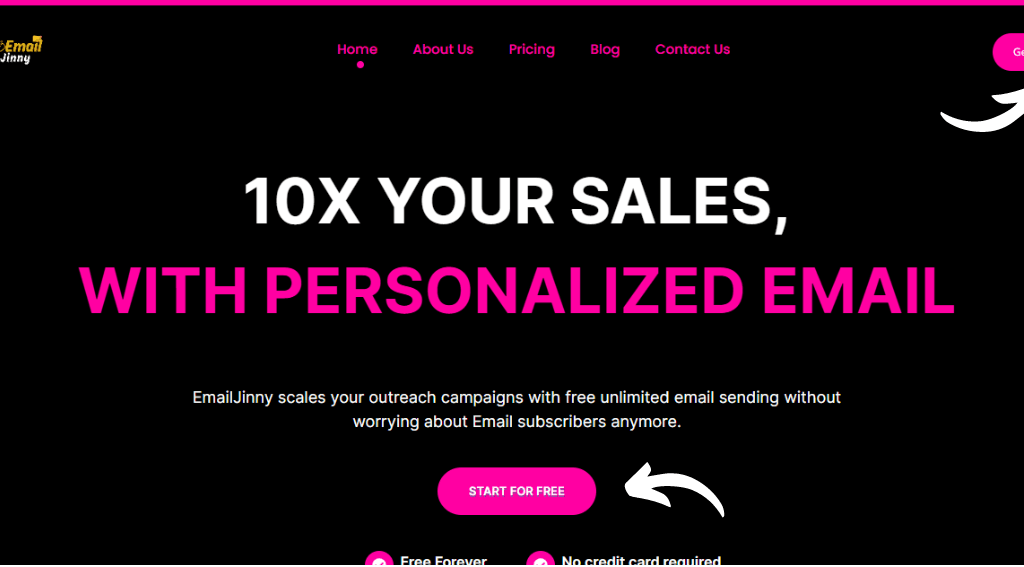
on the home page of Email Jinny, you can click on the “Get Started” button in the top right corner or you can click on the “Start For Free” button that is placed in the center of the home page.

And here just below the “Start For Free” button, you can see two interesting things that are Free Forever and No Credit Card Required, yes that is absolutely true.

Step 3: Enter your details & sign up

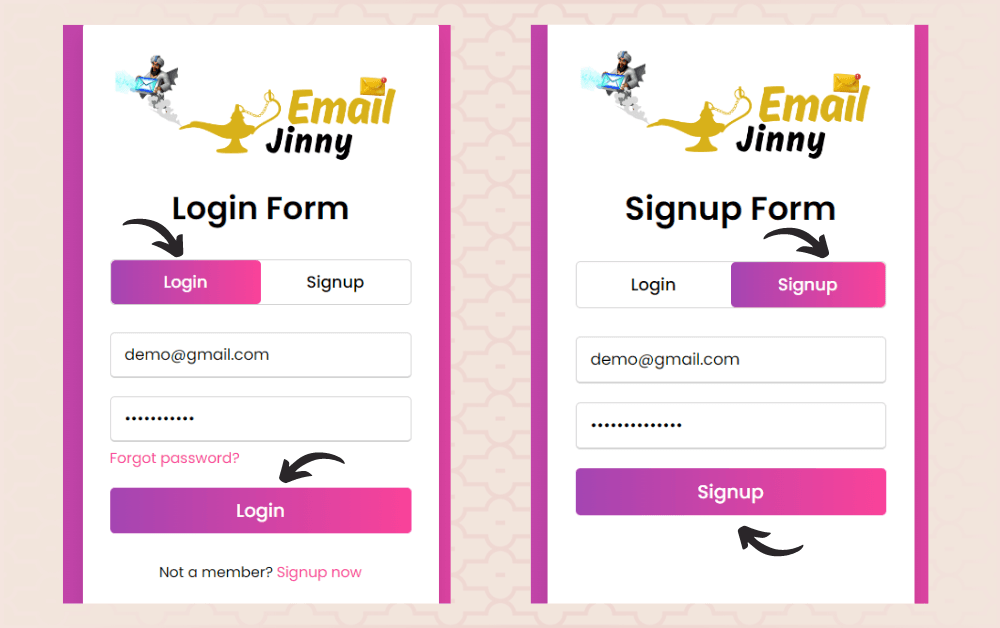
If you already have an account then enter your Email Address and Password and if you are not a member of Email Jinny then click on the Signup button, enter your Email Address set your password, and create an account for sending FREE Bulk Emails every day.

When you sign up you can see a successful signup message now go to the log-in section and log into your account using your details.

Step 4: Fill all the Config details

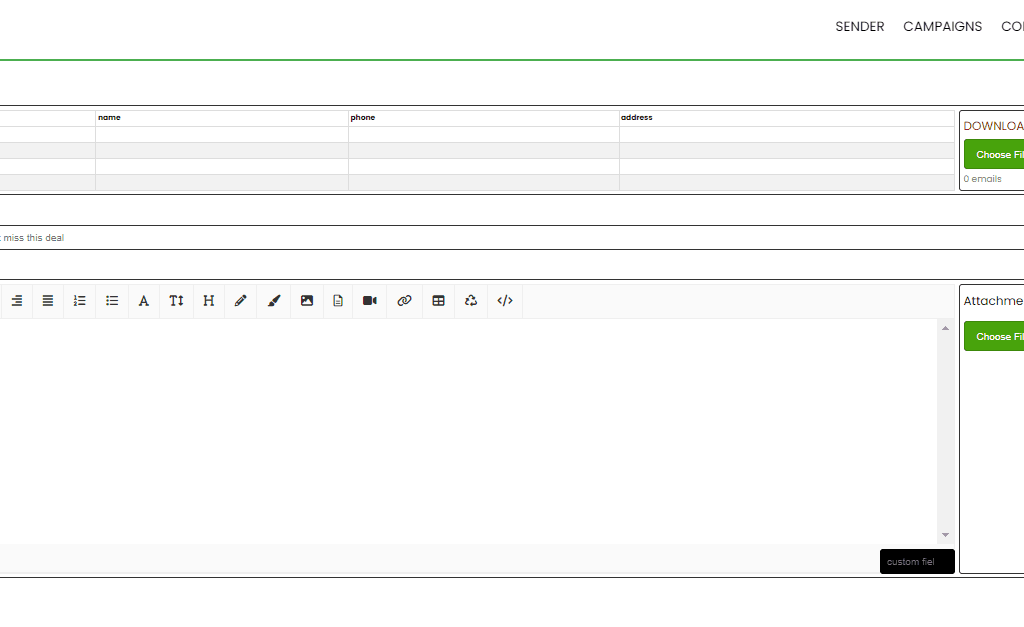
Screenshot-18-1024x624

When you log in you directly redirected to the Config page of Email Jinny where you have to enter all the Config details like : Host, Port, Email, and Password etc. and click on update button.

Step 5 : Now it's time to send FREE bulk Emails

and it’s time for the magic just feel all the recepents emails manually one by one or add an Excel file of all the emails, then write your perfect subject line and your message. that’s the whole simple and free process hit the send email button and relax.

Conclusion

Many individuals struggle to effectively manage a large volume of cold emails. However, achieving excellent results from cold emails and steering clear of the spam folder is entirely possible if you adhere to the appropriate daily sending quotas. By prioritizing factors like sender reputation, email warmup, and targeted audience segmentation, you can significantly enhance your outcomes.

At Email Jinny, we’re here to assist you. Our cold email tool enables effortless outreach to numerous contacts while safeguarding your email deliverability and adhering to your ESP’s sending limits. With Email Jiiny, you can maintain a favorable sender reputation and keep your recipients engaged.

What is Bulk Voice Call

What is Bulk Voice Call Service?

Bulk voice call, often referred to as Voice call or Voice Broadcasting, is a powerful communication tool that allows businesses and organizations to send pre-recorded voice messages to a large number of recipients simultaneously. This service is an extension of traditional bulk SMS, but instead of sending text messages, it delivers voice calls in an automated manner.

What is Bulk Voice Call Service?

Bulk voice call service is a mass communication method where a recorded voice message is sent to a list of phone numbers. These messages can be personalized to some extent, addressing recipients by their names or including specific information relevant to each recipient.

How does Bulk Voice Call work?

Message Creation

The process begins with creating the voice message you want to convey. You can record a personalized voice message or use a pre-recorded one, depending on your campaign’s purpose.

Recipient List

You need a well-organized list of phone numbers for the recipients. This list should be formatted correctly and free of duplicates.

Uploading Recipient Data

Next, you upload the list of recipient phone numbers to the bulk voice call service provider‘s platform. Many service providers offer user-friendly interfaces for this purpose.

Personalization (Optional)

You may choose to personalize the voice message by including recipients’ names or other specific information. The system can dynamically insert this information into the message during delivery.

Scheduling

You can schedule the delivery of your voice message for a specific date and time, which is convenient for timing your messages effectively.

Message Delivery

When it’s time to send the messages, the bulk voice call service will initiate automated calls to the phone numbers on your list. When a call is answered, the pre-recorded message is played for the recipient. They will hear the recorded voice message you created.

Feedback and Analytics

Many service providers offer detailed reports on the delivery status of each message. You can track which calls were successful, which went to voicemail, and which were not answered. This feedback allows you to assess the campaign’s effectiveness.

Opt-Out and Response Options

Recipients may have the option to opt out of receiving further voice messages. Some services also offer features like allowing recipients to respond by pressing certain keys during the call to access more information or connect with a live agent.

Bulk voice call services use automated calling systems and robust infrastructure to handle large-scale message delivery efficiently. This method is widely used by businesses and organizations for various purposes, including announcements, promotional campaigns, alerts, and reminders. It offers a cost-effective and time-saving way to reach a wide audience with personalized voice messages.

Applications of Bulk Voice Call Service

  • Marketing and Promotions:

    • Businesses use bulk voice calls to promote new products, services, or events. Voice messages can be more engaging and persuasive compared to text-based promotions.
    • This method can also drive immediate actions, like visiting a website or availing a time-sensitive offer.
  • Customer Notifications and Updates:

    • Organizations use these services to send timely notifications such as order confirmations, delivery updates, appointment reminders, and service alerts.
    • Automated voice calls ensure that important information reaches customers promptly, enhancing customer satisfaction and reducing manual workload.
  • Emergency Alerts and Notifications:

    • Governments and public safety organizations use bulk voice calls to disseminate critical information during emergencies, such as natural disasters, health alerts, or evacuation notices.
    • This service can quickly reach a large number of people, providing vital information and instructions.
  • Surveys, Polls, and Feedback Collection:

    • Interactive voice calls are used to conduct surveys, polls, and collect feedback from customers or constituents. Recipients can respond using their phone keypad, making it easy to gather and analyze responses.
    • This approach is often more engaging and can result in higher response rates compared to other methods.
  • Political Campaigns:

    • Political candidates and parties use bulk voice calls to reach out to voters with campaign messages, policy information, and reminders to vote.
    • It’s an efficient way to connect with large voter bases, especially in areas with limited internet access.
  • Internal Communications:

    • Large organizations use bulk voice calls to quickly disseminate information to employees across various locations. This can include announcements, policy updates, and emergency notifications.
    • Ensuring all employees receive the same message at the same time maintains consistency in communication.

Benefits of Bulk SMS Voice Calls:

  1. Wide Reach: This method allows you to reach a large audience simultaneously, making it ideal for announcements, promotions, or emergency alerts.
  2. Personalization: While it’s not as personalized as one-on-one calls, you can still include recipients’ names or relevant information in the messages, which can enhance engagement.
  3. Cost-Effective: Compared to manual phone calls, bulk voice call is cost-effective and can save businesses a significant amount of time and money.
  4. Time-Saving: Since the system automates the calling process, you don’t need to spend time individually dialing numbers, making it a time-saving option for businesses.
  5. Feedback and Analytics: Many bulk voice call services provide detailed reports on the delivery status and recipient responses, allowing you to gauge the effectiveness of your campaign.

Considerations for Using Bulk Voice Call Service

  • Regulatory Compliance:

    • It is crucial to comply with regulations regarding telemarketing and communication, such as Do Not Call (DNC) lists and obtaining explicit consent from recipients.
    • Violating these regulations can result in significant fines and damage to an organization’s reputation.
  • Quality of Service:

    • Ensuring high-quality audio is essential for the message to be clearly understood. Poor audio quality can lead to miscommunication and frustration among recipients.
    • Regular testing and validation of messages can help maintain a high standard of communication.
  • Targeting and Relevance:

    • Sending relevant messages to the right audience is critical to avoid being perceived as spam. Segmentation and targeting capabilities are important features to consider.
    • Overuse of bulk voice calls can lead to recipient fatigue, so it’s important to use this tool judiciously.
  • Interactive Capabilities:

    • For campaigns that require recipient interaction, choosing a service that supports interactive voice response (IVR) systems is beneficial.
    • This allows recipients to engage with the message, such as by pressing keys to respond to a survey or connect to a live agent.
  • Data Security and Privacy:

    • Protecting the contact information and data of recipients is paramount. Ensure that the service provider adheres to stringent data security and privacy standards.
    • Understanding how data is stored, processed, and protected will help in choosing a reliable provider.

Choosing a Bulk Voice Call Service Provider

When selecting a provider for bulk voice call services, consider the following factors:

  1. Reputation and Reliability:

    • Look for providers with a proven track record and positive reviews from other users. Reliability in delivering messages without downtime is crucial.
    • Reputable providers often have robust infrastructure to handle large-scale campaigns without service interruptions.
  2. Features and Flexibility:

    • Assess the range of features offered, such as scheduling, personalization, interactive options, and reporting capabilities.
    • Flexibility in integrating with other systems (like CRM or marketing platforms) can enhance the service’s effectiveness.
  3. Cost and Pricing Models:

    • Understand the pricing structure, whether it’s based on the number of calls, duration, or subscription plans. Compare costs to find the most economical option for your needs.
    • Some providers may offer pay-as-you-go plans, which can benefit sporadic or seasonal campaigns.
  4. Support and Customer Service:

    • Good customer support is vital, especially if you encounter issues during your campaigns. Ensure the provider offers timely and effective support.
    • Look for providers that offer training and resources to help you make the most of their services.

Conclusion

Bulk Voice Call Service is a powerful tool for reaching large audiences quickly and effectively. Whether for marketing, notifications, emergency alerts, or internal communications, this service offers a scalable and efficient solution for delivering pre-recorded voice messages. By understanding the features, benefits, and considerations involved, organizations can leverage bulk voice calls to enhance their communication strategies and achieve their objectives.

Bulk Voice Call Service - Frequently Asked Questions (FAQ)

What is Bulk Voice Call Service?

Bulk Voice Call Service allows you to send pre-recorded voice messages to a large number of recipients simultaneously. This automated system helps deliver consistent messages for purposes such as marketing, customer notifications, emergency alerts, and surveys.

How does Bulk Voice Call Service work?

The service involves recording a voice message, uploading a list of recipient phone numbers, and setting parameters like scheduling and retry attempts. The system then automatically dials the numbers and delivers the message. Reports and analytics are provided to track the success of the campaign.

Who can use Bulk Voice Call Service?

Any organization or individual who needs to communicate with a large audience can use this service. This includes businesses, government agencies, educational institutions, healthcare providers, and political campaigns.

What are the typical applications of Bulk Voice Call Service?

  • Marketing and promotions
  • Customer notifications and updates
  • Emergency alerts and notifications
  • Surveys and feedback collection
  • Political campaigns
  • Internal communications within large organizations
@lotsofcode.in

How to Get Green Tick on WhatsApp in 2024

As WhatsApp is one of the most widely used messaging apps, businesses of all sizes can benefit from using it for marketing purposes. The green tick next to your WhatsApp display name symbolises trust and authenticity for your brand.

In this post, you will discover how to obtain a green tick badge next to your WhatsApp display name and understand the advantages it can bring to your business. 

First, let’s understand what a WhatsApp green tick badge is and figure out whether you need it.

What is a WhatsApp Green Tick Badge?

c

The famous green tick is a verification badge that appears next to a business name in WhatsApp. It’s the sign of an official WhatsApp account that has gone through an additional verification process by WhatsApp.

Seeing this badge, users can be sure they’re interacting with a real account owned by the brand and not an imposter. It adds credibility to your account and is great for brand image and trust.

WhatsApp is very strict about business verification and authentication in an effort to protect its end users from spam and fake accounts. As such, the application process takes some steps and is not always guaranteed.

To apply for the WhatsApp green tick, you need to be a user of the WhatsApp Business Platform (formerly known as WhatsApp Business API). There’s no way to do it on the free business app. Check this guide for more on the difference between WhatsApp Business app and API.

Difference Between a Regular Business Account and an Official Business Account

Regular WhatsApp Business Account

For Small and Medium-Sized Businesses: Regular WhatsApp Business accounts are designed for small and medium-sized businesses (SMBs) and sole proprietors. They are suitable for businesses looking to have a presence on WhatsApp to communicate with customers.

Features: Regular WhatsApp Business accounts provide essential business communication features such as a business profile, messaging templates, quick replies, labels for organising chats, and automated messaging.

Verification: Regular WhatsApp Business accounts can apply for verification, but verification is not guaranteed and is subject to WhatsApp’s criteria. Verified accounts may receive a verification badge, adding credibility to their profile.

Limited Scale: Regular accounts are typically used for one-on-one customer interactions and are suitable for businesses with relatively low messaging volumes.

API Access: While regular accounts can use the WhatsApp Business app, they may need access to the WhatsApp Business API, which is often used for more advanced and automated messaging.

Official WhatsApp Business Account

For Large Enterprises and Brands: Official WhatsApp Business accounts are intended for larger enterprises, brands, and organisations with a significant customer base and high messaging volumes. These accounts are designed for businesses that need to scale their customer communication.

Features: Official WhatsApp Business accounts come with advanced features like the WhatsApp Business API, which allows for automation, integration with external systems, and the ability to send notifications and transactional messages.

Verification: Official WhatsApp Business accounts are typically verified by default, and they often have a green verification badge indicating their official status. This badge adds credibility and trust.

Scale: These accounts are suitable for businesses that need to handle a high volume of customer inquiries and transactions efficiently.

API Access: Official accounts have access to the WhatsApp Business API, making it possible to integrate WhatsApp with customer relationship management (CRM) systems, chatbots, and other tools for streamlined customer support and engagement.

Why is getting the WhatsApp green badge so important?

With a 98% open rate, WhatsApp is reshaping the digital marketing landscape. A case study conducted by the Carrefour group in 2022 showed that they had a 35% higher engagement rate with WhatsApp audiences than with email audiences.

Verification translates into trust – it’s that simple. As a messaging platform with 2.4 billion users, every way in which a business can stand out in the eyes of users matters. For WhatsApp users, the green tick is a sign that marks an Official Business Account (OBA). It gives the business a stamp of approval in terms of authenticity and reputation, and that makes it easier for customers to engage and convert.

Showcase a notable brand image  getting the WhatsApp Green Tick Verification is not an achievement that a lot of businesses can claim. Only brands that are well-established, reputable, and popular can claim the green badge.

Pros and Cons of a WhatsApp Green Tick Badge Application

Pros Cons
Shows users the account is authentic and perfectly safe to interact with so you get more engagement and less negative reactions like blocksYou have to be on the WhatsApp API to apply
Your brand name will be displayed instead of your phone numberHard to obtain
It’s freeDoesn’t provide any additional features

Pros:

Credibility and Trust: A WhatsApp-verified badge adds credibility and trustworthiness to your business profile. Users are likelier to trust and engage with verified accounts, knowing they interact with an authentic and recognised business.

Increased Visibility: Verified businesses may appear more prominently in WhatsApp search results. Increased visibility can help attract more customers and potential clients to your business.

Direct Communication: Verified businesses have access to the WhatsApp Business API, which enables them to send automated messages, notifications, and other important information to their customers. This can improve customer service and engagement.

Customisation: You can set up a comprehensive business profile with important information such as your address, business hours, and a description. This allows customers to get a better understanding of your business.

Access to WhatsApp Business Tools: Verified businesses can access WhatsApp Business tools and features designed to streamline customer communication. These tools include messaging templates, quick replies, labels for organizing chats, and more.

Cons:

Application Process: The application process for a WhatsApp verified badge can be stringent, and there is no approval guarantee. If your application is rejected, it can be frustrating and time-consuming to reapply.

Compliance Requirements: To maintain your verified status, you must adhere to WhatsApp’s Business Policy and Commerce Policy. Failure to comply with these policies can result in the revocation of your verified badge.

Higher Expectations: Users may have higher expectations of verified businesses in terms of response times and the quality of customer service. Meeting these expectations can be challenging, especially for smaller businesses.

Costs: Some businesses may incur costs associated with using the WhatsApp Business API and other advanced features, often available to verified accounts. These costs can add up, depending on your usage.

Potential for Misuse: While the verification badge helps prevent impersonation, some users might assume that any verified account is trustworthy. This can make verified accounts a target for scammers, so businesses must be vigilant in maintaining security.

How to prepare for the WhatsApp Green Tick application process

If it sounds like something your business could benefit from, here’s the step-by-step application process for getting the green tick verification.

1. Get WhatsApp API access

Unfortunately, you can’t get the badge on the free business app. You need WhatsApp marketing software for that.

Sign up for the API and create your WhatsApp business account with a business solution provider (BSP) and you’ll be up and running on WhatsApp today.

2. Start sending WhatsApp campaigns 

Reaching over 1,000 people daily with business-initiated messages increases your chances of being granted the green badge. This shows that you’re active and serious about your WhatsApp efforts.

3. Enable two-factor authentication 

In your Meta Business settings, turn on two-factor authentication. You must complete this step.

4. Verify your Meta Business account

In order to qualify for an official WhatsApp green tick, you’ll need your Meta Business account verified too. This is done in the same place as 2FA.

Meta will then prompt you for the information needed.

5. Apply for the green tick through Meta

In your Meta Business Manager go to “Business Settings”, then “WhatsApp Accounts” and choose the one you’re applying for a green tick for. Click on “Settings” -> “Contact Support” -> “Ask a question” -> “WABiz: Request official business account status”. You’ll be asked to submit documents and information in support of your application. Make sure you have two-factor authentication enabled. 

6. Wait for approval

How long does WhatsApp take to make a decision about your green tick application? A few days. You’ll know it worked if the green badge appears automatically in your account. 

Businesses That Can’t Apply for Green Tick Verification

WhatsApp disallows specific business categories for WhatsApp API and, hence for WhatsApp Green Tick Verification. Businesses dealing in the following products/services cannot get approval for using WhatsApp Business APIs:

  • Drugs
  • Tobacco Items
  • Gambling Businesses
  • Alcohol Brands
  • Weapons & Ammunition Businesses
  • Live Animals
  • Adult Product/Services
  • Medical & Healthcare Products
  • Dating Services
  • Cryptocurrencies

You can refer to WhatsApp’s Commerce Policy for the complete list and updated details about the prohibited category of products and services.

4 tips that will boost your chances of getting a WhatsApp Green Tick Verification

Based on the experience of 360dialog’s customer support team, if you want to boost your chances and take the best possible approach to get an Official Business Account on WhatsApp, make sure to check these points off your list:

Create an official website and email address

Nobody wants to deal with a business that doesn’t even take the time to create official contact information. Having an email address and a website is one of the standards for professionalism today. 

Run Click-to-WhatsApp ad campaigns

WhatsApp marketing campaigns show both audiences and Meta that you are an advanced platform user. The wider the range of your WhatsApp marketing activities, the more reasons there are for your business to get a WhatsApp green badge.

Maintain a high-quality rating for your WhatsApp phone number

Scaling your WhatsApp API account gives you a bigger claim when appealing for an OBA. So, if you want the best shot at getting verified on WhatsApp, you need to make sure that your messaging volume and quality rating are impressive.

Raise your brand awareness

According to Meta, notability is one of the crucial factors for a business to get verified on WhatsApp. To become a notable entity, your business needs to establish a strong online presence. That means getting a lot of good publicity through PR campaigns on sites with high traffic.

Negotiate publishing press releases about your business on niche-relevant websites and popular news sites. During the application process, you will be able to reference up to five publications. Make sure that each of them counts.

Use WhatsApp links and QR codes to invite customers to follow your business on Facebook/Instagram and leave positive reviews about your business.

Benefits of a WhatsApp Green Tick Badge:

A green tick badge indicates that your brand is genuine, one-of-a-kind, and trustworthy.

Credibility and Trustworthiness: A verification badge adds a layer of credibility to a WhatsApp Business account. It signals to users that the account is authentic and officially verified by WhatsApp. This can help users trust the information and communication from the business.

Enhanced Visibility: Verified business accounts may appear more prominently in search results when users look for businesses on WhatsApp. Increased visibility can help businesses attract more customers and potential clients.

Direct Communication: Verified business accounts can use WhatsApp Business API, which allows them to send automated messages, notifications, and other helpful information to their customers. This can improve customer service and engagement.

Customization: WhatsApp Business accounts with verification badges can set up a business profile with essential information such as address, business hours, and a description. This allows customers to get a better understanding of the business.

WhatsApp Business Tools: Verified businesses can access WhatsApp Business tools and features designed to streamline customer communication. These tools include messaging templates, quick replies, labels for organising chats, and more.

Official Presence: The verification badge distinguishes the business as an official WhatsApp presence. It helps prevent impersonation and fraud by clarifying which accounts are legitimate businesses.

WhatsApp Business API: With verification, businesses may have access to the WhatsApp Business API, which enables integration with external systems and services, making it easier to manage customer interactions at scale.

Bulk SMS Explained How It Operates and Its Benefits for Your Business

Bulk SMS Explained: How It Operates and Its Benefits for Your Business

Bulk SMS means sending lots of text messages to many people at once.

To learn more about how bulk SMS works, its benefits, and how you can use it, keep reading this article. By the end, you’ll know everything you need about bulk SMS, even things you didn’t realize you wanted to know.

Plus, we’ve added easy steps to help you send your first bulk text message.

Let’s dive in!

What is Bulk SMS Service?

A Bulk SMS service is a tool that enables businesses and organizations to send large volumes of text messages to a wide audience simultaneously. This service is incredibly useful for reaching out to customers, clients, or members quickly and effectively.

Whether it’s for marketing campaigns, notifications, or customer support, Bulk SMS provides a fast and direct communication channel. Unlike individual text messaging, which can be time-consuming and costly when done at scale, Bulk SMS services offer a streamlined way to manage and send messages in bulk.

This is achieved through SMS gateways that act as intermediaries between the sender and the mobile networks. These gateways ensure that the messages are delivered to the intended recipients swiftly, regardless of their location.

Bulk SMS services come with several key features that enhance their functionality. They support mass messaging, allowing you to send thousands or even millions of SMS messages at once.

Automation tools are often included, enabling you to schedule messages or send them in response to specific triggers, such as a customer login or a special event. Personalization is also a significant advantage; even though you’re sending messages in bulk, you can tailor each one to include details like the recipient’s name or other personalized content.

Additionally, most services provide detailed analytics and reporting tools, helping you track delivery rates, open rates, and responses. This data is invaluable for assessing the effectiveness of your campaigns and making informed decisions.

The cost-efficiency of Bulk SMS is another notable benefit, as sending messages in bulk is generally cheaper than sending individual texts, offering substantial savings, especially when purchasing larger packages.

Types of Bulk SMS messages

Bulk SMS messages are more common in our daily lives than we might think. Here’s how they are used:

  1. Service Messages: These include OTPs (One-time Passwords) that you get when signing up on a website. They add extra security and verify that you’re a real person. Birthday messages also fall into this category.
  2. Promotional Messages: These texts promote products or services. Businesses use them to attract more customers.
  3. Transactional Messages: These are the texts you get from your bank when you make a deposit or withdrawal. Banks use them to keep you informed about your account activity.

All these types of messages involve sending many SMS texts to a specific group of people.

But how does it all work?

How does bulk SMS messaging work?
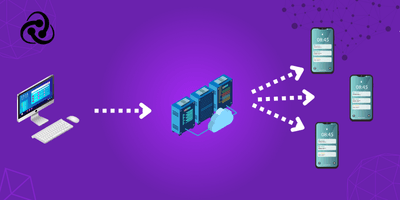
Bulk SMS messaging works because of a few key tools:

  • A mobile app
  • A desktop software program
  • An SMS API
  • A website

With any of these tools, you can send and receive bulk text messages. Here’s how it works:

  1. These tools connect to an SMS service provider’s gateway.
  2. The gateway then sends the messages to mobile phone numbers worldwide.

Think of the SMS gateway as a central hub connecting mobile networks and you, the sender.

No matter how you send bulk SMS messages, they must pass through an SMS provider’s gateway to reach their recipients.

Use Cases & Industries of Bulk SMS Service

Bulk SMS services are versatile tools that can be applied across various industries for numerous purposes. Whether it’s keeping customers informed, boosting sales, or streamlining internal communication, Bulk SMS provides a quick and reliable way to reach large audiences. Here are some common use cases:

  • Marketing Campaigns: Promote products, services, or events to a wide audience with targeted SMS campaigns.
  • Customer Support: Send notifications, alerts, and support messages to keep customers updated and engaged.
  • Appointment Reminders: Remind clients or patients about upcoming appointments, reducing no-show rates.
  • Internal Communications: Facilitate quick and effective communication among employees in large organizations.
  • Surveys and Feedback: Collect customer feedback or conduct surveys to gain insights into customer satisfaction.

Many industries benefit from the robust capabilities of Bulk SMS services. These include:

  • Retail: Engage customers with promotional offers, sale alerts, and new product announcements.
  • Healthcare: Remind patients of appointments, send health tips, and manage patient follow-ups.
  • Finance: Notify customers about transactions, fraud alerts, and account updates.
  • Education: Communicate with students and parents about important announcements, schedule changes, and events.
  • Logistics: Provide delivery updates, tracking information, and notifications to enhance customer service.
  • Each industry leverages Bulk SMS to improve communication, streamline operations, and enhance customer engagement, demonstrating its wide-ranging applications and effectiveness.

Key Features & Functionality

Bulk SMS services are packed with powerful features designed to make mass communication simple and effective. These key functionalities allow businesses to efficiently manage and send large volumes of messages, ensuring that their communication is timely, targeted, and engaging. Here’s a look at some of the standout features:

  • Mass Messaging: The core function of Bulk SMS services is the ability to send thousands or even millions of text messages simultaneously. This capability is crucial for reaching a broad audience quickly and efficiently, whether for marketing, notifications, or urgent alerts.

  • Automation and Scheduling: Save time and effort with automation tools that let you schedule messages in advance or send them automatically based on specific triggers. For instance, send out a welcome SMS when a customer signs up or an alert when an account transaction occurs.

  • Personalization: Despite sending messages in bulk, you can customize each one to include personal details like the recipient’s name or tailored content relevant to their interests or behaviors. This enhances the impact of your messages and makes your communication feel more personal and engaging.

  • Analytics and Reporting: Track the performance of your SMS campaigns with detailed analytics and reporting tools. You can monitor delivery rates, open rates, click-through rates, and responses, providing valuable insights to optimize your communication strategies.

  • Easy Integration: Most Bulk SMS services offer easy integration with your existing systems, such as CRM, websites, or apps, through APIs (Application Programming Interfaces). This ensures seamless message delivery directly from your platform.

  • Two-Way Messaging: Engage in interactive communication by enabling recipients to reply to your messages. This is particularly useful for customer support, surveys, and feedback collection.

  • Opt-Out Management: Maintain compliance and respect user preferences by providing easy options for recipients to opt-out of receiving future messages. This feature is essential for managing customer relationships and ensuring that your communications are welcome.

These features collectively make Bulk SMS a robust solution for businesses looking to enhance their communication strategies. From streamlined message delivery to insightful analytics, Bulk SMS services provide the tools needed to connect with audiences effectively and efficiently.

How to send different types of bulk SMS

Service and Transactional Bulk SMS messages are usually sent using an API (Application Programming Interface). These messages are triggered automatically whenever a customer interacts with an app, website, or bank account. To set this up, you need a developer and a platform (like a website or app) to integrate with an SMS service provider.

On the other hand, Promotional SMS messages are easier to send. You can do this directly from an SMS service provider’s website without needing your own website, app, or a developer.

To send promotional bulk SMS messages, you need:

  • A list of your recipients’ phone numbers
  • A bulk SMS service provider
  • SMS credits (units)

With these three things, you’re almost ready to start your first bulk SMS campaign. But why do businesses still rely on text messages when there are so many modern ways to communicate with customers?

Benefits of Bulk SMS

Using SMS for marketing and customer support has many benefits. Here are a few key advantages:

1. Reaches a Wider Audience

While only 2.71 billion people use smartphones, 5.11 billion people have mobile phones. Since any mobile phone can receive SMS, you can reach nearly everyone, doubling your potential audience compared to email, which requires a smartphone.

2. High Open Rate

Text messages have an impressive open rate of over 98%, while a 30% open rate for emails is considered excellent. People tend to open and read SMS messages quickly due to their short and straightforward nature.

3. Better Targeting Options

With bulk SMS, you can either reach all your contacts or target specific groups. This flexibility makes it easier to personalize your messages, increasing the chances of a successful campaign. Targeted messages are more appealing and often get better responses.

4. Higher Response Rates

SMS gets over 200% more responses compared to other communication methods. This is because SMS is easier to read and reply to than emails, requiring less effort and technical skill. This simplicity helps businesses grow by engaging more customers effectively.

5. Short and Direct

SMS messages are brief and to the point, usually limited to 160 characters. This allows you to convey powerful messages quickly, unlike emails which can be long and detailed.

6. Cost-Effective

Sending bulk SMS is cheaper than many other marketing methods. Considering its high return on investment (ROI), it’s both sustainable and cost-effective.

In summary, the advantages of bulk SMS are numerous. Now that you understand what bulk text messaging is and why it’s effective, you might be wondering what your next step should be.

How to choose right Bulk SMS Service Provider

Choosing the right Bulk SMS service provider is essential for ensuring that your messaging campaigns are effective, reliable, and scalable. With numerous providers in the market, it can be challenging to find the best fit for your needs. Here are some key factors to consider when making your choice:

  1. Reliability and Delivery Rates
    Look for a provider with a proven track record of high delivery rates and reliable service. You want to ensure that your messages reach your recipients promptly and consistently. Check customer reviews and case studies to gauge their reliability.

  2. Ease of Use and Integration
    The provider’s platform should be user-friendly and easy to navigate. If you need to integrate the service with your existing systems (like CRM, websites, or apps), verify that the provider offers robust APIs and straightforward integration processes.

  3. Scalability and Flexibility
    Choose a provider that can scale with your business. Whether you’re sending hundreds or millions of messages, the service should accommodate your growing needs without compromising performance. Also, check if they offer flexible pricing plans that match your budget and usage requirements.

  4. Support and Customer Service
    Reliable customer support is crucial, especially when issues arise. Look for a provider that offers 24/7 support with multiple channels of communication, such as live chat, phone, and email. Good customer service can make a significant difference in managing your campaigns smoothly.

  5. Compliance and Security
    Ensure that the provider complies with relevant regulations and industry standards, such as GDPR or TCPA. They should also offer features like opt-out management and data encryption to protect your recipients’ privacy and your business data.

  6. Pricing and Cost-Effectiveness
    Compare pricing models and ensure that there are no hidden fees. Some providers charge based on the number of messages sent, while others offer bulk packages or monthly subscriptions. Choose a provider that offers transparent and competitive pricing aligned with your budget.

  7. Advanced Features
    Evaluate the additional features offered by the provider, such as message scheduling, personalization options, analytics and reporting, and two-way messaging capabilities. These can add significant value to your campaigns and improve engagement with your audience.

  8. User Reviews and Recommendations
    Research user reviews and seek recommendations from other businesses or industry professionals. Real-world feedback can provide insights into the provider’s strengths and weaknesses, helping you make an informed decision.

By carefully considering these factors, you can select a Bulk SMS service provider that best meets your business requirements and ensures successful and efficient communication with your audience.

What are Bulk WhatsApp Marketing Services in India

What are Bulk WhatsApp Marketing Services in India?

Bulk WhatsApp Marketing Software for Small Business

Are you looking for a way to reach a large number of customers all at once without spending a fortune? Well, look no further than bulk WhatsApp Marketing Software for small businesses!

Exploring Bulk WhatsApp Marketing Services in India

Bulk WhatsApp marketing software is a tool that allows small businesses to send promotional messages to a large number of customers at once through the WhatsApp messaging app. This software is designed to help businesses save time and money by automating the process of sending messages to their customers.

In the fast-paced world of digital marketing, businesses are constantly on the lookout for innovative ways to connect with their target audience. One such method that has gained prominence in recent times is Bulk WhatsApp Marketing services in India. This powerful tool allows businesses to reach a wide audience, engage with customers, and boost brand visibility. In this article, we’ll delve into the world of Bulk WhatsApp Marketing services, exploring their benefits, strategies, and how they are revolutionizing marketing in India.

What is Bulk WhatsApp Marketing?

Bulk WhatsApp Marketing is a cutting-edge digital marketing strategy that leverages the popularity of WhatsApp to send promotional messages, updates, and offers to a large number of recipients simultaneously. It allows businesses to interact with potential and existing customers in a more personalized manner, creating a stronger brand-consumer relationship.

How Bulk WhatsApp Service Work?

First, a small business owner would need to purchase a bulk WhatsApp marketing software package. Once the software is installed, the business owner can upload their customer contact list to the software. From there, they can create custom messages to send to their customers.

The software can be programmed to send messages at specific times or dates, making it easy for businesses to schedule their marketing campaigns in advance. The software also allows businesses to track their message’s delivery and read rates, giving them valuable insights into the effectiveness of their marketing campaigns.

Benefits of Bulk WhatsApp Marketing

Time-Saving

Sending messages to customers individually can be a time-consuming task. With bulk WhatsApp marketing software, businesses can automate the process, saving them time and allowing them to focus on other important tasks.

Cost-Effective

Compared to traditional marketing methods, Bulk WhatsApp Marketing is cost-effective. It eliminates the need for printing materials and postage, making it a budget-friendly choice for businesses of all sizes.

Increased Customer Engagement

WhatsApp has over 2 billion monthly active users, making it one of the most popular messaging apps in the world. By using WhatsApp as a marketing tool, small businesses can reach a large number of customers and increase their engagement with their brand.

Targeted Marketing

Bulk WhatsApp Marketing allows for precise targeting of specific demographics, ensuring that messages reach the right audience, leading to higher conversion rates.

Analytics and Insights

Marketers can track the performance of their campaigns using analytics tools, making it easier to fine-tune strategies for better results.

Strategies for Effective Bulk WhatsApp Marketing

To harness the full potential of Bulk WhatsApp Marketing, businesses should implement the following strategies:

Creating Engaging Content

Craft compelling and informative messages that resonate with your target audience. Use persuasive language and visuals to make your messages stand out.

Scheduling Messages

Timing is crucial in Bulk WhatsApp Marketing. Sending messages during peak hours when users are most active can significantly improve open and response rates.

Personalization

Utilize the recipient’s name and other personalized details to make your messages more relatable and engaging.

Regular Updates

Consistency is key. Regularly updating your customers about your products or services keeps your brand at the forefront of their minds.

Future of Bulk WhatsApp Marketing in India

Bulk WhatsApp Marketing services in India are here to stay, and their influence is expected to grow even further. As technology advances and businesses continue to explore innovative ways to reach their target audience, WhatsApp marketing remains a powerful tool for building brand awareness and fostering customer relationships.

Experience It Yourself Try Our Demo Now

Revolutionize your outreach with our Bulk WhatsApp Marketing Software – the ultimate WhatsApp bulk SMS sender. Effortlessly blast personalized messages to thousands. See for yourself!

Visit Digitalsms.biz for a free demo

ID: lotsofcode

PW: Demo@lotsofcode1

Bulk WhatsApp Marketing is One Stop Solution for Every Industry

Bulk WhatsApp Marketing is the go-to solution for businesses in every industry. Its vast user base and instant messaging capabilities enable companies to connect directly and efficiently with their customers. Whether you’re sending promotions, updates, or reminders, this cost-effective tool personalizes engagement and drives growth, making it essential for modern business communication.

Bulk WhatsApp for Freelancers

Freelancers thrive on effective communication and personal connections with clients, and Bulk WhatsApp Marketing offers a direct route to achieving just that.

Whether you’re a graphic designer, writer, consultant, or any other freelancer, leveraging WhatsApp allows you to send project updates, share portfolio highlights, and engage with potential clients in real time.

It’s a cost-effective way to showcase your skills, build relationships, and secure future projects, all while maintaining a professional and personalized touch.

Embrace Bulk WhatsApp Marketing to streamline client interactions and enhance your freelance career today.

Bulk WhatsApp for Agency

Agencies thrive on effective client communication and rapid response times, making Bulk WhatsApp Marketing an invaluable tool.

Whether you specialize in digital marketing, PR, or creative services, WhatsApp enables you to deliver campaign updates, share content previews, and provide real-time client support efficiently.

Its instant messaging features facilitate seamless collaboration with team members and clients alike, fostering stronger relationships and ensuring projects stay on track.

By harnessing Bulk WhatsApp Marketing, agencies can enhance client satisfaction, streamline workflows, and drive growth in a dynamic and competitive market landscape.

Bulk WhatsApp for Digital Marketers

For digital marketers, Bulk WhatsApp Marketing opens up a powerful channel to engage with target audiences directly and effectively.

Whether you’re promoting new products, conducting surveys, or running promotional campaigns, WhatsApp allows you to deliver personalized messages in real-time.

Its high engagement rates and cost-effective nature make it ideal for enhancing brand visibility, nurturing leads, and driving conversions.

Digital marketers can leverage WhatsApp’s multimedia capabilities to share rich content like videos and images, creating impactful marketing campaigns that resonate with their audience.

Embrace Bulk WhatsApp Marketing to amplify your digital strategies and achieve measurable results in today’s competitive landscape.

Bulk Whatsapp Messaging Pricing and Plans Packages

STARTER

9,500
1,00,000 msg

ENTREPRENEUR

90,000
10,00,000 msg

ENTERPRISE

3,50,000
50,00,000 msg

HIGH VOLUME

6,75,000
1,00,00,000 msg

Why Should You Use WhatsApp cloud panel For Bulk Message Services ?

Maximize your bulk Whatsapp sending with digitalsms.biz’s
advanced features and comprehensive tracking
for secure and engaging delivery.

Say good bye to WhatsApp Bans

Tired of worrying about WhatsApp bans? Our Bulk WhatsApp Marketing Cloud Panel lets you reach thousands securely. Focus on growing your business and scale your marketing with confidence, not account safety.

No charges for undelivered messages

Bulk Whatsapp messaging is less expensive than other marketing channels, like email marketing, SMS marketing, and traditional advertising. You only pay for the messages you send.

Poll System & Action Button

Want to keep your customers hooked? Our tool lets you add polls and action buttons right into your bulk messages! Ask questions, get answers, and drive action – all easily managed from our online dashboard.

High Open Rate

WhatsApp messages have an open rate of almost 98%, making it one of the best channels to communicate with customers.

Cost-effective

Tired of expensive marketing? Our Bulk WhatsApp Message sender lets you blast messages to thousands without breaking the bank. 

Complete Report

Unsure what’s working? Our Bulk WhatsApp sender provides detailed reports, letting you track results and optimize your campaigns for success.

wh

WhatsApp CRM for Businesses in 2024 [Quick Guide!] 

Businesses navigating supplier relationships, partner collaborations, and client interactions often rely on outdated methods like email and phone calls. As a result, delays, communication gaps, and missed opportunities can hinder growth.

Without leveraging a WhatsApp CRM for businesses in 2024, you face these challenges directly! Integrating WhatsApp with your CRM opens a seamless gateway to efficient customer service and exceptional user experiences.

Who wouldn’t want to be part of this transformation? Let’s transform customer engagement with WhatsApp CRM for businesses in 2024, one chat at a time!

What is a WhatsApp CRM?

A WhatsApp CRM solution seamlessly integrates with WhatsApp to generate leads, facilitate important conversations, and provide excellent customer support. Businesses utilize it to bolster relationships with prospects and improve working efficiency.

This powerful tool can enhance customer interactions across various industries such as e-commerce, healthcare, real estate, education, finance, and automotive.

Why Do You Need a WhatsApp CRM?

A WhatsApp CRM solution transforms your communication into a streamlined, efficient system. It instantly connects you with potential customers, providing real-time updates and support.

Beyond improving working efficiency, it fosters stronger partnerships. Collaborating with partner companies becomes effortless with automated responses and personal communication. A WhatsApp CRM keeps everyone aligned, speeding up progress and building trust.

At each stage, it enhances processes by automating and simplifying customer interactions. Here’s how it transforms your business with WhatsApp chats and managed customer interactions:

– Instant, Direct Communication: Replace delayed conversations with immediate engagement. Customers receive instant support, reducing wait times for responses.

– Valuable Insights: Gather feedback and customer insights to refine operations and enhance service delivery.

  • – Enhanced Business Role: WhatsApp CRM changes how you communicate, making your business an integral partner in your client’s success, not just a service provider.

Benefits of a WhatsApp CRM

  • Real-time Engagement: Engage with leads and customers in real-time. Greet them as soon as they interact with your platform, or share Initial offers to boost brand recognition.
  • Personalization: Today’s customers seek personalized experiences. A WhatsApp CRM enables you to send tailored messages, offers, and recommendations based on individual preferences, deepening customer relationships.
  • Efficiency through Automation: Automate routine inquiries and workflows with integrated chatbots. This reduces manual tasks, allowing your agents to focus on more complex issues.
  • 24/7 Customer Support: Offer help anytime, even outside regular hours, so customers can easily reach out and quickly get answers to their questions.
  • Bulk Messaging: Market your products or services to a broad audience. Share images, videos, documents, and links to create richer and more informative interactions.

These benefits collectively make WhatsApp CRM a game-changer for customer support. However, each CRM offers unique features that discriminate it. Before selecting one, it’s crucial to understand how these features work.

Key Features of a WhatsApp CRM

Integrating CRM with WhatsApp accelerates processes and enhances customer relationships. Here are some key features:

1 Lead Management: Automatically capture leads from WhatsApp and create detailed profiles in your CRM, streamlining the process with cost-effective interaction details and demographics.

2 Multi-channel Conversations: Continue discussions across various channels—SMS, phone, email—using a unified system. Initiate on WhatsApp and follow up through the preferred customer method.

3 Notification and Reminder: Use trigger-bass automation to notify, send messages, or ensure no lead gets overlooked.

4 WhatsApp Marketing Automation: Engage leads and customers with compelling messages. WhatsApp marketing offers a high ROI, and automation simplifies large-scale outreach efforts.

5 List Segmentation: Target specific audiences by segmenting leads based on various criteria, ensuring personalized communication.

6 Workflow Automation: Implement automated workflows to trigger actions based on lead behavior or predefined conditions, optimizing engagement and conversions.

7 Pre-approved Message Templates: Maintain a library of pre-approved WhatsApp templates for notifications, alerts, and updates, ensuring compliance and efficiency.

Understanding these features is crucial for tailoring them to your business needs effectively. Let’s explore practical scenarios where WhatsApp CRM excels in cost-effectiveness.

7 Use-Cases of a WhatsApp CRM

  1. Lead Nurturing and Conversion: Personalize your outreach with custom messages and product recommendations, guiding prospects smoothly toward conversion.
  2. Appointment Scheduling in Healthcare: Efficiently schedule appointments and send reminders to reduce no-shows, ensuring timely patient care.
  3. Increase Real Estate Sales: Share property listings, schedule viewings, and quickly respond to inquiries, improving the real estate sales process.
  4. Prompt E-commerce Order Updates: Enhance post-purchase satisfaction with order confirmations, shipping updates, and delivery reminders delivered directly to customers’ devices.
  5. Lightning-Fast Customer Support: Provide instant, top-notch customer support through WhatsApp to ensure you address inquiries promptly..
  6. Student Engagement for Schools and Higher Education: Engage students by sharing course information, admission updates, and responding to academic queries.
  7. WhatsApp CRM for Friendliness Services: Streamline reservation confirmations, concierge services, and trip schedule sharing, enhancing the travel experience.

Tips to Improve Customer Engagement using WhatsApp CRM

WhatsApp CRM is a powerful tool to boost customer engagement and business growth. Here are some tips to maximize its potential:

  1. Personalize Sales and Marketing Outreach: Integrate customer data from your CRM to create personalized experiences. Address customers by name, segment them by preferences, and send tailored content and offers.
  2. Reduce Response Time to Under 5 Minutes: Use WhatsApp templates for automated initial interactions. As conversations develop, notify your sales agents to schedule calls and follow-ups. Fast responses can dramatically improve your sales outcomes.
  3. Utilize Rich Media for Engagement: Stand out with mixed media messages. Use images, videos, and documents to make your campaigns memorable. For instance, share tutorial videos or product images to enhance the shopping experience.
  4. Automate Routine Tasks: Free up your team from routine tasks like sending confirmations or tracking orders by automating these processes. This lets them focus on more meaningful customer interactions.
  5. Anticipate Customer Needs: Segment your customer list to target specific groups with relevant messages and offers. Analyze customer behavior to recommend additional services, boosting revenue and satisfaction.
  6. Collect and Act on Feedback: Use WhatsApp to gather customer feedback through surveys or direct messages. Quickly addressing this feedback can improve customer loyalty and business processes.

Conclusion

In today’s fast-paced world, every customer interaction is a chance to build a lasting relationship. WhatsApp CRM is not just a tool; it’s a bridge to seamless customer service and engaging experiences.

To leverage WhatsApp CRM effectively, consider LeadSquared’s integration capabilities. LeadSquared connects with multiple WhatsApp service providers, automates workflows, and stores WhatsApp message templates, capturing essential lead information effortlessly.

Ready to transform your customer relationships? Connect with us and embark on a journey to provide unparalleled service and support to your customers.

Best and free Brevo Alternative

Best & FREE Brevo (Sendinblue) Alternative in 2024

Brevo, formerly Sendinblue, is getting fairly expensive and deliverability rates are falling. That’s why business owners have started exploring different alternatives to Brevo for email marketing automation. 

In this post, we’ll examine the best email marketing service and best cold emailing tool to choose over Brevo and see which email marketing software you can use for your marketing efforts. We’ll also give you a comparative overview of email marketing tool like Brevo or better to help you make an informed choice. So, let’s begin.

Why Consider Brevo (Sendinblue) Alternatives?

Looking at Brevo reviews and comparisons, it’s evident that there are some drawbacks, due to which many businesses keep considering alternatives like Emailjinny, Mailchimp, Constant Contact, etc. Some of Brevo’s limitations include: 

  • Lack of integrations. It doesn’t support integrations with several common CRMs or marketing automation tools, which makes it challenging to leverage data across different systems for running efficient email marketing campaigns. 
  • Unprofessional customer support. The support team’s lack of knowledge and experience makes it difficult to navigate the email platform and get answers to simple questions, which is the very reason why most businesses prefer to avoid it altogether.
  • Restrictive features. Some business owners complain that Brevo’s features are overly restrictive as an email marketing tool and that it limits their ability to build campaigns, especially on the free tier and lower plans. 
  • Limited automation features. You’re limited to a few simple workflows, and you can’t automate more complex tasks, such as sending emails to multiple segments simultaneously.
  • Deliverability issues. Brevo can be bad at deliverability at times, damaging your customer relationships. According to recent email deliverability report data, it has an average deliverability of just 73.70%, which is too low compared to other providers.

Best Brevo Alternative Compared

There are several reasons why Brevo might not meet your email marketing needs. If you’re looking for a robust alternative, consider exploring EmailJinny. It offers powerful Customizable and detailed analytics to optimize your email campaigns. Discover why Emailjinny is a top choice for many marketers in 2024:

EmailJinny – Best Brevo Alternative for Bulk Email Service

EmailJinny – Best Brevo Alternative for Bulk Email Service

Email Jinny Features

  • Real-Time Data Validation
  • Streamlined Workflow
  • Diverse Campaign Management
  • Enhanced Deliverability
  • Unlimited Sending
  • No Hidden Fees
  • Easy Setup
  • Simple Navigation
  • Advanced Analytics
  • Customization Options
  • SSL Encryption
  • Reliable Performance
ai

Best AI Email Generation Tools: Transforming Your Email Campaigns

In today’s digital age, email marketing remains one of the most effective ways to reach and engage your audience. However, crafting compelling and personalized emails can be time-consuming and challenging. 

That’s where AI-powered email generation tools come into play. These innovative tools leverage artificial intelligence to help you create, optimize, and send emails that resonate with your audience. 

In this blog, we’ll explore some of the best AI email generation tools available and introduce you to our own solution, EmailJinny, designed to make bulk emailing a breeze.

Top AI Email Generation Tools

Harnessing the power of AI in email marketing can significantly boost your campaign’s effectiveness. Here are some of the best AI email generation tools that can help you achieve just that:

Copy.ai

Copy.ai is a versatile AI-powered content generation tool that helps marketers create high-quality email copy quickly. 

With its user-friendly interface, you can generate engaging subject lines, body text, and even personalized content tailored to your audience. Whether you’re looking for an email generator AI free tool or a premium solution, 

Copy.ai offers a range of options to suit your needs. This free AI email generator uses advanced language models to understand your requirements and produce creative and persuasive email content.

Jasper (formerly Jarvis)

Jasper is another powerful AI writing assistant that excels in generating email content. Known for its ability to produce natural-sounding text, Jasper can help you craft emails that capture your brand’s voice and engage your audience effectively. 

Jasper also offers an ai email writer free trial, so you can experience its capabilities without any initial investment. It offers various templates for different types of emails, such as promotional, follow-up, and newsletter emails. 

With Jasper, you can save time and ensure your emails are always on point, driving better results for your campaigns.

Phrasee

Phrasee is an AI-driven tool specifically designed for optimizing email subject lines and body copy. By analyzing historical data and leveraging natural language processing, Phrasee generates subject lines that increase open rates and engagement. 

This ai generated email free tool provides real-time performance predictions, allowing you to tweak your email content for maximum impact. Phrasee’s focus on data-driven optimization makes it an excellent choice for marketers looking to enhance their email campaigns’ effectiveness.

Persado

Persado takes a unique approach to email generation by using AI to understand the emotional triggers that drive customer engagement. It creates email content that resonates on an emotional level, leading to higher open and conversion rates. 

Persado’s AI analyzes your existing email performance and suggests improvements based on emotional language, helping you craft messages that truly connect with your audience. If you want to tap into the emotional power of language, 

Persado is a valuable tool, and it even offers a free email generator ai feature to get you started.

Automizy

Automizy is an AI-powered email marketing platform that offers advanced features for creating and optimizing email campaigns. 

Its AI subject line tester helps you choose the best subject lines to improve open rates, while its automation workflows streamline the process of sending personalized emails. Automizy also provides actionable insights and analytics, allowing you to continuously refine your email strategies. 

For those looking to combine AI with comprehensive email marketing capabilities, Automizy is a great option, offering an ai email generator free trial for new users.

While these tools are fantastic for crafting and optimizing individual emails, managing large-scale email campaigns requires a specialized solution.

Introducing EmailJinny: Your Ultimate Bulk Email Solution

While the AI tools mentioned above are excellent for generating and optimizing individual emails, managing large-scale email campaigns can be daunting. That’s where EmailJinny comes in. EmailJinny is designed to simplify bulk emailing, allowing you to send personalized emails to thousands of recipients with just a few clicks.

With EmailJinny, you can:

  • Easily Import Contacts: Import your contact lists effortlessly and manage your recipients with ease.
  • Create Personalized Emails: Use our intuitive editor to craft personalized emails that resonate with your audience.
  • Schedule and Automate: Schedule your email campaigns to send at the optimal time and set up automation workflows for follow-ups and more.
  • Track and Analyze: Monitor your email campaign performance with detailed analytics and make data-driven decisions to improve future campaigns.
  • Real-Time Data Validation: Ensure your contact information is accurate and up-to-date to maximize deliverability.
  • Streamlined Workflow: Enjoy a seamless process from creating to sending emails, designed to save you time and effort.
  • Diverse Campaign Management: Manage multiple email campaigns simultaneously with ease.
  • Enhanced Deliverability: Utilize advanced technologies to improve your email deliverability rates.
  • Unlimited Sending: Send an unlimited number of emails without worrying about caps or restrictions.
  • No Hidden Fees: Enjoy transparent pricing with no surprise charges.
  • Easy Setup: Get started quickly with a straightforward setup process.
  • Simple Navigation: Navigate through our platform effortlessly with a user-friendly interface.
  • Advanced Analytics: Gain insights into your email performance with comprehensive analytics tools.
  • Customization Options: Tailor your emails to match your brand’s voice and style.
  • SSL Encryption: Protect your data with industry-standard SSL encryption.
  • Reliable Performance: Count on consistent and dependable email sending capabilities

EmailJinny leverages the latest AI technology to ensure your emails are delivered to the right audience at the right time, maximizing your campaign’s success. Whether you’re a small business or a large enterprise, EmailJinny is the ultimate tool to supercharge your email marketing efforts.

In conclusion, AI email generation tools like Copy.ai, Jasper, Phrasee, Persado, and Automizy can revolutionize the way you create and optimize email content. However, when it comes to managing bulk email campaigns efficiently, EmailJinny stands out as the go-to solution. Try EmailJinny today and experience the power of AI-driven bulk emailing for yourself!

Best Mailchimp Alternative in 2024

Best Mailchimp Alternative in 2024

Mailchimp might have been great for you at first. But you’ve outgrown it and are looking at similar email marketing tools now. Other Mailchimp alternatives will give you more bang for your buck. 

In this article, we’ll discuss other email marketing services like Mailchimp—its rivals and competitors, both free and paid—to help you pick the best email service provider for your business. 

So stay with us to learn how these alternatives to Mailchimp can save you hundreds of dollars every year or increase your business’s revenue!

Why Consider Alternative to Mailchimp?

While Mailchimp remains a popular email marketing solution, many users complain about its pricing, lack of transparency, slow customer support, and buggy interface. 

Here is why you should explore the best Mailchimp alternative in 2024: 

  • High costs. Mailchimp pricing starts at $60 monthly. If we compare it to EmailJinny, which charges $9 monthly for the unlimited emails, Mailchimp is up to 6x costlier;
  • Complex pricing model. Mailchimp has a confusing pricing structure. If you look at its pricing page, you’ll feel overwhelmed. There’s mention of overages (additional charges) on almost all plans, which are not transparent; 
  • Limited free plan.  Mailchimp offers fewer features on the lower plans and has a limited free version — it provides only basic segmentation one-step automation workflows and has highly restrictive sending limits; while Emailjinny is providing lifetime FREE plan without any trial limit or credit card details any one can send FREE unlimited Emails.
  • Deliverability issues. Only 75.99% of emails sent via Mailchimp ended up in the mailbox. This is alarmingly low if you compare it with other competitors in the industry; 
  • Customer support. Mailchimp is known for slow customer support, which is only available in English, making it harder for business owners to get the help they want promptly. 

User Reviews 

The reasons above are not just opinions. People have been sharing their experience with Mailchimp across major review platforms, such as Trustpilot, G2, and Capterra. They share how overpriced and slow the platform is and how they’ve had a bad experience. 

One such user shared his experience on the platform. 

When you browse the platforms, you’ll find many complaints about billing issues, customer support, and Mailchimp costs. If you’re facing the same issues, read on to find the best Mailchimp alternative that will save you a lot of hassle. 

Best MailChimp Alternative

If you’ve been searching for the best email marketing services and email marketing platforms like MailChimp, look no further. Here are the best Mailchimp alternative for your email marketing campaigns: 

EmailJinny — Better Than Mailchimp for Email Campaigns

EmailJinny is one of the best free Mailchimp alternative available out there. Its intuitive UI makes launching email and SMS campaigns a breeze. 

Unlike Mailchimp, EmailJinny’s UI is beginner-friendly, and its human customer support offers actual help in less than a minute of response time. So, you waste less time sorting things out and more time actually reaching out to your audience. 

It comes with everything you need for successful email marketing campaigns. Features like Domain validation, Email Configurations, Multiple Accounts make it one of the best Mailchimp alternatives.

Plus, its FREE Forever plan helps you to send unlimited bulk Emails for FREE for LIFE with emailjinny logo.

Email Jinny Features

  • Real-Time Data Validation
  • Streamlined Workflow
  • Diverse Campaign Management
  • Enhanced Deliverability
  • Unlimited Sending
  • No Hidden Fees
  • Easy Setup
  • Simple Navigation
  • Advanced Analytics
  • Customization Options
  • SSL Encryption
  • Reliable Performance

Mailchimp Pricing

As your subscriber list grows significantly, Mailchimp’s pricing can become relatively more expensive compared to EmailJinny. Additionally, some advanced features may require a higher-tier plan, which could be a consideration for businesses with specific requirements. Take a look:

PlanSubscribers limitEmails per monthPrice per monthFeatures included
FreeUp to 5001,000$0Basic email features, limited support
EssentialsUp to 5005,000Starts at $13All free features, live chat support, advanced features
StandardUp to 5006,000Starts at $20All growing business features, advanced automation, dedicated support
PremiumUp to 10,000150,000Starts at $350

Historical Changes to Mailchimp Pricing Plans

Mailchimp hasn’t kept its prices consistent despite being a widely used email marketing service. 

According to public sources, Mailchimp increases its prices between 7-14% year on year. Over and above the regular price increase, the platform also increase the prices of add-ons from time to time. 

All this has led to an increase in email marketing costs for many small business owners around the globe. Here’s how their pricing plans changed over the last few years: 

  • June 2024. Premium plan reduced to 10,000 contacts, all other plans reduced to 500 contacts. Sending limit in all paid plans reduced from unlimited to 5,000-150,000 email sends per month;
  • November 2023. Increased prices by 7% across all plans and tiers; 
  • March 2023. Reduction in free plan limits – 500 contacts and sending limit of up to 1,000 emails per month with a daily limit of up to 500 emails; 
  • February 2023. Increase in prices of the standard plan from $17/month to $20/month; 
  • August 2022. Free plan reduced to 500 contacts and 2,500 monthly emails, from 2,000 contacts and 10,000 emails previously; 
  • February 2022. Mailchimp increased its prices across all plans by 11%.

Mailchimp Alternatives FAQs

Now that we’ve looked at the best alternative to Mailchimp, let’s review some of the most frequently asked questions:

What is the best free Mailchimp alternative? 

If you’re sick of Mailchimp’s steep pricing and have been looking for a free alternative, you should try EmailJinny. With EmailJinny, you can send monthly unlimited emails for FREE, along with live chat support. Even as you scale, the cost to run email campaigns is not as high as Mailchimp. 

What are the best alternative to Mailchimp?

There are many alternatives to MailChimp. You should pick one depending on the features you need and your budget. If you’re seeking an alternative that’s high on features but low on costs, you should definitely try giving Emailjinny a shot. It has everything you need without the high price point. 

Who is Mailchimp’s biggest competitor? 

Mailchimp has many competitors like EmailJinny, Sender, Convertkit, GetResponse, Drip, etc. We cover all major ones in other blogs. You can quickly look at the blogs to understand what’s the best alternative to Mailchimp. 

Is Mailchimp the best email marketing tool? 

No. Mailchimp isn’t the best marketing tool. In fact, there’s no such thing as the best email marketing tool. Everything depends on your requirements, budget, and your email marketing goals. While picking one, you should always try using a free plan and decide if the tool is best for you. 

What features are important in a Mailchimp alternative?

When searching for an alternative to Mailchimp, look for automation, Free Plans, and integration, along with the following features: 

  1. Real-Time Data Validation: As you input your configuration settings, EmailJinny now validates the information in real-time. This means no more proceeding with incorrect details and encountering errors later. The system prompts you to correct any mistakes immediately, ensuring that you only move forward with accurate data.
  2. Diverse Campaign Management: With the ability to send emails from various addresses, users can manage different campaigns or brands more effectively. This is particularly useful for agencies or businesses with multiple lines of products.
  3. Enhanced Deliverability: Distributing email sending across several accounts helps in maintaining a high sender reputation and reduces the chances of your emails being flagged as spam. This feature allows for better control over your email deliverability, ensuring that your messages reach their intended recipients.
  4. Unlimited Sending: Whether you’re running a small business, a non-profit, or just starting with email marketing, EmailJinny’s no-cost approach lets you expand your reach without worrying about your budget.
  5. No Hidden Fees: Unlike many services that advertise free tiers but then limit functionality or charge hidden fees, EmailJinny provides full-featured access without unexpected costs.